Creative AI
MusicGeneration
Describe a song and Plexon writes it, sings it, and hands you the file. Birthday songs, product anthems, podcast intros, or a backing track to work to.
What happens in this clip
- Describe the song in one line, in this case a lighthouse keeper, sad folk.
- It writes the words first and shows them.
- Then it produces the track: three minutes of audio with a vocal, in the chat.
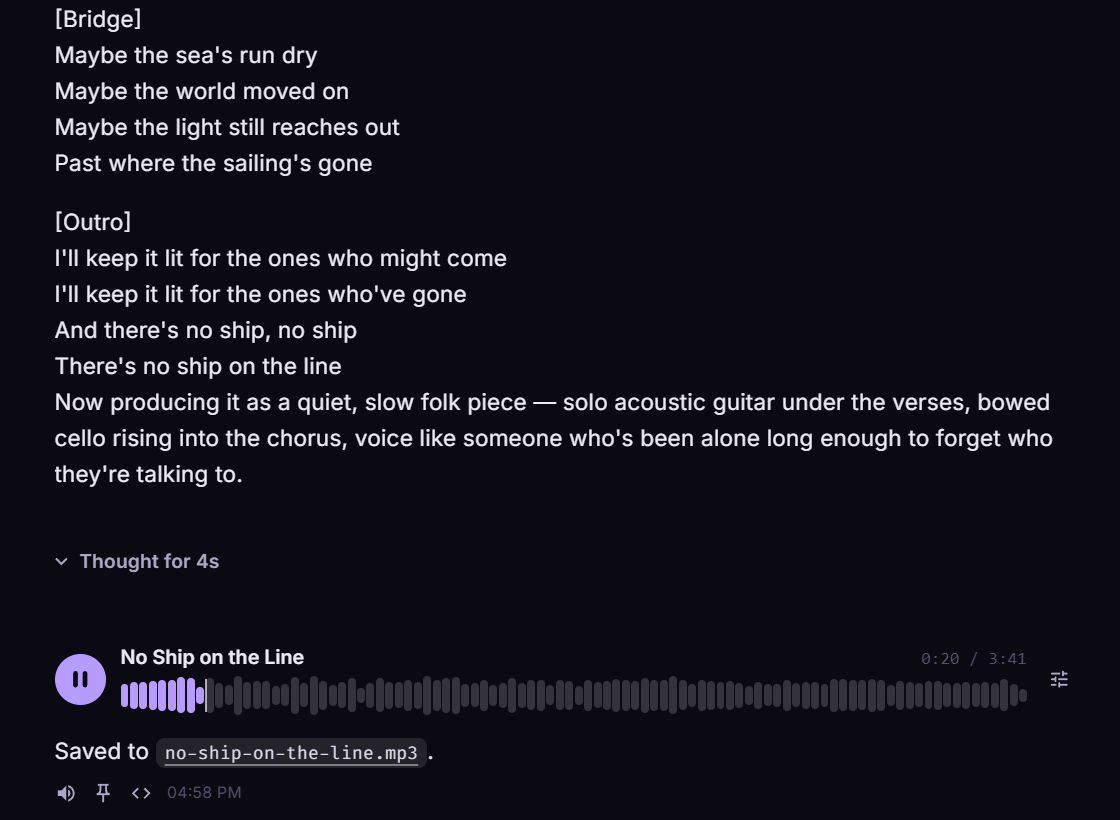
- The lyrics sit under the player, printed in full.
- The brief it wrote stays editable field by field, and a change writes a new song instead of replacing the first.
Related features
Hear one
The song below came out of a single line typed into the chat box.
The prompt
Write me a song about a lighthouse keeper who never sees a ship. Sad folk.
The Keeper of the Empty Light
0:00 / 3:57
It lands in the conversation
Ask, and the finished track appears where you asked for it, words and all, with a player you can hit straight away. Scrub the waveform to find the chorus, or click the title to open the file in whatever you normally play music with. Keep going in the same thread: an instrumental cut for the demo video, a cover of the jingle sitting in your repo.
- Words written for you, or bring your own
- Ask to hear it and it plays as soon as it is done, with Mute and Stop while it plays
- Instrumental cuts with no vocals
- Covers from a file on your computer or a link
- CD-quality audio saved in a generated folder beside your work
Change it without starting over
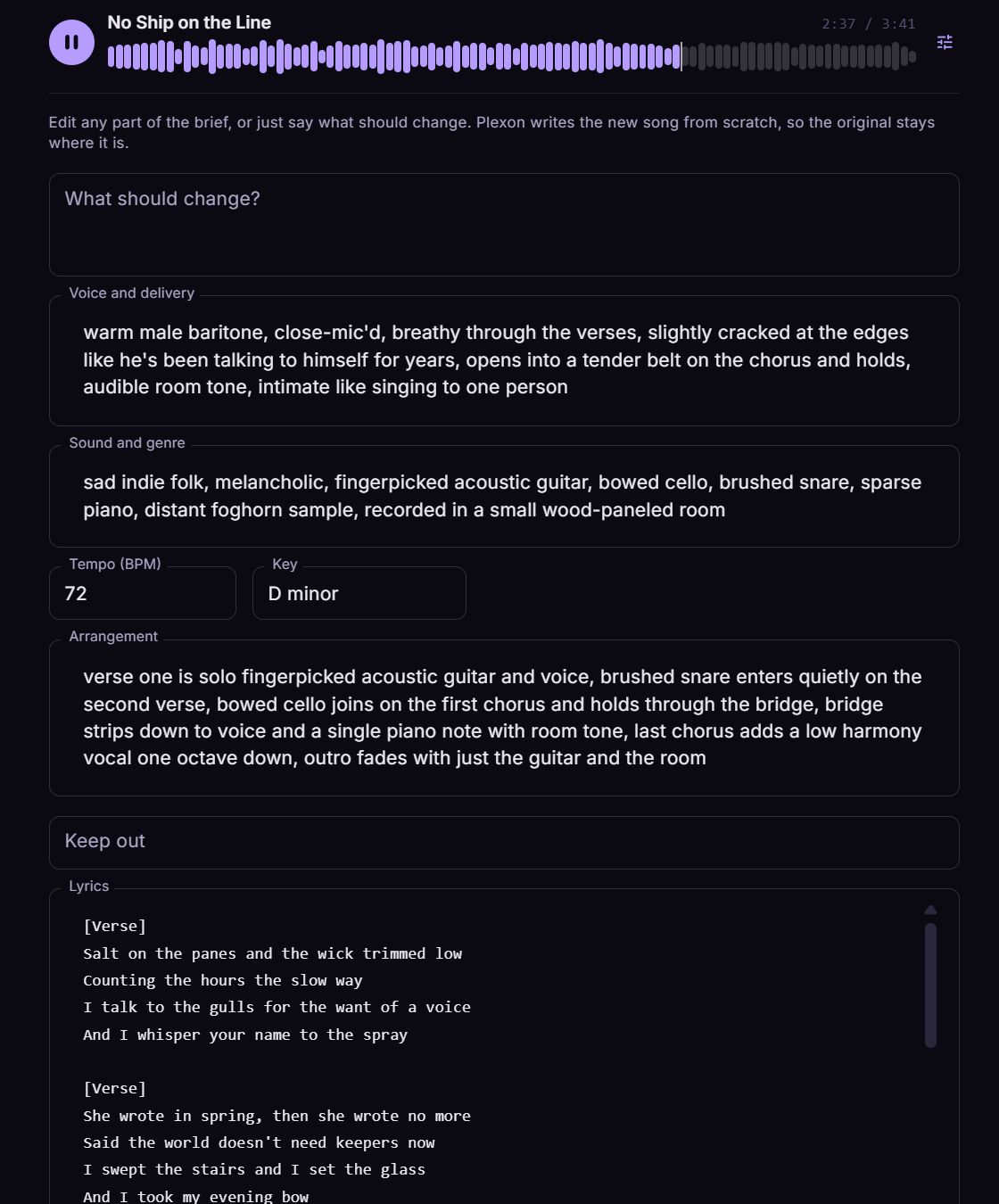
The brief that made a song stays attached to it. Open it on the track and change the voice, the tempo, the arrangement, or a line of the lyrics, or just type what should be different and let Plexon work out the rest. It drafts the new version in the chat box for you to read before you send it, and the original stays where it is.
- Every argument that made the track, ready to edit
- Or one box: say what should change
- Nothing is sent until you press Enter
- Earlier takes are never overwritten
You can see what you have left
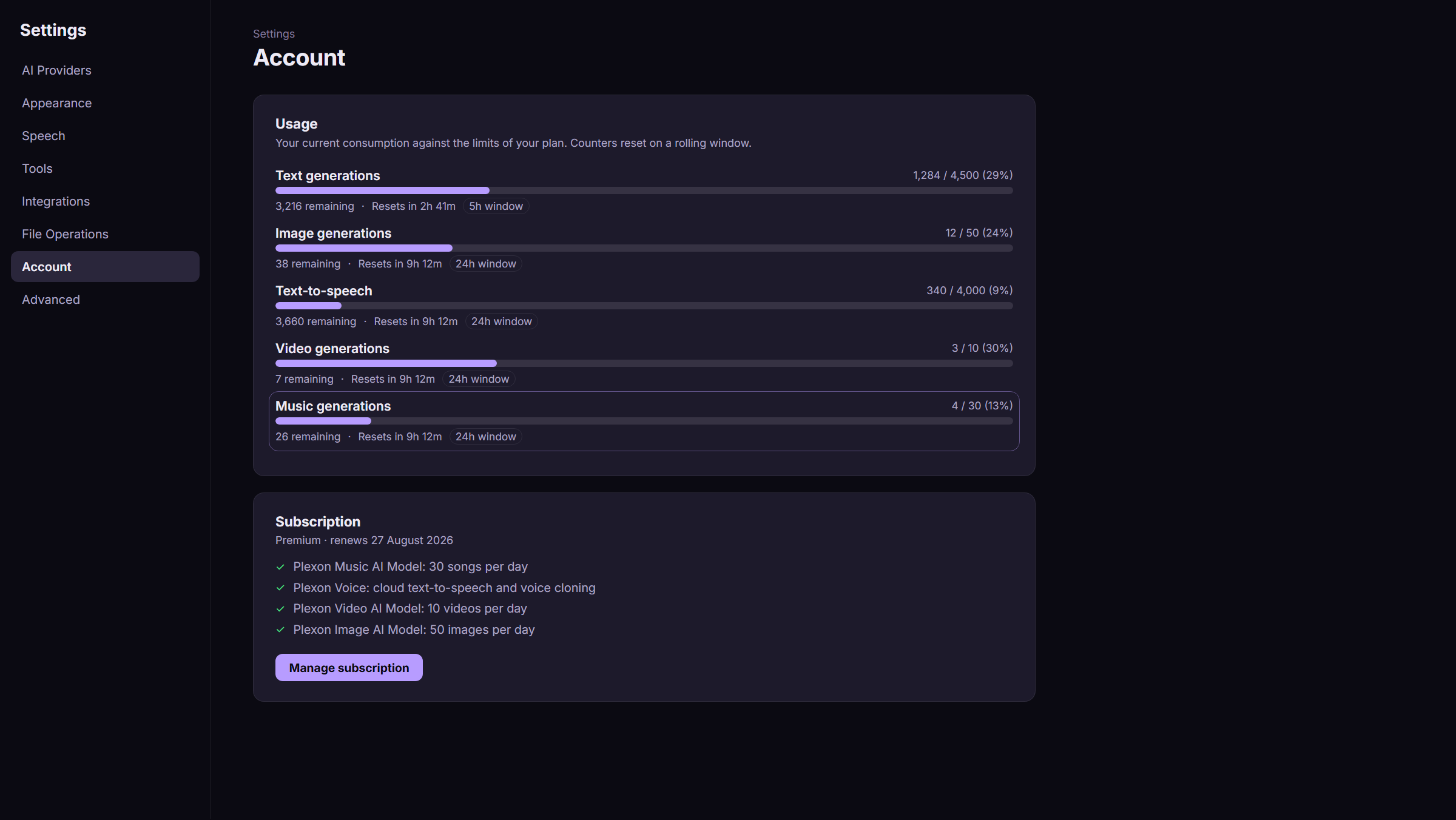
Premium includes 30 songs a day. Settings, Account shows the counter next to every other Plexon model, with the reset time and how many you have left, so a long session never surprises you.
Describe it. Hear it.
Tell Plexon what the song is for and roughly how it should sound. It settles the genre, the mood, and the instruments, writes the verses and the chorus, and records the track. It directs the performance too, not just the genre: how the singer carries a line, the tempo and key, and where the arrangement opens up.
A song takes about as long to make as it does to play. When it is done it appears in the conversation with a player like the one below, and the audio file is already saved in your working folder. Want the voice breathier or the chorus bigger? Change it right there on the track and Plexon makes the next version.
Three ways to make a track
A song with words, an instrumental, or a new version of something that already exists.
A song with words
Name the occasion and the feeling. Plexon writes verses and a chorus around it and sings them over an arrangement that matches. Supply your own lyrics if you have them.
An instrumental
No vocals, just the music. Useful for an intro sting, a loop under a demo video, or something to concentrate to.
A cover
Give it a recording from your computer or a link, say how the new version should sound, and it sings the song again in that style.
Works with the Plexon Provider
Music generation runs on the plexon-1.0-music model variation and is part of the Premium plan, with 30 songs a day. The plexon-music sub-agent handles the songwriting, so a request that mixes music with other work is split up automatically. There is no separate account or API key to set up.
Music Generation Capabilities
It Writes the Words
Give it the occasion and the mood. Plexon writes verses and a chorus that fit, then sings them. Bring your own lyrics instead and it uses those.
Instrumentals Too
Ask for no vocals and you get a backing track: an intro loop for a video, something to work to, a bed under a voiceover.
Cover What You Have
Point it at a recording on your computer or a link, describe the new treatment, and it sings the song again in that style. Clone your voice in Settings and it can build the track around yours.
Keeps the File
Every track saves as a real audio file in your working folder, at CD quality by default. Play it in the chat or use it anywhere else.
Connects to
Nothing here works alone. See the whole map for how the pieces fit together.
What feeds it
Visual & Voice feeds this.
Clone your voice and ask for a song sung in it.
Plexon Provider feeds this.
Music on the Premium plan.
Where it goes
This feeds Video Composition.
A generated track becomes the bed, ducked under the narration.
Seen in these jobs