Word and Excel
Ask for a document.Keep an editable file.
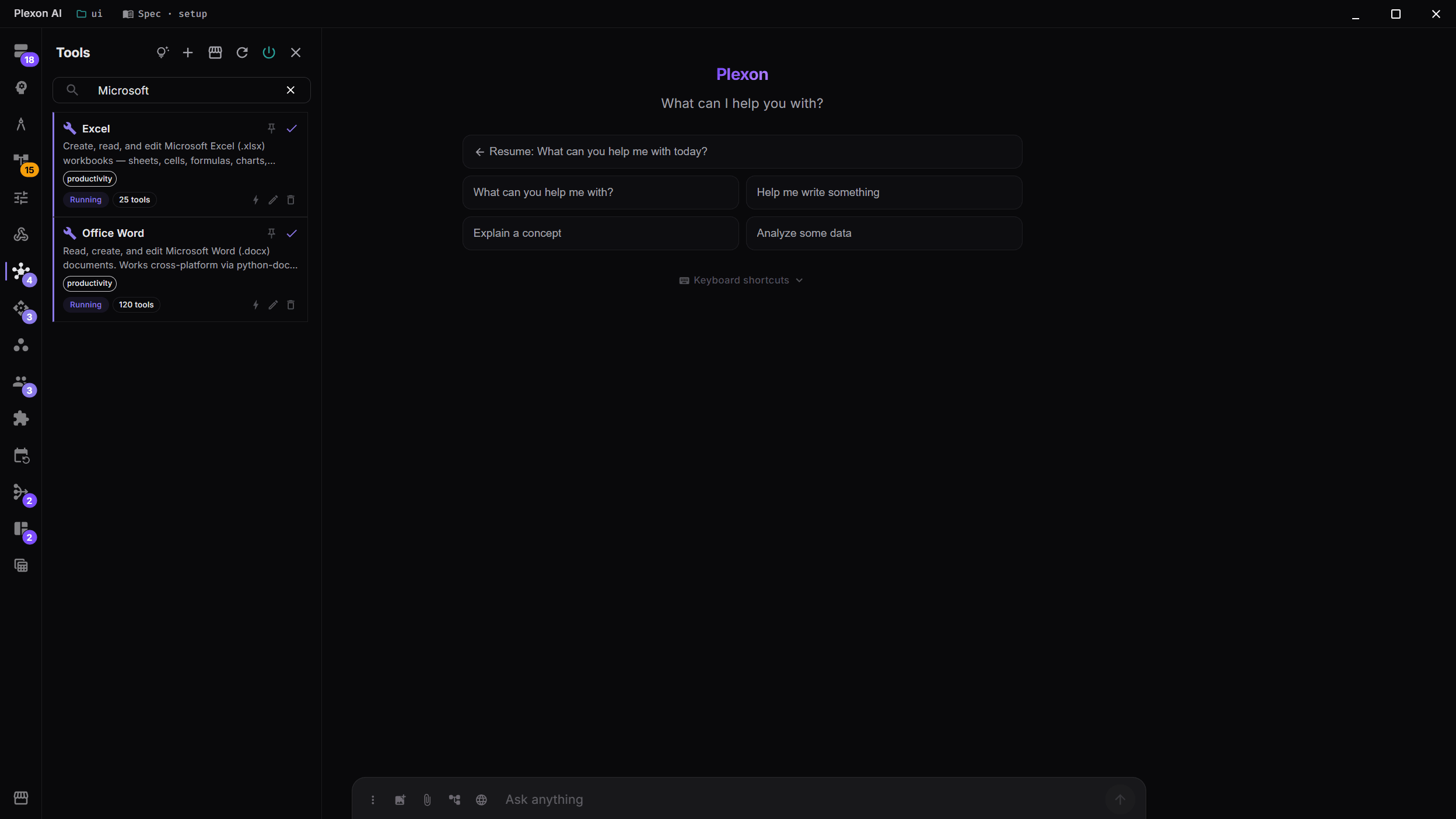
Create a report, update a spreadsheet, or turn a client list into letters. Enable Word or Excel in the Tools panel, then tell Plexon what you need in chat.
Related features
Describe the document you need
Ask for a report, a letter, or a spreadsheet. Plexon can create the file, read one you already have, and make changes to it. For example: “Use this client list to draft a separate welcome letter for each person.”
- Word documents with headings, tables, images and comments
- Excel spreadsheets with formulas, charts and formatting
- File editing on Windows, macOS and Linux
- Word and Excel do not need to be installed for file editing

Start with the tools for your role
A persona is a saved role with its own instructions and tools. Writer and Product Manager include Word tools. Financial Analyst and Dietitian include both Word and Excel. You can enable either tool for another role from the Tools panel.
- Draft an article or product brief in Word
- Build a financial model or meal plan in Excel
- Change which tools your role uses at any time

Review changes in Word
When Microsoft Word is open on Windows or macOS, Plexon can edit the open document. Changes appear in Word with tracked changes and undo. When Word is closed, Plexon edits the file directly.
- See edits in the document you have open
- Review tracked changes before accepting them
- Continue working with saved files when Word is closed
Use a spreadsheet to write a report
Give Plexon an Excel workbook and ask for a Word summary of the results. It can read the numbers, prepare the explanation, and save both files. A workflow, or saved routine, can repeat these steps for the next report.
- Compare this quarter with last quarter
- Create letters from rows in a client list
- Update a written report when its figures change
Work with familiar files
Documents you can edit
Word tools cover headings, tables, lists, styles, comments and tracked changes. The saved document remains editable in Word.
Spreadsheets with formulas
Work with cells, formulas, charts and formatting. Ask Plexon to explain a calculation or update a workbook.
Use your computer
File editing works on Windows, macOS and Linux. Editing inside an open Word window requires Word on Windows or macOS.
Tools for your saved role
Word and Excel tools come with the roles that use them. Open the Tools panel to review or change what is enabled.
Files are saved on your computer. If you use an online AI service, it receives the document content needed for your request.
Connects to
Nothing here works alone. See the whole map for how the pieces fit together.
This one is taught in step 4 of 8: let it act on real files.
Where it goes
This feeds AI Chat & Modes.
Read and edit a real .docx or .xlsx from the conversation, with tracked changes while Word is open.