Creative AI
VideoComposition
Turn the photos, screen recordings, and generated clips you already have into one finished video. Plexon writes the narration, times the captions to match, brands the cards in your own colors, and renders the whole thing on your computer. No daily limit.
What happens in this clip
- Describe the scenes and what each one should say.
- Plexon lays it into a storyboard, writes the voiceover and times the captions to it.
- The cards are branded and the whole thing renders on your own computer, with no daily limit.
- The finished video lands in the conversation and plays where you are already reading.
- Ask for one line to change and it re-renders that.
Related features
Script it. Compose it.
Say what the video is for, and Plexon writes the narration first. Each scene runs exactly as long as its spoken line takes to say, so the script decides the whole edit before a single frame renders.
Point it at what you already have: photos, a screen recording of your product, a clip Plexon generated earlier. It lays them into one timeline with animated cards for the title, a stat, and the close, all in your own brand colors instead of Plexon's.
The video renders on your computer. A notification lands when it is ready, and the finished file plays right in the conversation.
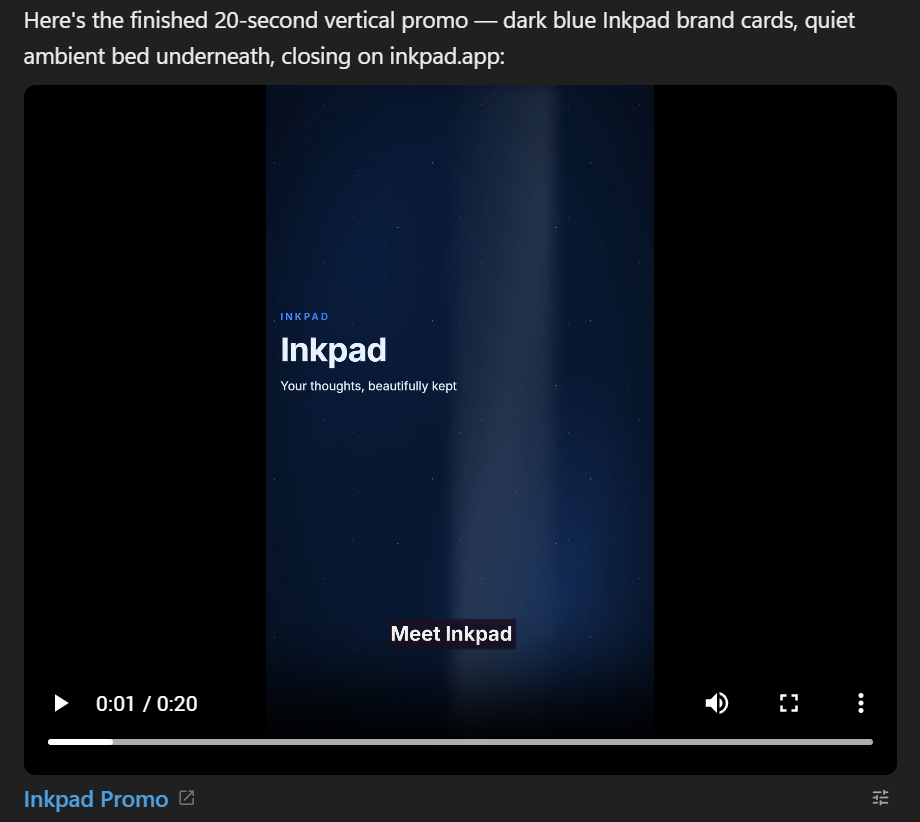
The finished video lands in the conversation
Ask for a promo, a slideshow, or a narrated walkthrough, and it appears where you asked for it: a player with the first frame already there, captions burned in, and a closing card in your own brand colors. An Edit button sits right on the card.
- Narration in the voice you picked in Settings, Voice
- Captions timed to match the voiceover, not typed on after
- Cards for the title, a stat, and the close, in your colors
- Plays inline, no separate download step
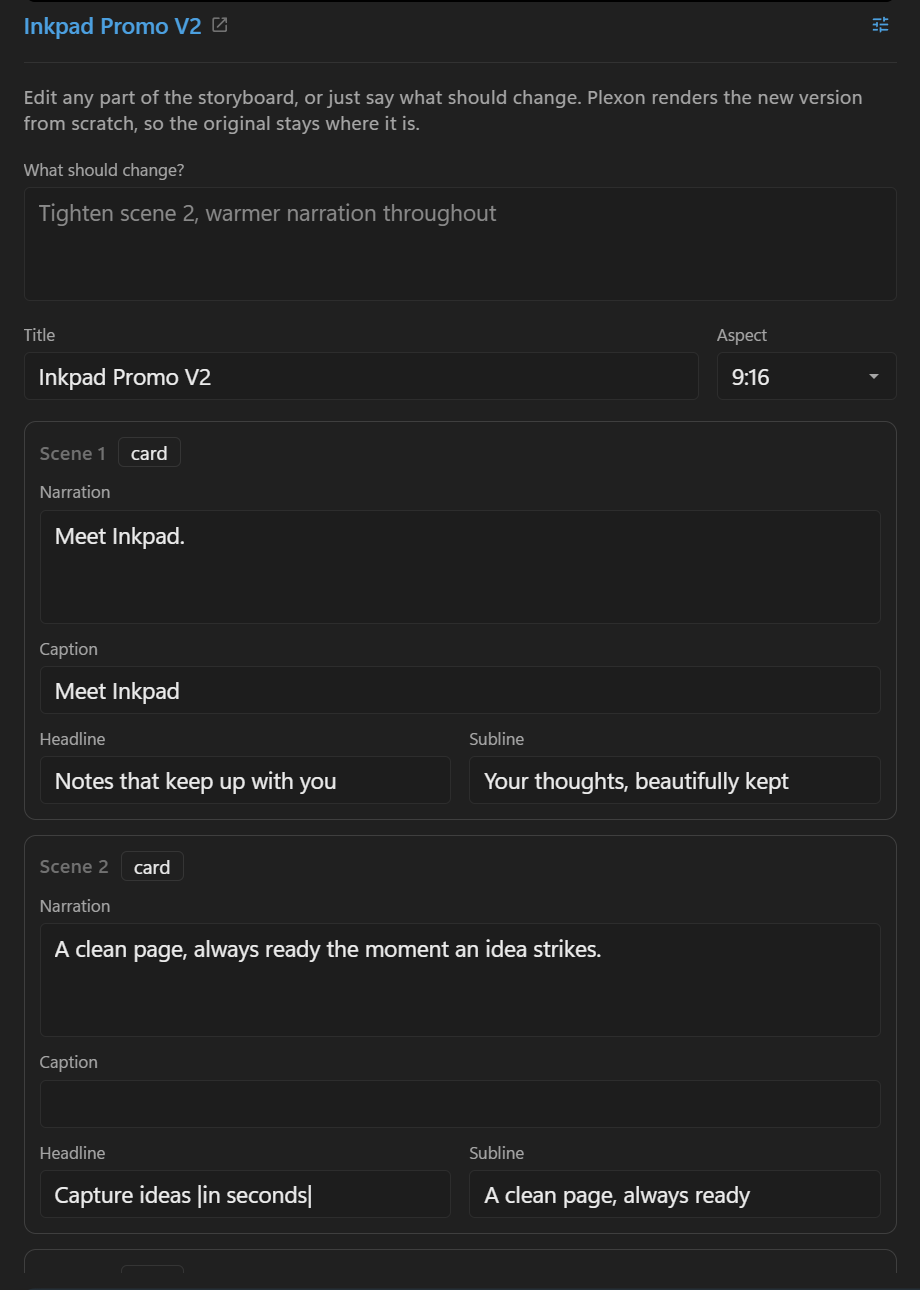
Change it without a new storyboard from scratch
Open the Edit button on a composed video and every scene comes back the way you set it: the narration lines, the cards, the clip windows. Change one line, or just describe what should be different, and Plexon drafts the new storyboard as a message for you to read before it sends. The first cut stays exactly where it is.
- Every scene pre-filled and ready to change
- Or one line: say what should be different
- Nothing sends until you press Enter
- Earlier takes are never overwritten
Three kinds of footage, one storyboard
Mix what you already have with what Plexon can make for you, all inside the same timeline.
Photos and recordings
Point it at the pictures and screen recordings already sitting in your project. Plexon times them to the narration and cuts between them like a real edit, not a slideshow on autoplay. A single photo can be its own scene, too: give it a camera move, a slow push in, a pan, Ken Burns, and it renders locally with no plan gate and no daily limit.
Generated clips
A shot nobody could film on a phone (a drone pass, a product somewhere it has never been) comes from Plexon's own video generation, or from a connected app such as Higgsfield, then drops straight into the storyboard as a scene. A link is enough: Plexon fetches the clip into your project before it renders.
A mix of both
Most videos use all of it: a recording of the real product, a generated establishing shot, and cards that carry the words. One render, one file.
Brag about what you built
Open a project and type brag (or "let's brag", or "make a launch video for this project"). Plexon reads the site or app, picks an angle, storyboards it beat by beat, and builds a 15 to 25 second launch video as one animated frame on the design canvas, on a board named after the project. Seven tones to pick from: default, polished, yc-parody, chaotic, deadpan, cinematic, and app-store, or describe one yourself ("fake Series A launch from 2016"). Landscape, vertical, or square. Music comes from Plexon's music generation on Premium, or a track you point at, and the cuts land on its beats; a small set of sound effects ships with the skill. Narration in your own voice is there when you ask for it and off by default. Plexon reviews each scene from a still frozen at the moment it settles, then exports the mp4 on your computer with a poster frame beside it, writes a share caption for the post, and saves the plan and composition in a brag-outputfolder in the project. The frame stays on the board: replay it there, change a line by asking, and export it again.
What people actually type
Ten real asks. Type one as it is, or say it your own way.
“Make a 20 second vertical promo for my note-taking app called Inkpad, dark blue brand, end with inkpad.app. Add a quiet music bed.”
“Animate this photo, slow push in.”
“Make a slideshow from my trip photos with varied camera moves and gentle narration.”
“Turn this screen recording into a narrated walkthrough with captions.”
“Generate two clips of a lantern over a harbour, then stitch them into one film with a title card.”
“Turn this script into narration audio files, one per paragraph, plus one joined track.”
“Change the second scene's headline and render it again.”
Typed into the Edit button on a composed video, not a new message.
“Animate this product card on the canvas, 12 seconds, and export it as an mp4 with the click sound on each reveal.”
The frame stays on the design canvas, where Replay and the two exports sit on its menu.
“Brag. Tone deadpan, vertical, no narration.”
Typed inside the project folder. Plexon reads the code and builds the launch video from it.
Video Composition Capabilities
Narrated in Your Voice
Every scene speaks in whichever voice you set up in Settings, Voice, including a voice cloned from your own recording.
Captions Timed to the Voice
Captions are burned in and synced to the narration automatically, scene by scene.
Cards in Your Colors
The title, stat, and closing cards pick up your own brand colors and logo, not Plexon's, so a video for your product looks like your product.
Landscape or Vertical
16:9 for YouTube, a website, or email. 9:16 for Reels, TikTok, Shorts, and Stories. Same storyboard, the shape the platform wants.
A Music Bed, Ducked Under the Voice
Add a track and Plexon lowers it under the narration automatically, so the words stay clear.
A Frame That Moves
For a piece a storyboard cannot say, the AI animates one frame on the design canvas with CSS. The board plays it, every state is kept, and its menu exports it as MP4 or WebM with the sound mixed in.
Refused Before It Records
A motion frame that points at a font or a script on the web, or animates with something the recorder cannot step, is refused in a sentence before a single frame is captured. It fails there, not in the finished file.
Cuts on the Beat
Hand Plexon a music file (wav, mp3, or ogg) and it reads the beats off the track, then lands the scene changes on the strongest ones.
No Daily Limit
Compose as many videos as the work calls for. There is no cap on how many render in a day.
Pairs With Video Generation
Video generation makes a single AI-imagined clip from a description or a still. Video composition takes that clip, or any footage you already have, and turns it into a finished video: narrated, captioned, and branded. Generate the shot you cannot film, then compose it into the video you actually need.
Explore Video GenerationConnects to
Nothing here works alone. See the whole map for how the pieces fit together.
What feeds it
Visual & Voice feeds this.
Narration is spoken in whichever voice you set, including one cloned from your own recording.
Image Generation feeds this.
Generated stills become scenes, given slow motion.
Video Generation feeds this.
A generated clip can itself become a scene in a longer piece.
Music Generation feeds this.
A generated track becomes the bed, ducked under the narration.
Design Canvas feeds this.
A frame that moves exports as MP4 or WebM from its own menu, sound included; brag builds its launch video as one.
Seen in these jobs