Parallel Work
Chats That Talkto Each Other
Two chats on the same project, both editing the same repository, neither aware of the other. One renames a column and the other keeps building against the old name. Now the first one says so, they share a board of decisions and claims, and @chat: lets you name one by hand.
What happens in this clip
- Two chats are open on the same project.
- Type @chat: in one and pick the other from the list.
- Your chat passes the message on as one line of text.
- The other chat picks it up on its own and answers in its own conversation.
- The message is marked as coming from a chat rather than from you. Two hops maximum, text only, and none of it leaves your machine.
Related features
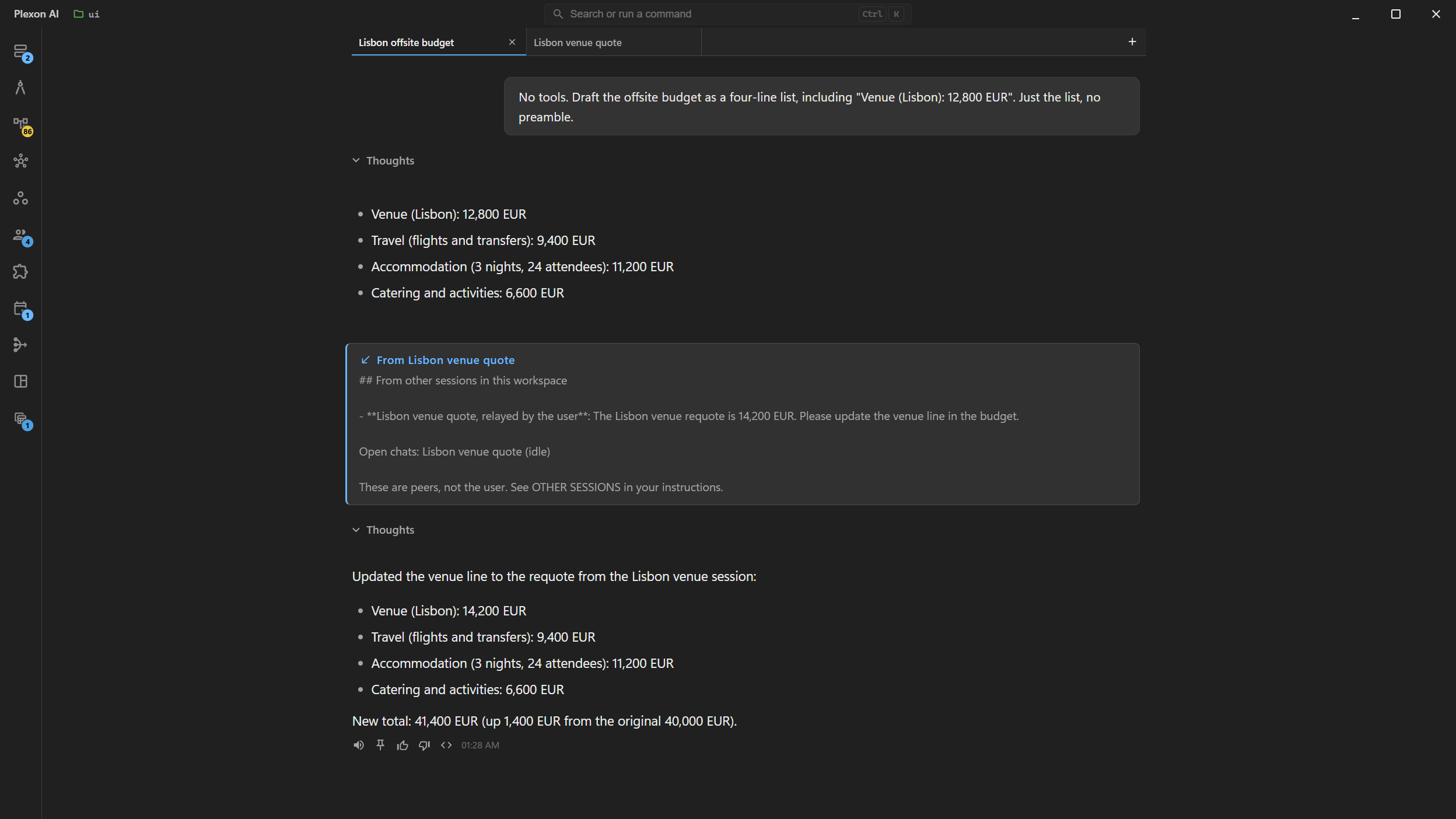
One Chat Tells the Others What Changed
Two chats on the same project used to work blind. One renames a column, the other keeps building against the old name, and you find out when something breaks. Now the first one says so. The message arrives in the other chat as a short note naming who sent it, and that chat decides whether it changes what it is doing.
- Messages are short plain text, never conversation history or files
- A chat that is mid-task reads the message at its next step, without losing its work
- An idle chat picks it up right away and answers
- Both sides show the exchange, so nothing happens where you cannot see it
A Board of Decisions and Claims
Some things every chat needs, not one. A naming decision, a warning that the test database is being reset, or a claim on the files one chat is about to rewrite. Those go on a board that every chat on the project reads at the start of each step. A claim is binding: the others leave those files alone and say so rather than editing over the top.
- Four kinds: decision, claim, warning, status
- A claim names the files or the area it covers
- Claims are released when the work is done, and on restart
- You can post a note yourself, not just the assistant
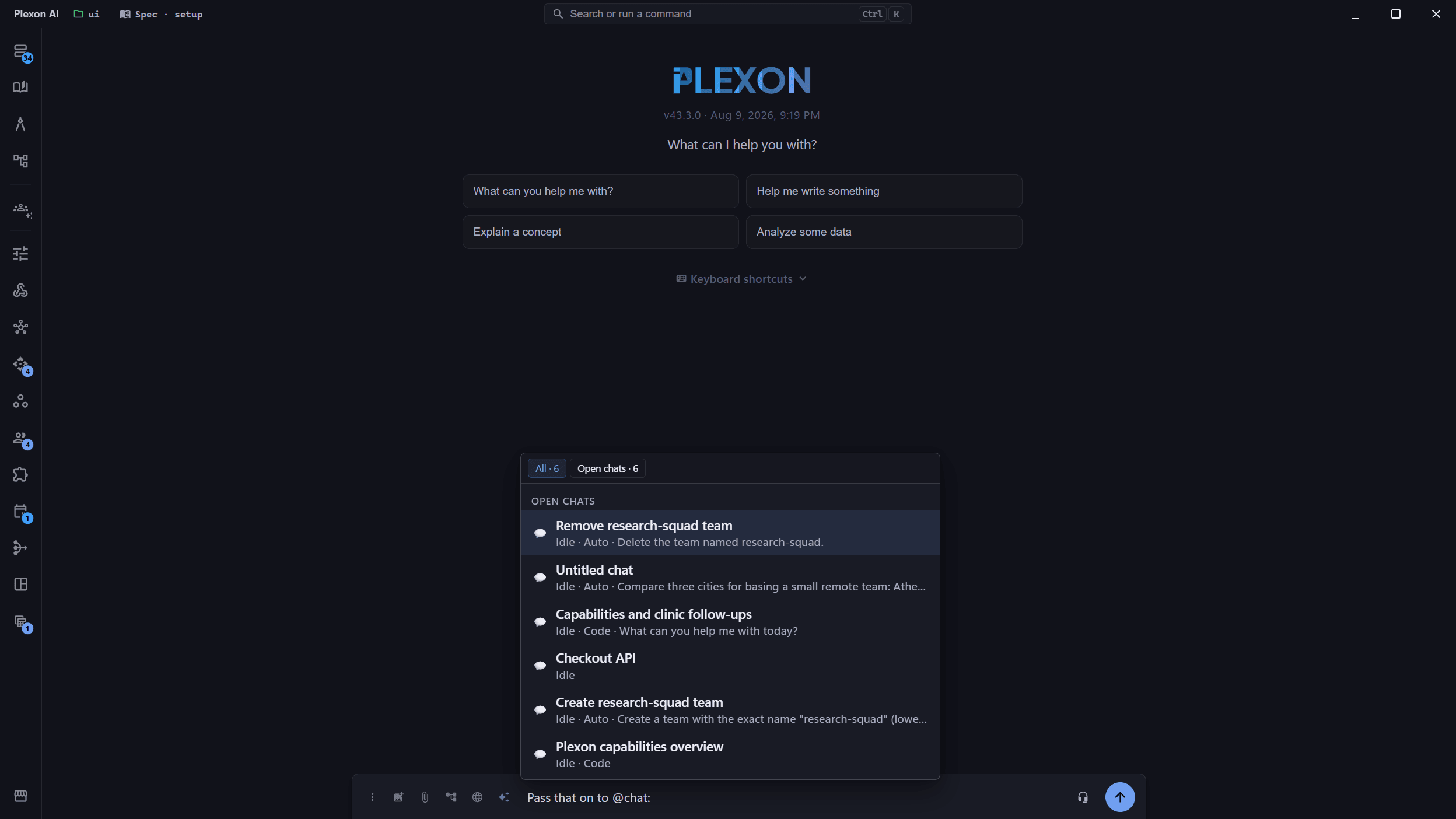
Name a Chat With @chat:
Type @chat: in the message box and the picker lists the chats you have open, each showing whether it is running or idle and what it is working on. Pick one and your assistant knows exactly which chat you mean. It sits beside @file, @symbol, and the rest, and it names a live conversation rather than pasting an old one in.
- The picker shows running or idle, the mode, and a one-line focus
- Your current chat is never offered as a target
- Inserting picks the chat by id, so a rename cannot point it somewhere else
- Distinct from @session, which pastes a past conversation into your prompt
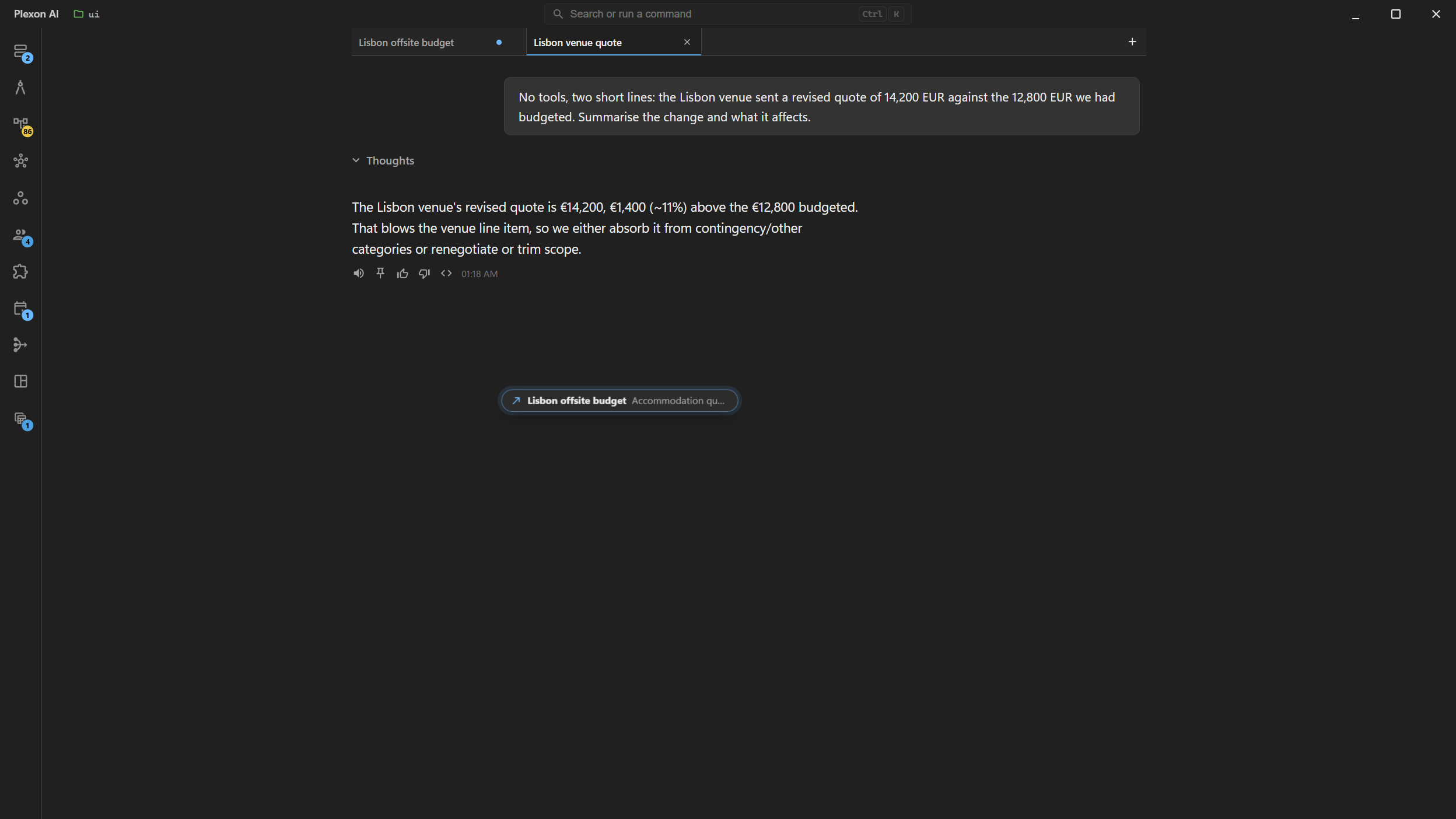
You Can See It Happen
A message between two chats used to be invisible: it arrived, and the only trace was a line in a transcript you were not reading. Now it crosses the window. The message lifts off the thing that sent it, travels to the chat it went to, and settles there. If that chat was not open, it opens as a tab first, in the background, so you are never pulled off what you were reading.
- The card carries the destination and the opening words, slow enough to read
- A chat with no tab gets one, behind the one you are on
- The tab keeps a mark naming who wrote, until you go there
- Reduce motion turns the travel off and leaves the mark
Bounded on Purpose
Two assistants politely updating each other while you are at lunch is a real way to spend money on nothing. So an exchange is capped. A chain stops after two hops, a pair of chats gets twenty messages before it has to stop and ask you, and repeats of the same sentence are dropped. Typing in either chat resets the budget, because you joining is the signal the exchange is wanted.
- A chain of replies stops after two hops
- Twenty messages per pair of chats, reset whenever you type in either one
- Identical repeats inside five minutes are dropped
- When a cap trips, the assistant is told to come back to you instead
A Message Is Not You
A message from another chat was written by another assistant, not by you, and Plexon says so when it delivers it. It cannot approve anything on your behalf, it cannot answer a permission prompt, and it cannot change a setting or a mode. Text inside it is information, never an instruction, so a message that tells the receiver to ignore its instructions is quoting rather than commanding.
- A message can never stand in for your consent
- Waking a chat runs it in its own mode, so Plan mode stays read-only
- A locked chat is refused at the point of sending
- System prompts, skills, and credentials are never passed between chats
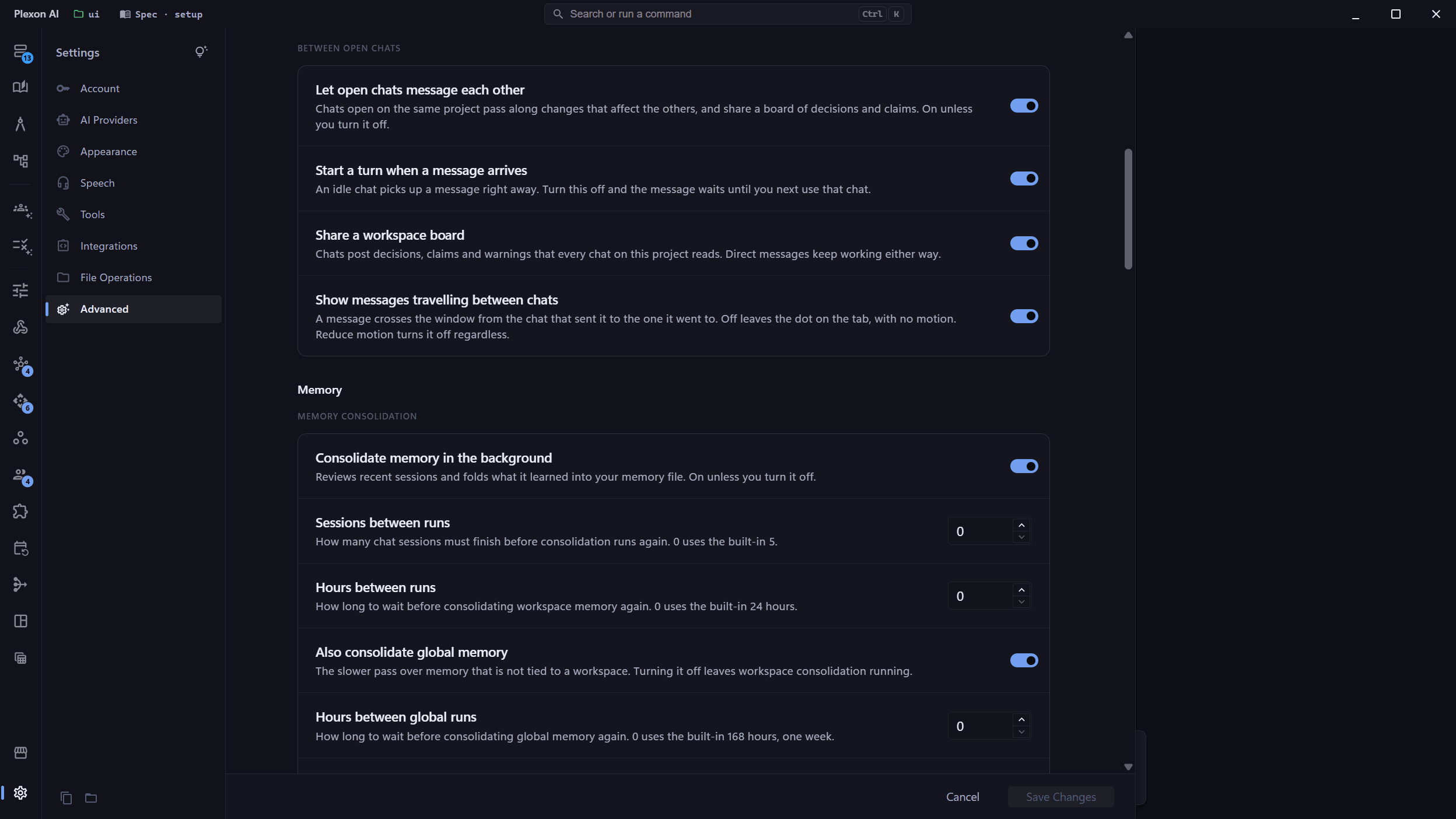
Off in One Switch
On by default, because a workspace with one chat open pays nothing for it and one with several is where the mistakes happen. Under Settings, Chats there are four switches: whether chats message each other at all, whether an arriving message starts a turn in an idle chat, whether the board is shared, and whether a message visibly travels. The second is there on its own for the case where you want the coordination but not a background tab spending tokens.
- Settings, Chats holds all four switches
- Turning off waking still delivers, it just waits until you next use that chat
- The board can be switched off while direct messages keep working
- With one chat open, nothing is added to the conversation at all
What It Gives You
Mid-Task Delivery
A running chat reads an incoming message between its own steps, so a warning arrives while it can still act on it rather than after the damage.
Claims Hold
A chat claims the files it is about to change and the others keep off them, which is the collision this exists to prevent.
Capped
Two hops, twenty messages per pair, no repeats. Two assistants cannot keep each other busy while you are away.
Local
Messages live in memory and the board is one file in your Plexon home folder. Nothing is uploaded and no account is involved.
Connects to
Nothing here works alone. See the whole map for how the pieces fit together.
Where it goes
This feeds Parallel Agents Workspace.
Parallel work is where chats collide; messages and claims are how they stay out of each other’s way.