Plexon Nous
Close the laptop.
Plexon keeps going.
Plexon Nous is Plexon running on its own, day and night: the workflows, bots and boards you set up on it keep working with your computer shut. It's here today as Plexon Nous Cloud, run by Plexon and part of Premium. The Nous and Nous+ boxes come later.
Nous and Nous+, the boxes: no price yet and no date yet. The waitlist is open below.
Available in graphite and bone.
Nous+, the box. Coming later.
Plexon Nous Cloud.
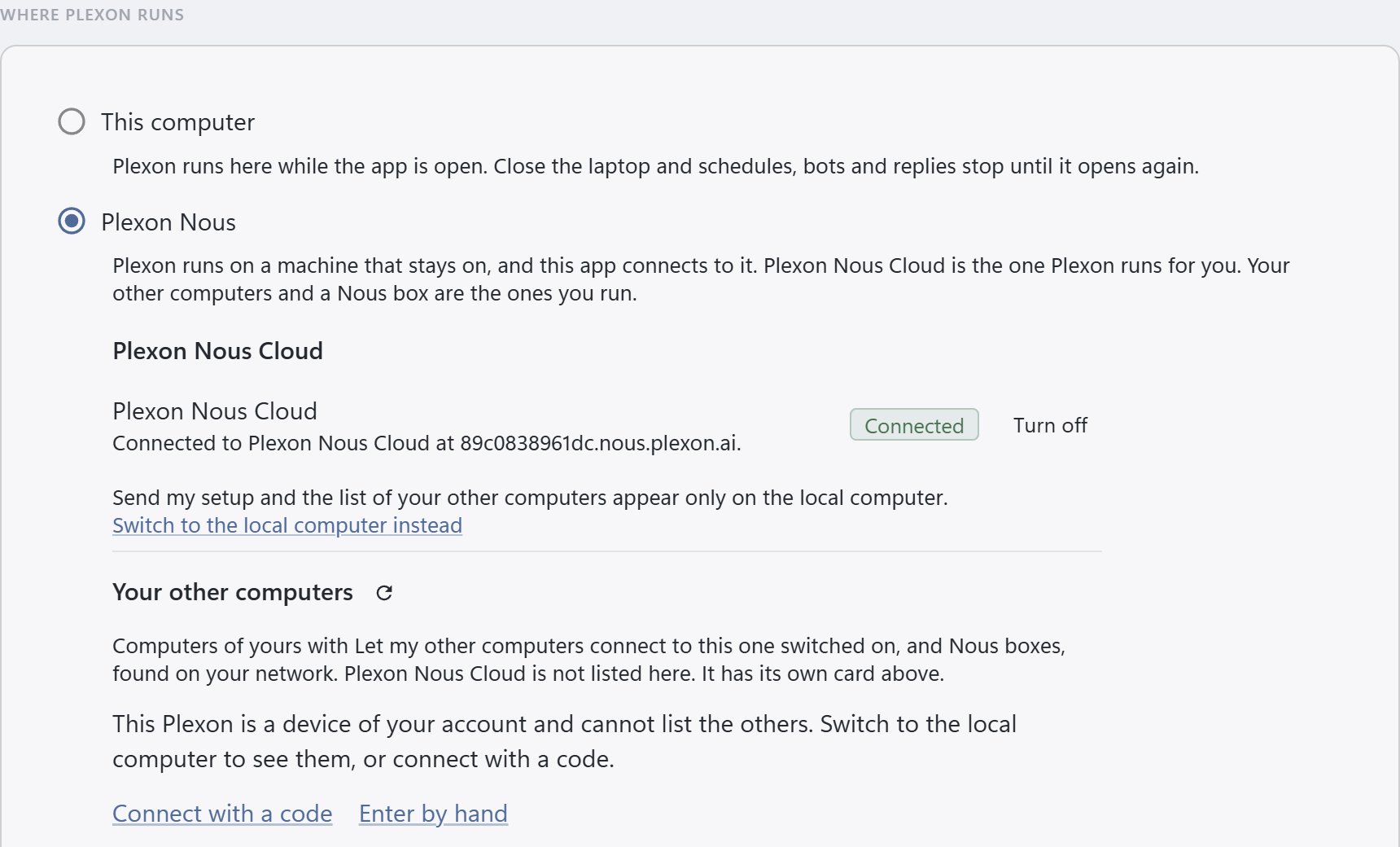
Your always-on Plexon, run by Plexon. One for your account. Turn it on from Settings, This computer in the app: it starts, pairs with your computer, copies your setup over and connects, in one go.
Runs with the laptop closed
Schedules, bots and boards keep going on it day and night. A workflow you make while the app is connected to it lives there from then on.
Your setup comes with it
Turn it on and your settings, skills, personas, connectors with their sign-ins and memory are copied over. Chats and project folders stay on your computer. Workflows you built here come over too, but keep running here; make one while the app is connected to it and it runs there.
Its own browser, live in the app
While the app is connected to it, the Browser panel shows its browser. Sign in to a site there and the sign-in stays there, for the workflows that need it.
On your account page
Whether it is running, when it last checked in, and one row per workflow and board with its last run. Turn off deletes it and its disk, after you type its id back.
Yours alone
Not a shared service: one Plexon for your account. Only an app signed in to your account can pair with it, the key is handed to your computer once, and our server keeps no copy. Switch back to your computer, bring a snapshot of its setup down, or turn it off, any time.
The boxes come later.
Nous and Nous+ run the same Plexon in a box of their own, at home or in the office. Nous+ also runs the Plexon Model, local version, in the box, so it answers with the internet unplugged. No price yet and no date yet. Join the waitlist and we'll email you when there's news.
Know where your work goes.
Draft a letter, plan a project, or ask about an image using the AI built into Nous. It can do that work even when your internet connection drops.
Choose local AI for private work.
Use the AI on the box for documents that need to stay at home or in the office. Requests handled locally stay local.
Online tasks use your connection.
When connected, Nous can also use the AI services you've set up and the Plexon AI included in your plan. Requests sent to an online service leave the box. Web search and work in connected online apps need the internet too.
The AI inside Nous+
Nous+ carries the Plexon Model, local version: the same Plexon that answers you in the app, running on the box. It knows which part of itself handles what: text, a photo, a long document. You don't pick, and we don't list what's inside, the same as in the app.
Want an AI of your own for one kind of work? Add it from the box's web page, and decide there which online services the box may use. Plexon's saved roles, tools and routines were built and tested with Plexon's own AI. Other AI can behave differently. Check its work more often.
Close your laptop. Keep the routine.
Schedule a morning update or leave a task running overnight. Workflows, the routines you set up in Plexon, run on Nous alongside your dashboards and notifications. Your laptop can be closed. Tasks that use online apps still need an internet connection. Make a workflow in your app while it's connected to the box and it lives on the box from then on.
Connect a screen and accessories through a USB-C hub to use Plexon at your desk. Unplug the hub when you're done; Nous keeps running.
Use the app you already know.
Turn on the Nous setting in your Plexon app to work through the box. Turn it off to use Plexon's online AI again. Your work stays in the familiar app. While it's on, the workflows and sign-ins you set up are made on the box and stay there.
One Nous for your team.
Each person's Plexon app can connect to the same box. Choose which apps may connect and have one person manage its settings and updates. Requests handled locally stay local; requests sent to online services leave the box.
Change its settings in your browser.
Sign in to Nous's web page at home, at the office, or while you're away. Choose the AI it uses, the online services it may contact, and which Plexon apps can connect. You can also manage updates and see what it's been doing. The page lives on the box, so it works without the internet. From away, sign in at nous.plexon.ai and it opens your box.
Keep chatting and working in the Plexon app. Open the web page when you need to manage the box.
More settings you can change
Switch the AI on the box on or off, add the keys to your online AI accounts, and choose what handles each kind of request. Set an alternative if your first choice is unavailable, and choose how long the AI thinks before it answers.
A small place on your desk.
Nous fits in your palm and sits flat on your desk. Fine grooves follow the folded front, with the Plexon mark pressed into the surface. A thin light in the crease pulses while it thinks. Choose Graphite or Bone.
What comes in the box.
Nous comes with one braided USB-C power cable and a folded card, held in a paper tray. The cardboard sleeve opens sideways, like a book.
Two sizes.
Same Plexon, same box, same web page. One of them also keeps the AI models at home.
Nous+
- Answers with the internet unplugged.
- Keeps the Plexon Model at home, local version: the same Plexon that answers you in the app.
- Runs your workflows day and night, with your computer shut.
Nous
- The smaller, lower-cost one.
- Runs your workflows day and night, with your computer shut.
- Answers through Plexon's online AI, the same AI the app uses today.
- The first of the two to ship.
No price yet and no date yet for either.
Hear when Nous is ready.
Price and release date will be announced. Join the waitlist for updates.
Can I get Plexon Nous today?
Yes, as Plexon Nous Cloud: Plexon Nous run by Plexon, one always-on Plexon for your account. The workflows, bots and boards you set up on it keep going with your computer shut; ones you built on this computer come over with your setup but keep running here. It's part of Premium. Turn it on from Settings, This computer in the app; the first start takes around ten minutes.
When do the boxes ship?
Nous and Nous+ come later. There's no price yet and no date yet. Join the waitlist and we'll email you when there's news.
Can I reach my own computer from another network?
Yes, and it is on from the start. Under "Let my other computers connect to this one" on the computer that stays on there's a second switch, "Reach this computer from the internet", on unless you turn it off. With the computer signed in, it gets a name under nous.plexon.ai, reached through Plexon's relay: the computer keeps its own connection out to the relay, so there's nothing to set up at home, and it works on a phone hotspot or behind a provider's box too (a signed-out computer still pairs, but gets no name). The name is shown once Plexon has checked that the computer answers through the relay. The relay passes the encrypted connection along without opening it; the laptop still checks that computer's own certificate, as it does at home. On the same network the laptop connects directly. A box set up with the one-command installer has the same switch, shown in the app while you're connected to it. Off keeps the box on its own network, and from then on only a computer on that network can turn it back on, so the app asks first.
What's the difference between Nous and Nous+?
Nous+ is the box this page describes: the Plexon Model lives on it, local version, so it answers with the internet unplugged and runs your workflows day and night. Nous is the smaller, lower-cost one. It runs your workflows day and night with your computer shut and answers through Plexon's online AI, the same AI the app uses today. Nous ships first; Nous+ comes after.
Which AI is inside Nous+?
The Plexon Model, local version: the same Plexon that answers you in the app, kept on the box. We don't list what's inside it, the same as in the app. You can add an AI of your own for one kind of work from the box's web page.
What happens to my Plexon subscription?
You keep it. Nous works under the same account. When it's online, your plan decides which Plexon AI it can use. Without an internet connection, the AI on the box answers on its own.
Does it replace the desktop app?
You can keep using the app on your computer. Turn on its Nous setting to work through the box, or turn it off to use Plexon's online AI. Nous also runs Plexon itself. Your workflows, the routines you set up, and notifications can run while your laptop is closed. Connect a screen through a USB-C hub to use Plexon directly on Nous.
Can my team use it?
Yes. Each person's Plexon app can connect to the same Nous. The person managing the box signs in to its web page to choose the AI, control which apps connect, and manage updates. They can do this at the office or while away. Requests handled locally stay local; requests sent to online services leave the box.
Where is the box's web page?
On the box. Open it in the building at the address on the card, or sign in at nous.plexon.ai from anywhere and it opens your box for you. It works without the internet; from away you need the internet.
Does it need the internet?
Nous+ doesn't. With the internet disconnected, the AI on the box keeps answering and your routines keep running. Nous answers through Plexon's online AI, the same AI the app uses today. On both, web searches, online AI services and tasks in online apps need a connection. Requests handled locally stay local; requests sent to an online service leave the box.
Can I choose which AI answers?
On Nous+, the Plexon Model decides which part of itself answers, the same as in the app. If you add an AI of your own for one kind of work from the box's web page, that kind of work goes to it. Plexon's saved roles, tools and routines were built and tested with Plexon's own AI. Other AI can behave differently, so check its work more often.