Advanced AI
Multi-AgentOrchestrator
Break complex tasks into parallel subtasks and delegate them to specialized AI agents. Watch them research, code, and collaborate in real time.
What happens in this clip
- One request about three cities arrives in the chat.
- It becomes three sub-agents, one per city, all running at once.
- The panel on the right streams what each one finds while it is still finding it.
- Each is ticked off with the time it took and what it cost.
- The chat reads all three back as a single recommendation.
Related features
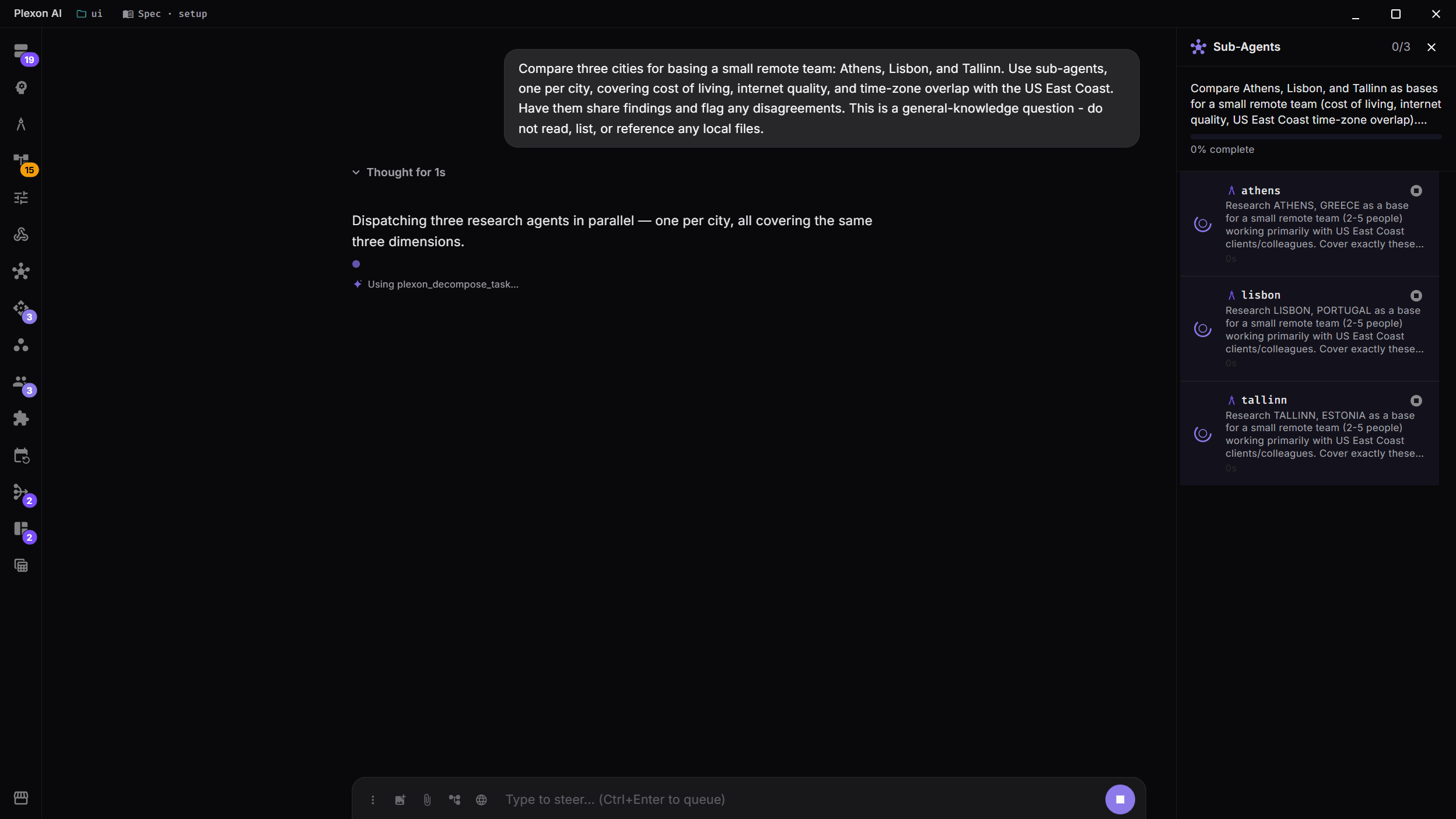
Parallel Sub-Agents
The Orchestrator automatically decomposes complex requests into independent subtasks and spawns specialized agents to work on them simultaneously. Each agent has its own context and tools.
- Automatic task decomposition
- Parallel execution: 3x faster than sequential
- Each sub-agent works independently with full tool access
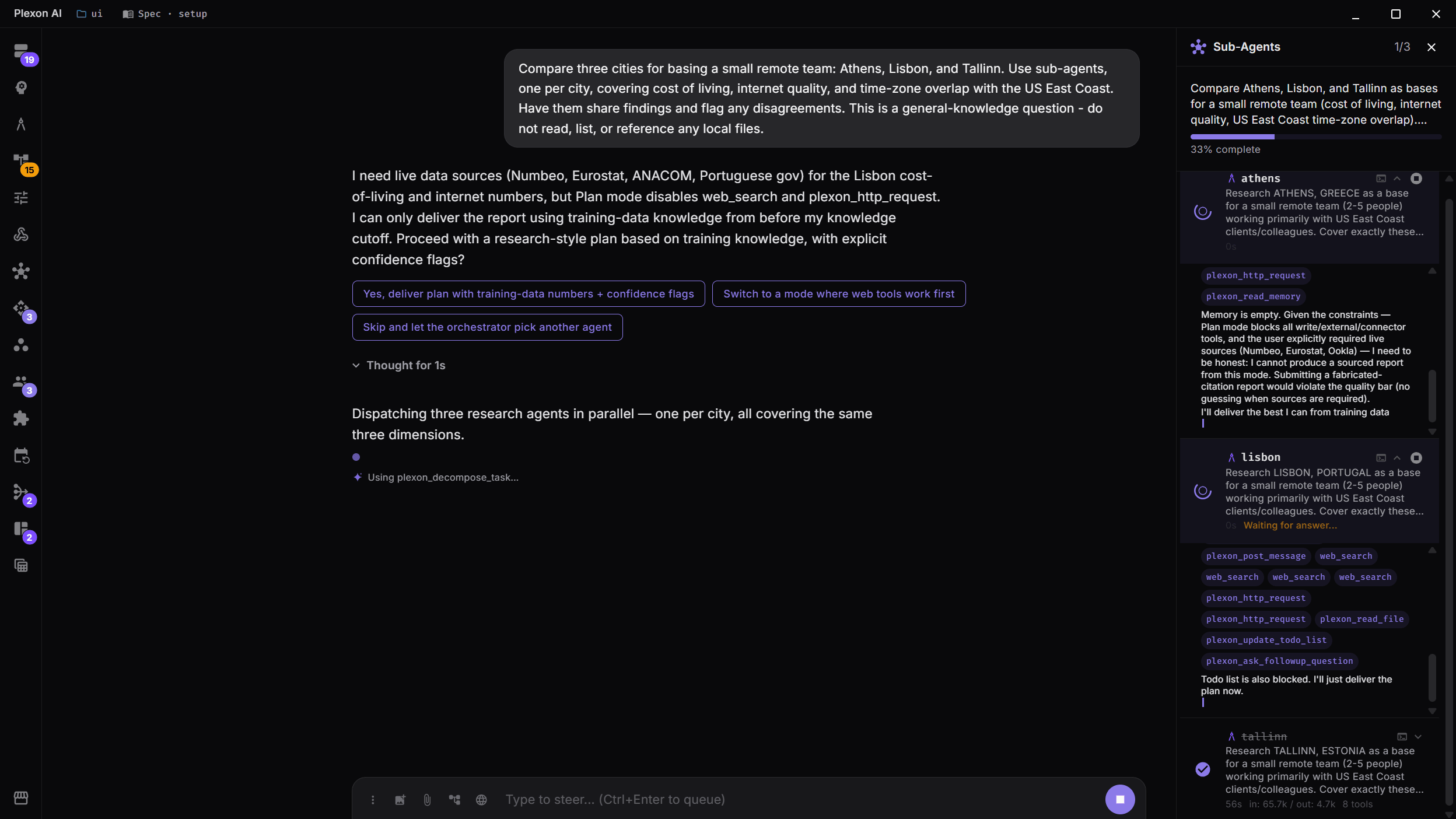
Real-Time Progress Tracking
Watch every sub-agent as it works. The panel names each one, streams its findings as they arrive, and marks it done with the time it took and what it cost. Pictured: three agents finished in 28, 33 and 25 seconds, with the synthesis already running.
- Live streaming from each agent
- Elapsed time and token cost, per agent and for the run
- A bar at the top counting completed subtasks
The Hand-Off Happens In The Chat
When work goes to a specialist, the chat says so. You see which agent took it, the brief it was given, and the tools it calls as it calls them. When it answers, the answer is rendered where you are already reading: audio plays, links open, code is highlighted. A run split across several agents shows a row each, and any row opens to that agent's own write-up.
- The agent that took the work is named, with its own description
- Its reply renders in full, media and file links included
- One row per agent on a parallel run, each one openable
- The full transcript of any run is one click away
You Can See Which Agent Told Which
Agents on a run share a board: one posts a discovery, a warning, a request, or a claim on the files it is about to change, and the others read it. The panel used to list the agents at the top and their messages at the bottom, and the only thing tying one to the other was reading the same name twice. Now a message runs down the panel from the agent that posted it to the one it went to, coloured by what kind it is. A message to everyone runs the whole list, lighting each agent as it passes.
- Colour matches the message kind: discovery, warning, request, status
- A message to everyone reads as one line down the panel, not four at once
- Hover a line in Messages and the agents it names light up
- Hover an agent and the messages that do not involve it fade back
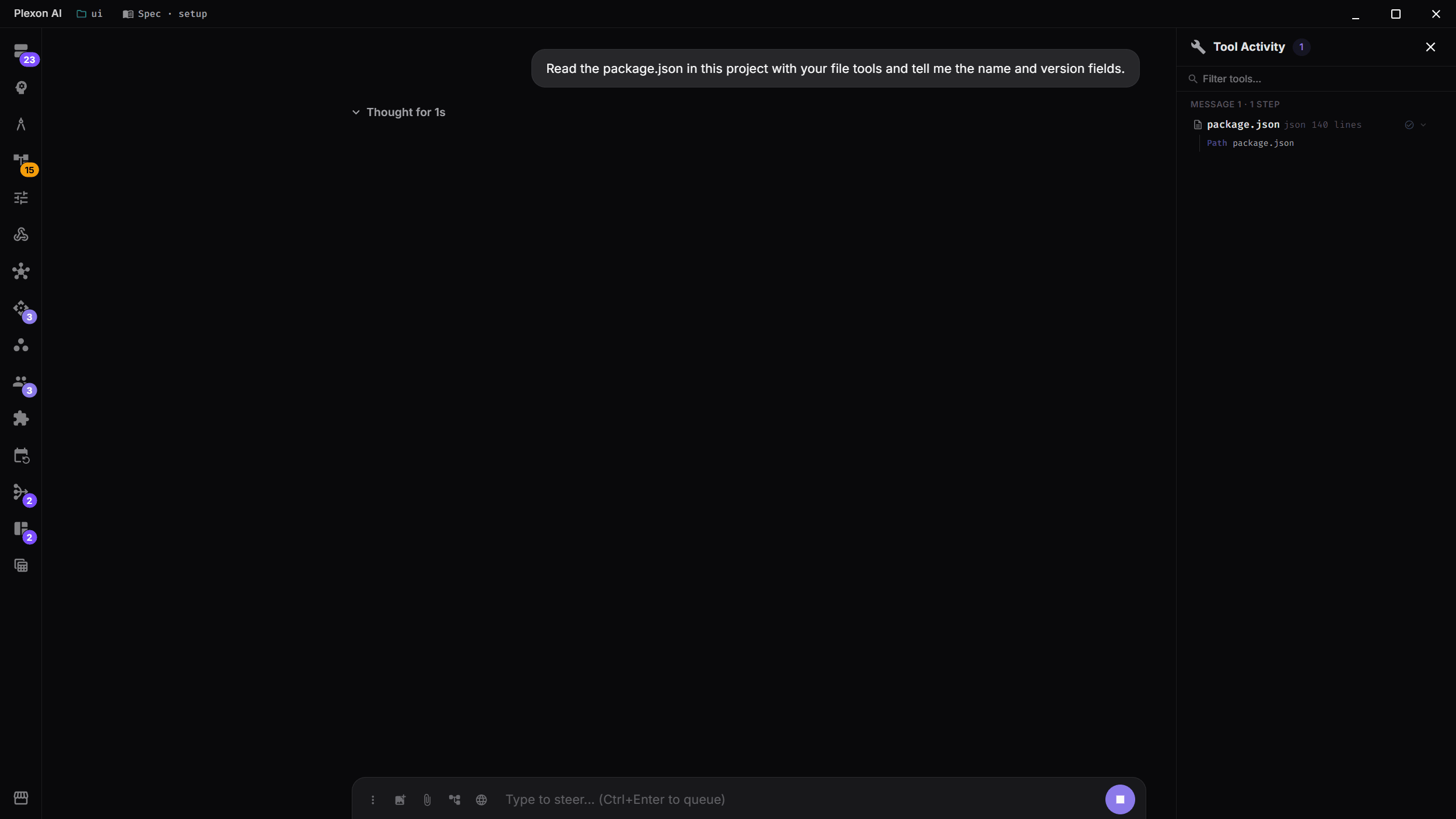
Tool Activity Dashboard
The Tool Activity panel gives you a chronological view of every action the AI takes, including file reads, writes, terminal commands, web searches, and more. Filter and search to find specific operations.
- Chronological tool execution log
- Filter by tool type or search by keyword
- Per-message step grouping with counts
Orchestrator Capabilities
Validation Feedback Loop
Every response goes through quality scoring (0-100), correctness checking, and automatic refinement until enterprise standards are met.
Dynamic Prompt Engineering
31 composable prompt sections dynamically assembled per request. Mode-specific customization and prompt caching for up to 90% cost reduction.
Wave-Based Scheduling
Sub-agents execute in coordinated waves. Inter-agent bulletin board enables knowledge sharing, and @mention invocation lets you target specific agents.
Per-Agent Cost Tracking
Monitor token usage and costs for each sub-agent individually. Set cost budgets and max turn limits per agent to control spending.
Connects to
Nothing here works alone. See the whole map for how the pieces fit together.
What feeds it
Adaptive Routing feeds this.
A subtask that names no agent goes to the specialist that finished that kind of work before.
Where it goes
This runs inside 192 AI Agents.
The Orchestrator splits a task into subtasks and hands each to a specialist.