Agent Ecosystem
192 AIAgents
An agent is a specialist assistant with its own instructions and tools. Ask one to review code, research a market or edit a chapter.
What happens in this clip
- The Agents panel opens from the sidebar with its built-in help card.
- The help explains what an agent is: a specialist with its own name, expertise and set of instructions.
- The list shows every agent you have, with a search across it.
- Naming one with @ in a message hands it that specific job.
Related features
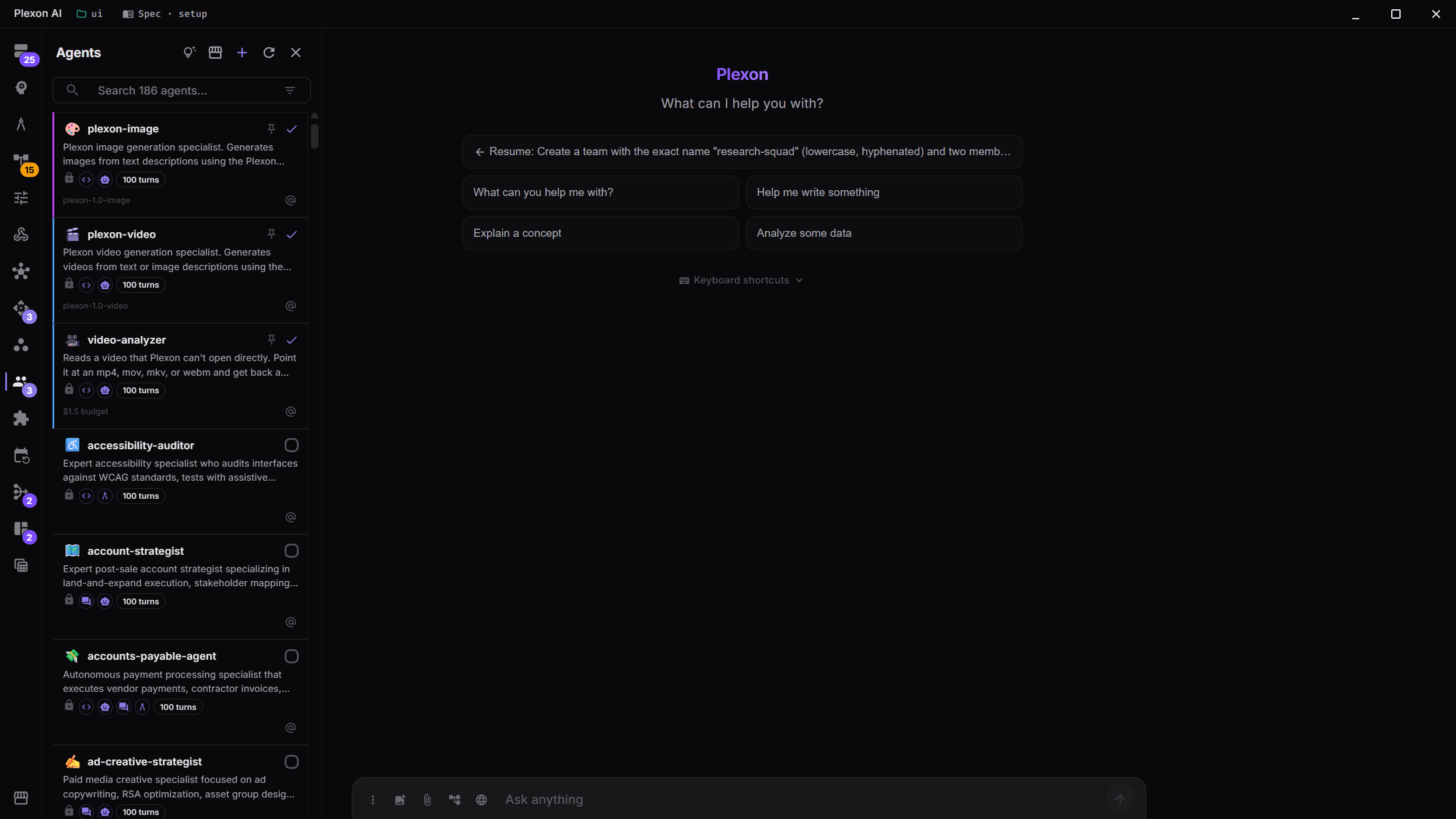
Browse & Activate Agents
Browse 192 built-in agents in the Marketplace, each with its own instructions, description and supported modes, and install the ones you want into the Agents panel. The panel starts empty and holds only what you install. Bundled plugins include 16 additional agents. Enable a plugin to make its agents available, then activate the ones you need.
- 192 built-in specialists for tasks such as code review, research and writing
- Mode badges show which modes each agent supports
- Search and filter to find the right agent
- One-click activation per workspace
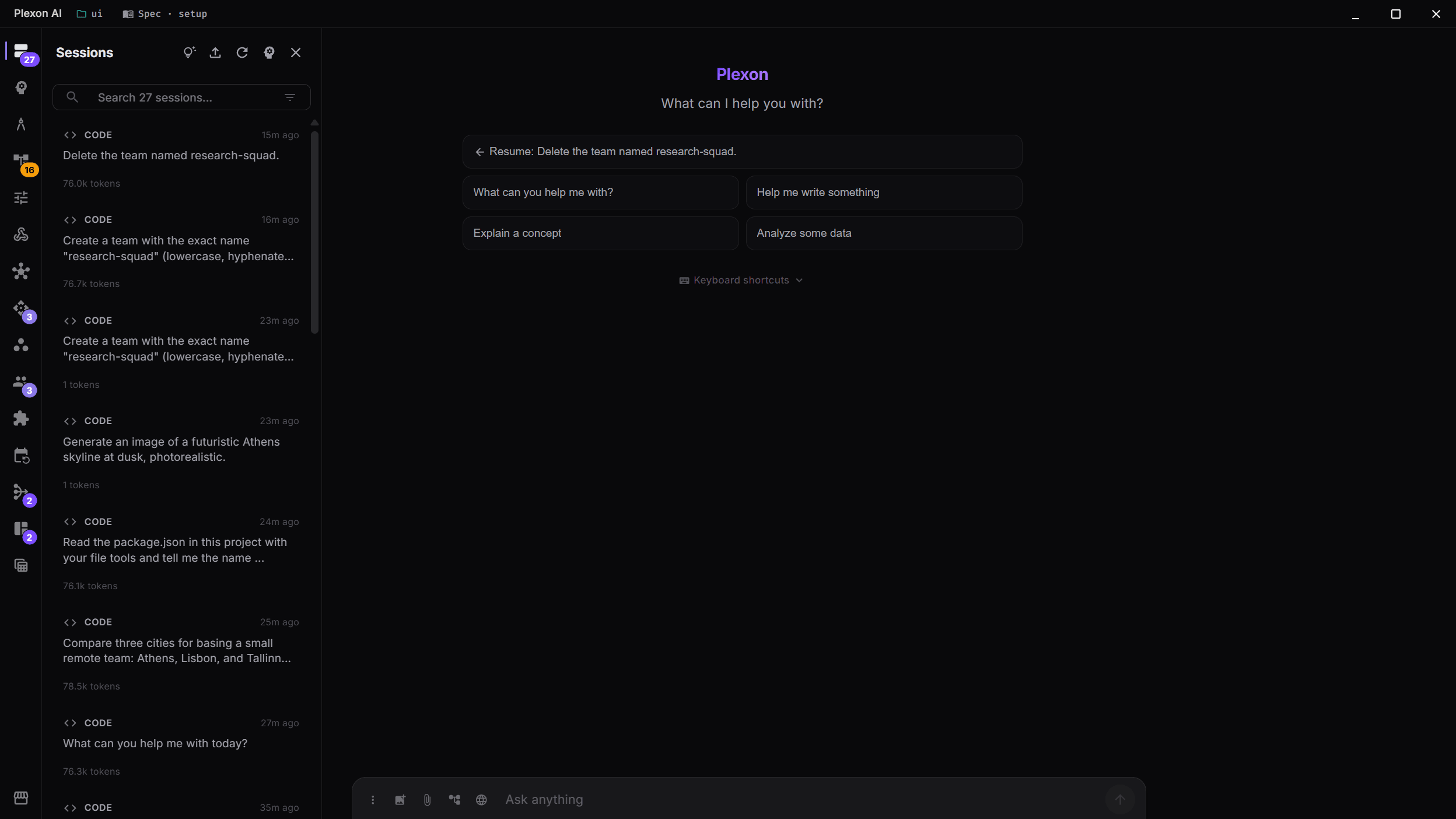
Session History & Modes
Every conversation is saved with its mode, token count, and full context. Switch between sessions instantly, filter by mode (Plan, Ask, Code), and resume where you left off.
- Automatic session saving with full context
- Filter sessions by AI mode
- Token usage tracking per session
- Instant session switching
Share Your Agents
Customised an agent for your team's review style? Built a brand-new one? Share it in one click. Open the Marketplace's Installed tab, filter to your agents, and click Export as `.plxm`. Teammates double-click the file and your agent shows up in their Agents panel ready to use. Pair agents with the skills they depend on in the same package and the whole kit installs together.
- One-click export bundles agents (and any skills they need) into a single shareable file
- Recipients install with a double-click. No command line, no setup
- Or publish to a Git repo so the team picks up updates over time
- Want to publish a public agent? Marketplace Developer Mode builds the repo for you
Author Agents From Chat
Spin up a custom subagent in one prompt.
Just describe the agent in chat (modes, allowed tools, model, budget, file-pattern triggers) and Plexon writes it for you. List, create, read, update, or delete any of your agents from a normal conversation. The new agent goes through the same checks as the Agents panel and is ready to use right away.
Every change shows you a preview before anything is saved, with one-click approval. Bundled and plugin-installed agents stay read-only. If you want to change one, the AI offers to copy it to a new name first. A built-in helper teaches the AI how to choose between a "skill" and a full "agent" as it writes.
Try in chat
"Create an agent called release-captain that runs in code and architect modes."
"Update release-captain so its max token budget is 200000."
"List my agents."
"Delete the release-captain agent."
What you can configure
- System prompt, emoji, color, vibe (when-to-use guidance)
- Mode allowlist: code, auto, ask, architect
- Tool allowlist and denylist (embedded + MCP)
- Skill allowlist and skill directories
- Provider and model override per agent
- Max turns, token budget, and cost budget (USD)
- File-pattern triggers for conditional activation
- Sub-agents cannot mutate global agents (tool excluded from sub-agent contexts)
Works with any provider (Anthropic, OpenAI, Gemini, Fireworks, Kosareva Cloud, OpenRouter and others) because the tool schemas live in the embedded MCP server, not in provider-specific system prompts.
Agent Capabilities
Custom Agents
Create your own agents with custom system prompts, emoji identity, color accent, mode restrictions, tool allowlists/denylists, and conditional activation via file patterns.
Provider & Model Override
Each agent can override the session provider and model. Use GPT-6 Astra for one agent and Claude Fable 5.1 for another, all in the same orchestrator session.
Tool & Skill Scoping
Control which tools and skills each agent can access. Give the test engineer only test tools, or restrict the documentation writer from executing commands.
Import & Export
Import agents from GitHub repositories or export your custom agents as .md or .zip files. Share agent definitions across teams and projects.
Connects to
Nothing here works alone. See the whole map for how the pieces fit together.
This one is taught in step 7 of 8: package it as a role.
What feeds it
AI Chat & Modes authors this.
Author a sub-agent from the conversation, through the plexon_agent tool.
Multi-Agent Orchestrator runs inside this.
The Orchestrator splits a task into subtasks and hands each to a specialist.
Skills & Tools feeds this.
An agent loads the skills carrying the standing knowledge for its domain.
Migrate from Claude Code feeds this.
Your Claude Code agents arrive labelled and filterable.
Where it goes
This runs inside Dynamic Workflows.
An Agent step hands one step to a headless sub-agent.
This runs inside Richer Hook Events.
An agent hook dispatches the event payload to a sub-agent.
This runs inside Team Coordination.
A team is a persistent set of agents with mailboxes and shared memory.
This runs inside Parallel Agents Workspace.
One prompt fans out across N agents in isolated git worktrees.
This is packaged by Personas.
A persona pre-activates the agents its role needs.
This feeds Adaptive Routing.
Which agents finish the job is the evidence routing learns from.
This requires LinkedIn Weekly Content.
The LinkedIn manager agent plans the week and writes each post, and you set up your voice profile with it in chat before the first run.