v2 · April 2026
SessionSharing
Export any session as a portable, AES-256-GCM-encrypted .plexshare file. The recipient imports it back into their own Plexon (double-click, drag-drop, the Import menu, or a plexon:// deeplink) and gets a normal, editable, full-fidelity session. Pick Open mode for convenience or Encrypted mode for end-to-end security; same crypto, different key-distribution model. No Plexon server in the loop at any point.
What happens in this clip
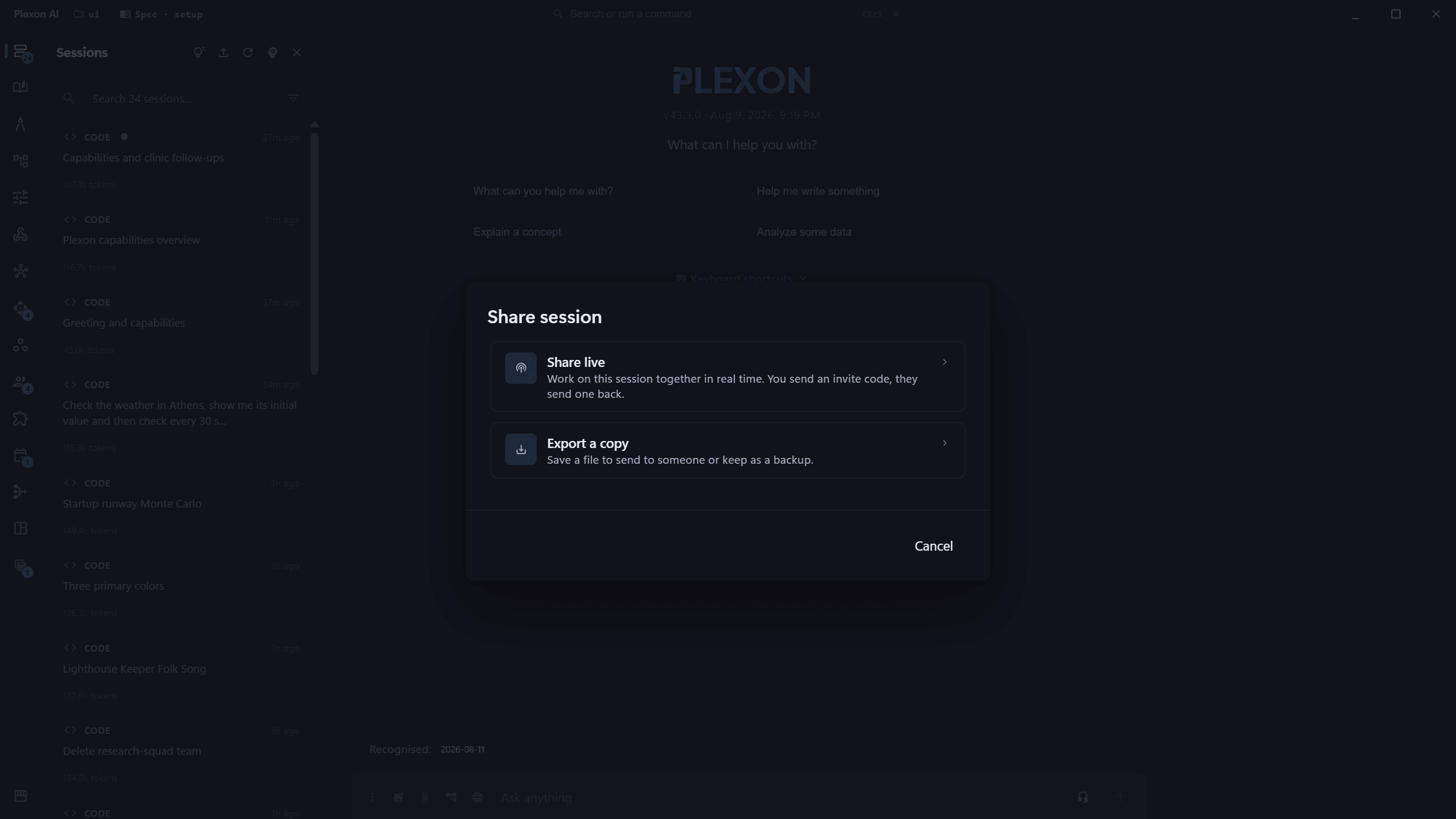
- Open the session menu and choose Share.
- Export a copy writes the whole conversation to one encrypted file.
- The messages, the tool calls and what it produced all travel in it.
- The recipient opens it in their own Plexon.
- Share live is the other option on the same dialog. Nothing leaves your machine unless you send it.
Related features
One Click → A Portable .plexshare File
Right-click any session, pick "Share session file…", and Plexon writes a single .plexshare file. No accounts, no servers, no Plexon cloud, just a portable artifact you can drop into Slack, email, S3, GitHub Pages, or your team's Drive. The recipient imports it back into their own Plexon. There is no browser viewer.
- Native save dialog: pick where the file lives
- Binary container with PLXS magic header: versioned and unambiguous
- Recipient must have Plexon installed; the file isn't designed for browsers
Two Modes: Open or End-to-End Encrypted
Pick the security tradeoff that fits the channel you're sharing through. Open share embeds the decryption key in the file header. Anyone with the file can import it. Encrypted share returns the key to you separately so the file is opaque ciphertext without it. Both use the same crypto.
- AES-256-GCM with a per-export 256-bit key + 12-byte CSPRNG IV
- Encrypted mode: paste the key in the import dialog, or use plexon://import-session?file=...#k=<key>
- Wrong key fails to decrypt. GCM's integrity tag rejects tampering before any plaintext is returned
Full-Fidelity Import: Not a Static Replay
The recipient's Plexon decrypts the file locally and creates a normal session in their store. Every content block (tool calls, render_ui widgets, code blocks, attachments) is rendered by the real Plexon UI. The recipient can read it, branch from it, or send new prompts using their own provider configuration. There's no second renderer to maintain and no "unsupported block" gaps.
- Imported sessions get a freshly-minted UUID. No collisions with existing sessions
- Lineage preserved: original session ID and working directory recorded as metadata
- Working directory falls back to the recipient's home if the sender's path doesn't exist
Four Ways In
Double-click the .plexshare file; drag it onto the chat input area; click the upload icon in the sessions sidebar; or open a plexon://import-session?file=<path>[#k=<key>] deeplink from outside Plexon. All four end up at the same import flow. Pick the path that fits the moment. The URL fragment containing the key is never sent over the network, so single-channel link delivery preserves end-to-end privacy against the host.
- Double-click: the installer registers .plexshare on Windows, macOS and Linux
- Drag-drop on the chat input: auto-detected by extension
- Import button in the Sessions sidebar: file picker filtered to *.plexshare
- Deeplink: plexon://import-session?file=<absolute_path>[#k=<base64_key>]
What Session Sharing Unlocks
No Cloud, No Account
The .plexshare file is a fully portable artifact. No Plexon servers in the loop. Host it on whatever you already have access to, or just send the file directly.
AES-256-GCM
Per-export 256-bit key, 12-byte CSPRNG IV, integrity-validated decrypt. The crypto is textbook: same primitives a modern password manager uses, no rolling-our-own.
End-to-End When You Need It
Encrypted mode keeps the key out of the file. Send the file over one channel and the key over another and the host serving the file never sees the plaintext.
Continue, Don't Just Read
Imported sessions are fully editable Plexon sessions. Branch from them, send follow-up prompts, switch providers. Hand off live work, not a static replay.
Connects to
Nothing here works alone. See the whole map for how the pieces fit together.
This one is taught in step 8 of 8: share it, or publish it.
What feeds it
Live Share extends this.
A .plexshare file is a finished session; Live Share is the running one.
Seen in these jobs