New · August 2026
Projects
Keep the work you are actually doing, across every folder on your machine. Projects hold tasks; tasks point at folders, break into subtasks, repeat, name who owes them, and link out to the tracker your team uses. Share a board and the whole team works off it.
What happens in this clip
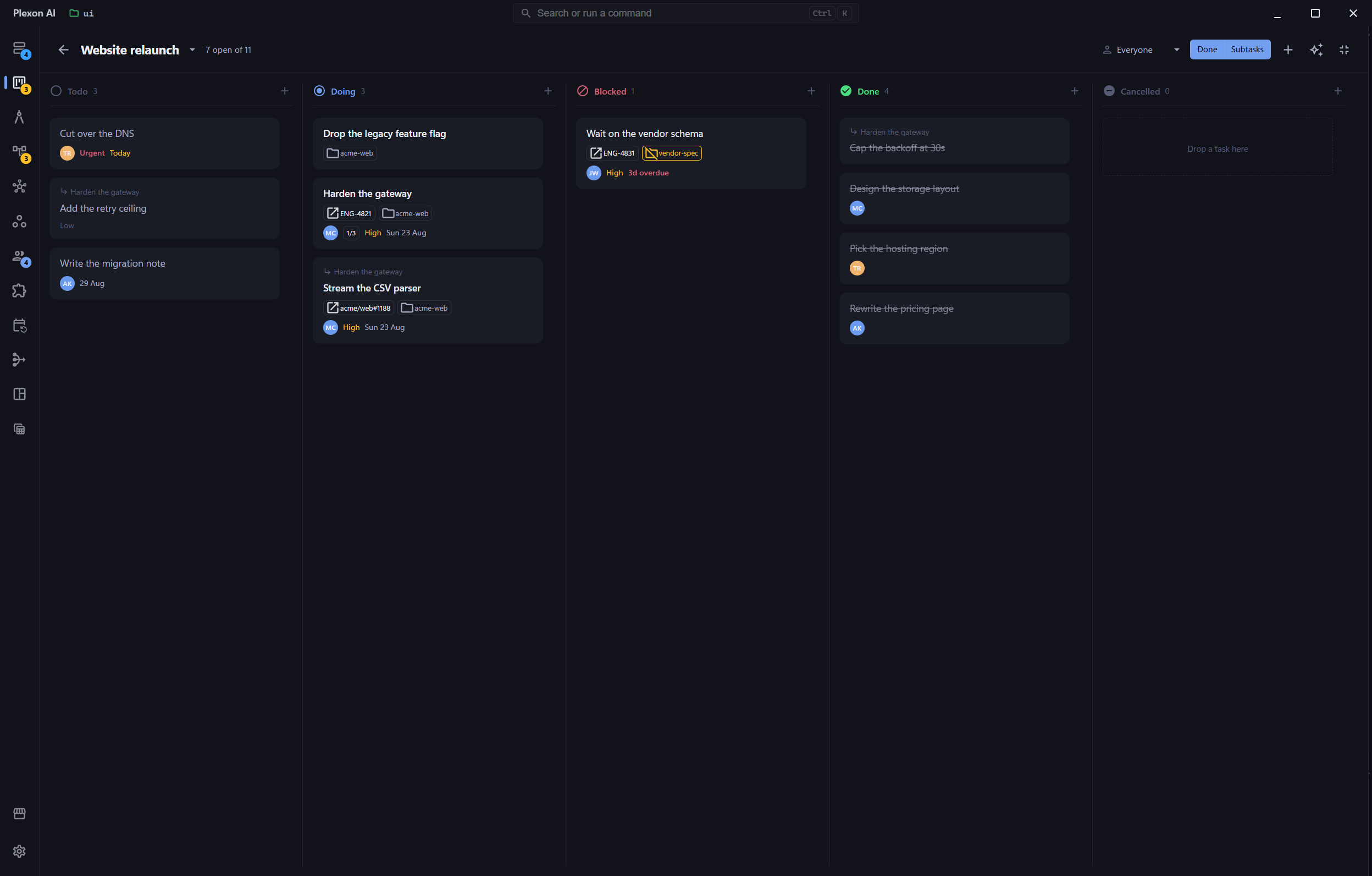
- The Projects panel opens on a board of your own tasks, one column per status.
- Cards carry a priority and a due date, and drag between columns.
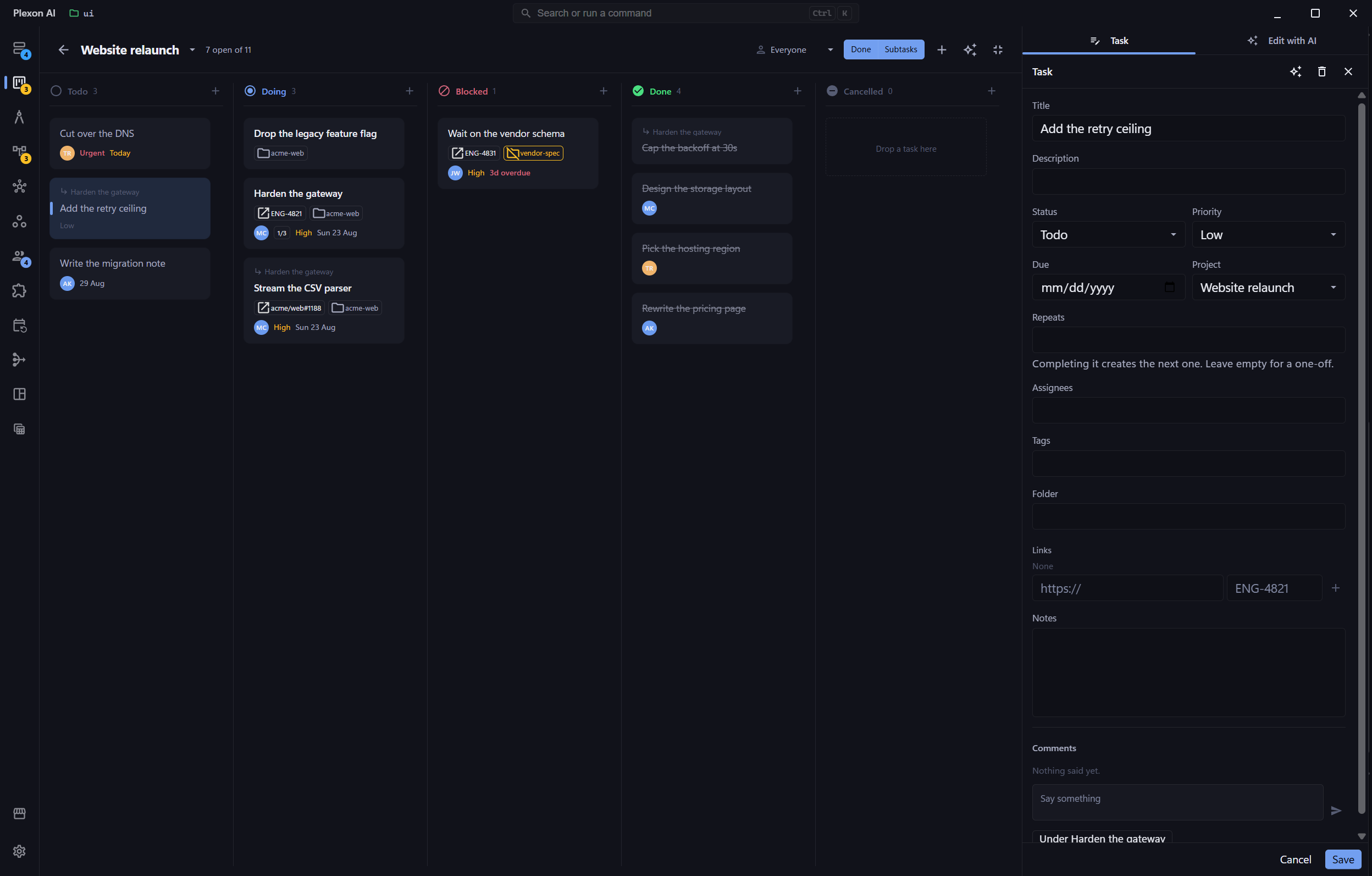
- Open one task in full to read and edit its detail.
- Save it and it moves on the board.
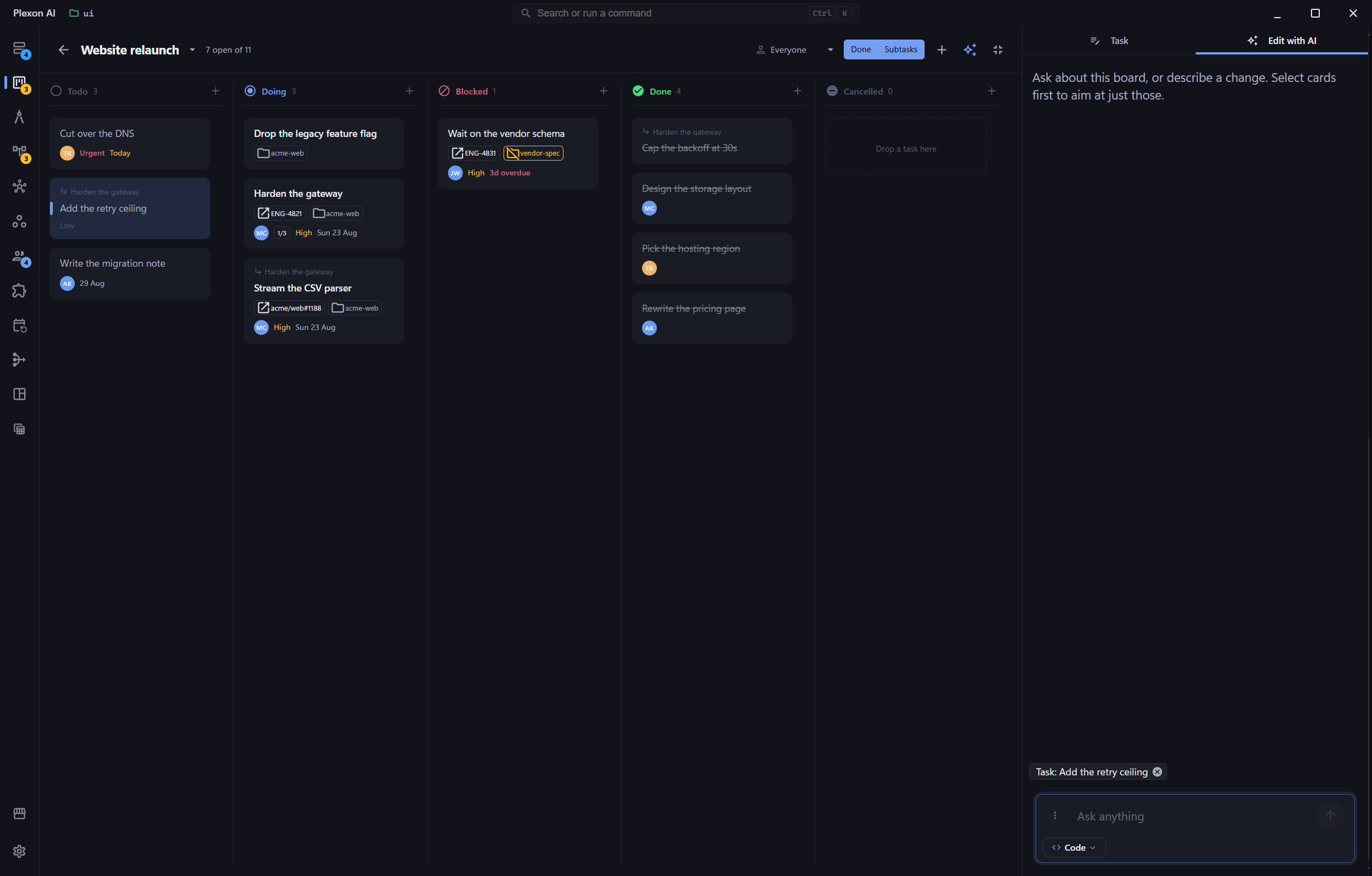
- The assistant sits beside the board and answers questions about it, or changes it when you ask.
Related features
Your Work, Not the Chat’s
A project holds tasks. Tasks outlive the conversation that created them, survive switching folders, and are yours to edit. This is separate from the checklist the AI keeps while it works on one request: that one belongs to the chat, this one belongs to you.
- Kept in one place per machine, so it follows you across every repository
- Stored outside your repositories, so nothing lands in a commit by accident
- One markdown file per record, readable and editable in any editor
- The sidebar shows each project with its task counts by status
A Board You Drag
One column per status, left to right in the order work actually moves, and cards you drag between them. Dropping a card into another column changes its status; dropping it between two cards sets its place. Subtasks stay out of the columns until you ask for them, so breaking one task into six does not flood a column.
- Drag cards between columns and within them
- Break a task down and the children nest under it, five levels deep
- A parent shows how many of its children are finished
- Keys 1 to 5 set a status, so the board is never mouse-only
Folders, People, and Repeats
Point a task at any folder on your machine and click through to switch Plexon to it. Name who owes it. Set it to repeat, and finishing it creates the next one, counted from the old due date so a weekly task keeps its weekday even when you finish late.
- A folder that is not on this machine is flagged, never quietly dropped
- Assignees are plain names, and they show up on the memory graph
- Repeat rules in words: every week, every 2 weeks, every monday, thursday
- Finish something months overdue and you get one occurrence, not a pile
One Board, Your Whole Team
A shared board is the same folder of markdown files, kept in one space your side owns. Drag a card, assign it, comment on it. Your teammates get it and you get theirs, on their own, with a line on the board saying where you stand. Premium, and a company can provide the space so nobody on the team needs a GitHub account.
- Three ways in: your company set one up, a teammate sends you the address, or Plexon makes one for you
- A line on the board says whether you are in step, and gets you back in step when you are not
- Syncs itself: seconds after a change, and every couple of minutes while you have it open
- Every record is still a markdown file, so the history is plain git and readable without Plexon
- Two people editing different tasks never collide; a real clash names the record and asks
- Comments live one file per reply, so two people answering at once cannot conflict
- Who filed a task is stamped once and never rewritten, however many people edit it after
Ask the Board
The panel beside an open board is a chat about that board. Ask what is overdue, or tell it to move things, and it does the work you would have done by hand. Click a card while it is open and the ask follows that card; click through and it keeps up. In the main chat, type @ and name a project or a task to bring it in, comments and all, and the tasks it names come back as links straight to the card.
- It is there when the board opens, so the first question costs no clicks
- With nothing picked the ask is the whole board, which is the common one
- Pick several cards and one instruction covers all of them
- While it works the board is read-only, so nothing you drag is overwritten
Links Out, Nothing Sent
Paste the URL of a Jira issue, a GitHub issue, a Linear ticket, or anything else with an address, and the chip opens it in your browser. Plexon does not sign in to your tracker, does not read its status, and does not write anything back.
- Nothing to connect and no token that can expire
- A tracker Plexon has never heard of works exactly as well as Jira
- Your team’s board can never receive a wrong status from here
- The link is a pointer, and it keeps working when everything else changes
Under the Hood
On the Memory Graph
Projects and tasks are drawn beside the people and notes they relate to, so a person on the canvas carries the work assigned to them and the folder it lives in.
No Timer to Miss
A repeating task creates its successor the moment you finish it, not on a schedule. Nothing fires while the app is closed, and nothing fires twice.
Asked, Not Assumed
The assistant reads your tasks when the conversation is about your work. Nothing about them rides along on the turns that are not.
Sharing Costs Nothing
A shared board is the same store the personal list already was, over a directory two people write to. Nothing about a task changes because it is shared, which is why the history stays plain git.
Plain Markdown
One file per project and per task, with the fields at the top. Open the folder and edit them by hand, and Plexon reads your edits back.
Connects to
Nothing here works alone. See the whole map for how the pieces fit together.
Seen in these jobs