Developer Experience
DeveloperTools
Built-in source control, automation hooks, and prompt engineering. Everything a developer needs, integrated directly into the AI workflow.
What happens in this clip
- Ask where a function is defined and who calls it. The answer comes from the project's own language server, not a text search.
- Ask what is broken right now and the current errors come back per file.
- Errors are re-checked after every edit the assistant makes.
- A setup script runs in a terminal inside the chat and asks its questions there.
- The assistant reads the prompt on screen and answers it.
Related features
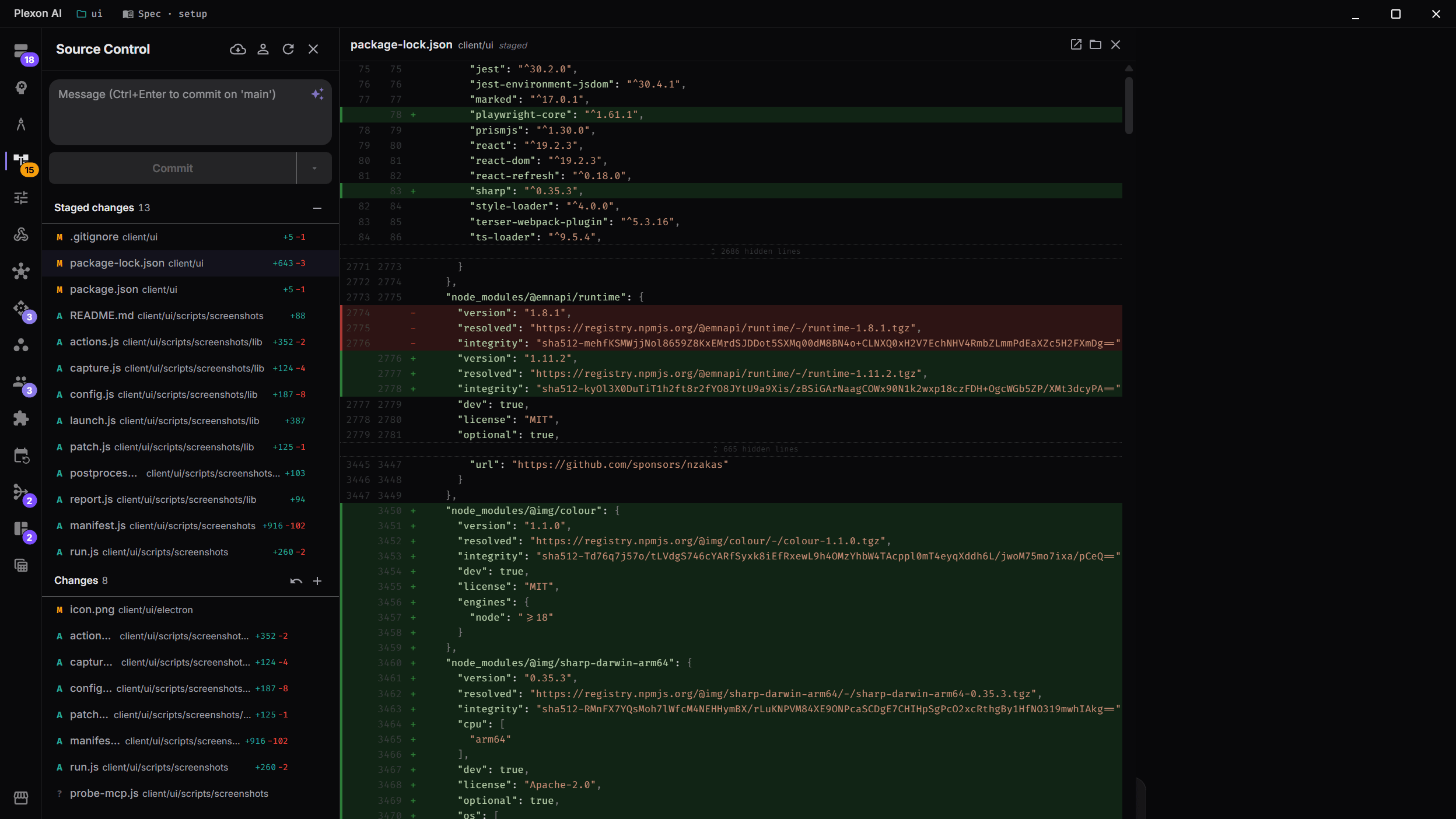
Integrated Source Control
Review AI-generated changes with a full diff viewer before committing. See staged and unstaged changes, review line-by-line additions and deletions, and commit directly from the app.
- Side-by-side diff view with syntax highlighting
- Staged and unstaged change tracking
- One-click commit with auto-generated messages
- Branch information at a glance
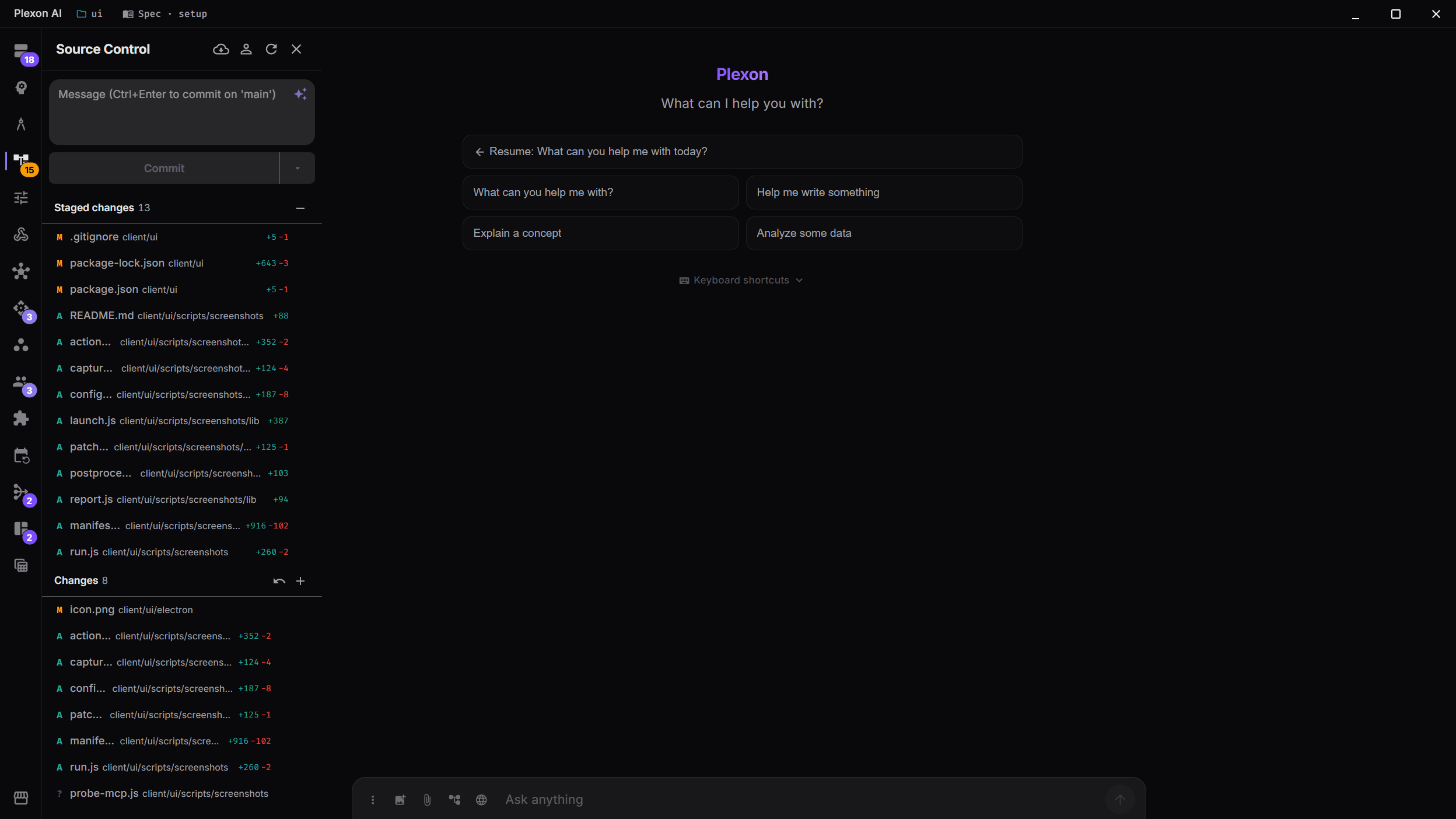
AI-Generated Commit Messages
The built-in source control panel analyzes your staged diff and recent git history to write conventional commit messages (feat, fix, refactor, docs). Stage changes, review diffs, and commit without leaving the app.
- AI analyzes staged diff and recent history
- Press Commit with the box empty and it writes the message for you
- Conventional commit format (feat, fix, refactor, docs)
- Stage and unstage files directly
- Branch info and change count at a glance
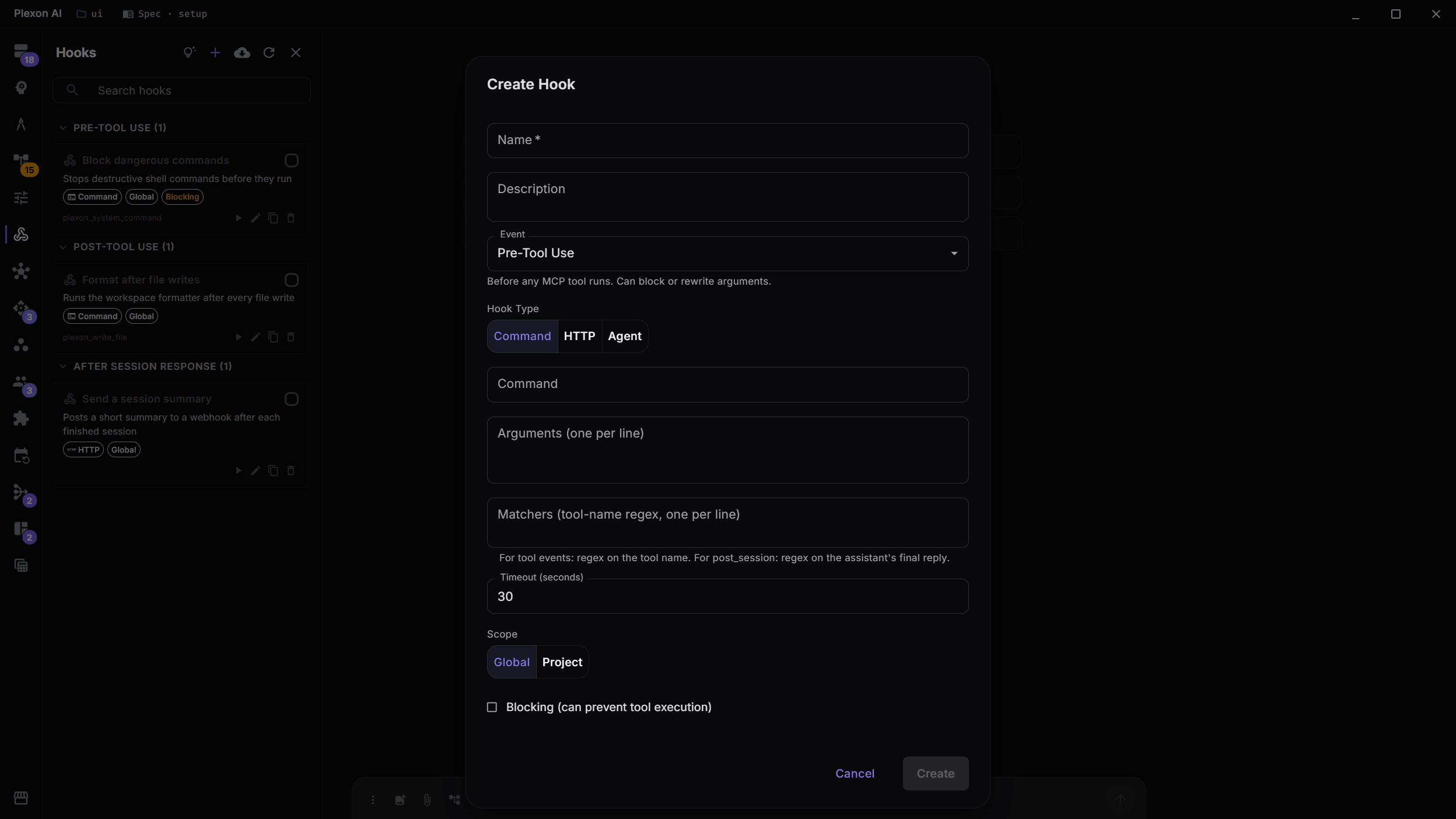
Automation Hooks
Create pre- and post-tool-use hooks to automate workflows. Run linters before commits, send webhooks when files change, or enforce coding standards automatically.
- Pre-Tool Use and Post-Tool Use event triggers
- Command or HTTP webhook actions
- Regex-based tool matchers for targeted automation
- Global or per-project scope
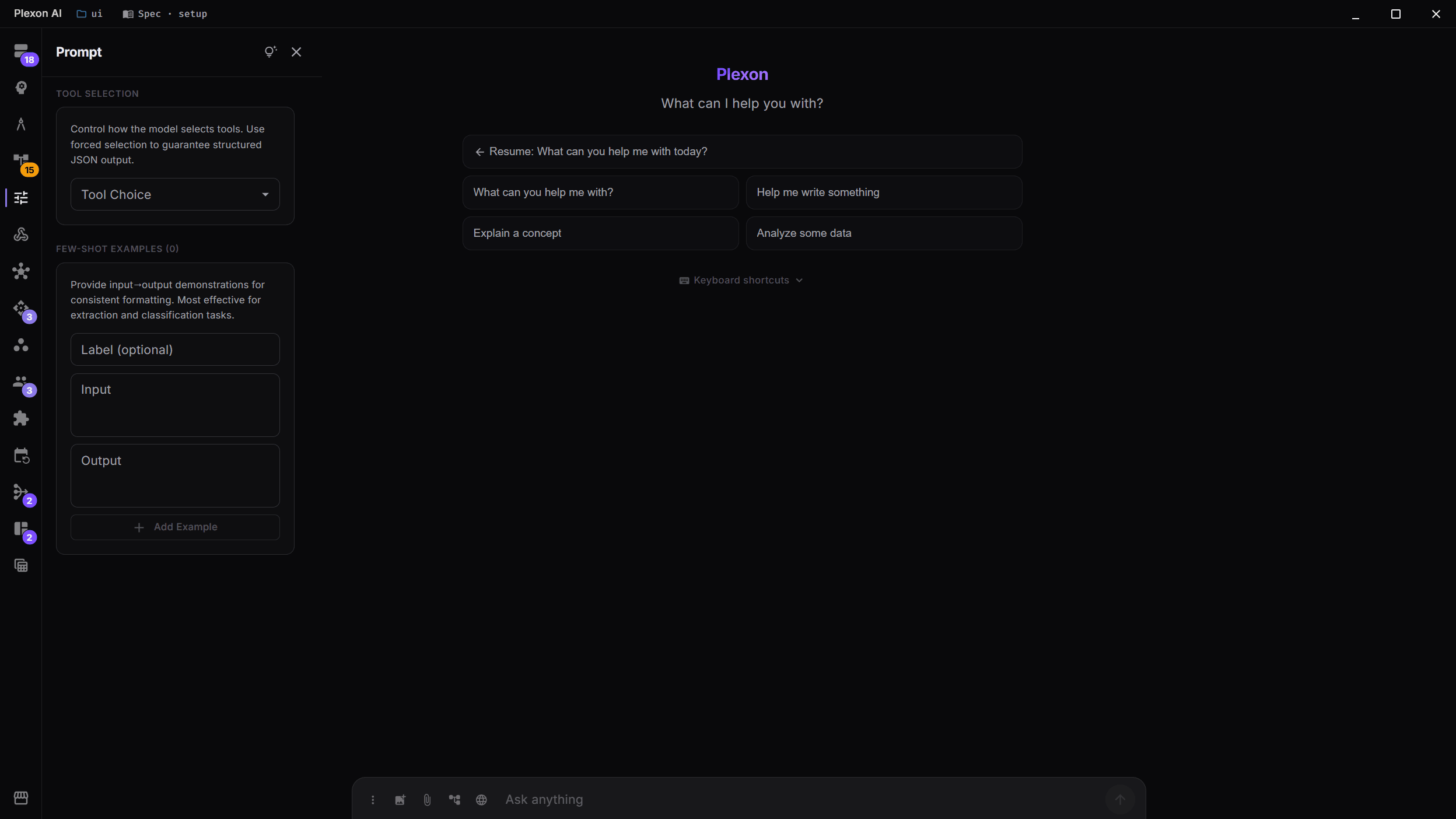
Prompt Engineering Panel
Fine-tune how the AI responds with the built-in prompt engineering panel. Set tool choice preferences, add few-shot examples, and control the AI's behavior at a granular level.
- Tool choice configuration (any, required, specific)
- Few-shot example management
- Direct control over AI behavior
More Developer Capabilities
Browser Automation
Navigate, click, type, screenshot, and extract content from any website. Uses your real Chrome profile so the AI can work with authenticated sites.
Advanced File Operations
Parallel file processing with 30 concurrent workers, git-blob checkpoints for every edit (5-10ms each), and atomic multi-file restore.
Git-Blob Checkpoints
Every file edit is backed up as a git blob. Restore any checkpoint instantly, or rewind the entire session to a previous state.
Context Intelligence
Deep project analysis with 15+ language detection, dependency awareness, smart file selection, and auto-condensing when approaching context limits.
Connects to
Nothing here works alone. See the whole map for how the pieces fit together.
What feeds it
Code Intelligence feeds this.
Errors it introduces while editing come back with the edit, so they are fixed in the same reply.
Where it goes
This feeds Publish Sites.
The Source Control panel is where a site is set up and published.
This feeds Shell Commands.
Source control, hooks and prompt engineering sit in the same workflow as the terminal.