New · September 2026
Fast decisionswith Jev
Most of what an assistant does is not writing. It is deciding: which control to click next, whether a step passed, which of forty files matter, whether this is a good moment to interrupt you. Plexon sends those questions to Jev, a decision model from TypeSafe that answers with a probability in well under a second and never writes a word. It is included on Pro and Premium.
Related features
A Model That Answers, Not Writes
Jev takes a state (a page outline, a ticket, a workflow result) and named questions of four kinds. A yes-or-no question comes back as a probability. A pick-one question comes back as the option chosen and a probability for every option. A rate-it question comes back as a position on a scale you define. A find-in-picture question comes back as a box around the one thing it names. Several questions about the same state ride one call, so asking more costs no extra wait. It never produces a sentence, so it cannot be talked into one.
- Four question kinds: yes or no, pick one of up to 255 options, rate on a scale of up to 10 levels, find one thing in a picture
- Every answer carries its probability, and Plexon acts only above a bar set per use
- Released by TypeSafe on 15 September 2026; Plexon pins one version and re-tunes when it moves
- Our own open-source Go client, jev, is what Plexon calls it with
Where Plexon Uses It
Anywhere a full chat turn was too slow or too expensive for a small choice. The browser and desktop loops are the visible ones: give the page one whole goal and Jev picks each next control from the outline. The rest happen behind the chat, and each falls back to what Plexon did before the moment Jev is unavailable, so nothing waits on it.
- Browser steps and page collection: which control next and its target in one call, whether the step about to be taken finishes the job, and whether a feed has been read to the end. A sequence of steps the AI already knows goes as one batch and spends no decision
- Desktop steps: the same loop over a window in Desktop Automation, from the window text, with one picture of the window when the text leaves a step stuck
- Plexonaki: whether this is a good moment to speak, what is on your screen when you ask, and a whole job in an app window in one go
- Answers as cards and tables: repairing a mismatch and drawing a placeholder while the real one loads
- Workflows: a Decide step that asks up to eight questions in one call and branches on any answer, a check of an agent step's fields against the evidence it quoted, a replay of past runs against an edited routine with no call at all, and a cheap first pass for the Judge step
- Dashboards: widgets that answer questions about other widgets, a check before an alert interrupts you, and the Trader Cockpit tape (both below)
- Long chats: dropping unrelated tool results before a condense, kept text stays word for word
- Memory: the notes that answer your message go along with it, unrelated ones left out
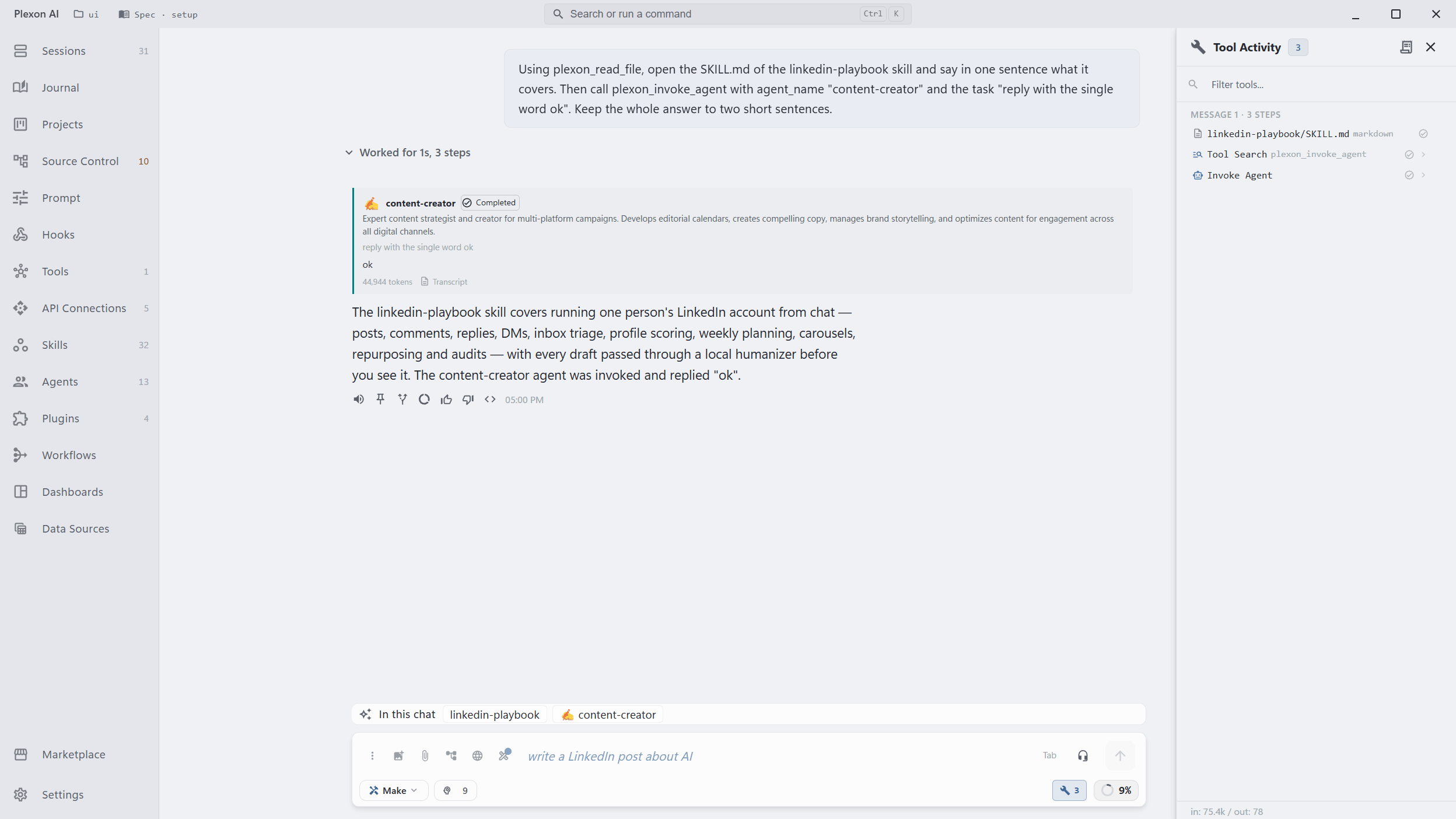
- Skills and agents: name a bundled skill or agent you have not switched on and it loads for that chat, up to four per message. The In this chat row above the chat box shows what came in and, as the turn runs, every skill the assistant opened and every agent it handed work to. Click a chip for its actions: take a loaded one out or keep it on for every chat, turn a used one off, or read what it does in the Marketplace. Right-click the row to stop the loading or open the switch
- Update from documents: which documents look unrelated to the bundle, which new version changed only cosmetically, which passages rested on a document you removed, and which staged edit to read first
- Code review: the riskiest change first in the review queue, and in automatic review
- Choosing a specialist, walking your memory, shortlisting files, and an optional check before a risky command
- With Auto Routing on: how hard the request is, which model family, and how deep to think
On Your Dashboards
A dashboard widget can ask questions about another widget's data and draw the answers as a chart. Up to 8 questions go in one call, each a yes or no, a pick-one or a rating. The reason printed under an answer is a sentence the board's author wrote for that option, never text the model made up, and it stays blank when the answer is not sure enough. The widget runs when its source updates, at most once every 5 minutes, and one board makes no more than 60 decisions an hour across all its widgets. The author also picks which fields of the source go out, so the rest of that data stays on your computer.
- Five boards ship with one. Global Intelligence reads a disruption level and the crypto mood, System Monitor gives a health verdict and says when a cleanup would help, Engineering Cockpit flags the errors that need attention today and rates ship risk, Clinic Front Desk rates the day's load from counts alone, and Trader Cockpit reads the trend
- A threshold alert on a monitored board can check first whether the value is worth interrupting you. A clear no holds that one alert back; when no answer comes, the alert fires anyway
- An AI widget on a timer can skip a refresh when a fast decision says nothing has changed. A refresh you click is never skipped
- The watchlist's unusual-move alert asks only once a stock has moved at least 2% and 1.5 times its usual daily move
- Reopening a board within 5 minutes reuses the last answers and spends nothing
- With decisions off or used up, a widget keeps showing its last answers
In Your Workflows
A Decide step hands Jev the evidence its author named, the trigger or an earlier step's result, and up to eight questions about it. It can branch on one answer, a yes or no or one of up to six options, each option its own edge. It can keep every answer for later steps to read. It can put one yes-or-no question to every item of a list and keep the ones that pass, or pick one item out of a list. Each answer carries its probability and the routine acts only above the bar its author set; under it, a Not sure edge can hand the case to a person. Every answer and its probability stay on the run.
- Replay: edit a routine and re-walk its stored runs against the edit. The kept answers are read again under the new thresholds and edges, the code steps run over the old results, and nothing is called and nothing is sent. A question the old runs never asked is reported as such, never guessed; a live replay asks only those
- Verify: an agent step can be asked to quote the excerpt behind each field it fills in. One call asks, per field, whether the excerpt supports the value. Unsupported fields go back to the agent for up to three rounds, and what stays unsupported is dropped
- A sift over a long list goes 32 items a call, and a run counts every decision it spent
- With Jev off, refused or unreachable, a Decide step takes the fallback edge its author named, a sift keeps everything, and a verify leaves the result exactly as extracted. The run never fails because of it
The Trader Cockpit Tape
The Trader Cockpit streams the featured symbol live: Coinbase for crypto, Finnhub for US stocks once you add a Finnhub key, and delayed Yahoo prices for the rest. Press Start on Fast decisions read and, every 15 or 30 seconds, it reads whether the next five minutes go up, down or flat, with a probability for each. A confident read trades a simulated $10,000 paper account. The fills are meant to be unflattering: a buy fills at the ask and a sell at the bid, after the time the call took, never at the midpoint. Beside the profit and loss, a table shows how often each confidence level came true, which says more about the read than one lucky afternoon. Nothing on the board places a real order. It is there to learn from.
- Pro reads one symbol every 30 seconds. Premium reads one every 15 seconds, or up to three every 30
- A position closes at five minutes or at its stop, and the account halts for the day after a 3% loss
- The tape uses at most 35% of a window's decisions and pauses when fewer than 20% are left, so chat and the browser keep theirs
- It spends nothing until you open the board and press Start, and stops within 45 seconds of the board closing. Keep reading with the board closed is a switch in Settings, off from the start
- What goes out is relative market figures: recent moves, the spread, buying and selling volume. Never a brokerage account
- The Stock Trader's four scheduled scans ask a fast decision first and run the full AI check only when it is unsure or off
Included on Pro and Premium
There is nothing to sign up for and nothing to pay on top. The decisions come with your plan: 1,500 every 5 hours on Pro, 4,000 every 5 hours on Premium, where they run on priority keys. Account usage shows the Decisions row beside messages and images.
- Pro: 1,500 decisions every 5 hours
- Premium: 4,000 decisions every 5 hours, on priority keys
- No TypeSafe account and no key of your own
- The allowance counts calls, not questions, so batching questions is free
How the Key Reaches Your Computer
Your computer calls TypeSafe directly, so a decision does not go through our server and wait there. The key that lets it do that is handed over encrypted under a key made for your account, lives in memory for ten minutes, and is forgotten. It is never written to a file, never put in a setting, and never shown. Signing out forgets it at once.
- A lease of ten minutes, then a fresh one, with the old key wiped
- Sealed on the server under a master key that never leaves it
- Usage is reported back per lease, so the allowance is counted where the plan lives
- Our server keeps nothing about the decision itself
What Leaves Your Computer
Two uses send text from an app to TypeSafe: the browser loop sends the page outline, and the desktop loop sends the text of the one window you named. A picture of the window is taken only when its text left a step stuck, and only to find what to click (Pictures, below). Never a password field, and a value you asked it to type is masked before it goes. A third, Update from documents, sends short extracts of the documents you are folding and of the edits it staged, never a whole file, and it has a switch of its own. Nothing about a decision is logged, not on your computer and not on our server: the log holds the model name and a request id, and that is all.
- Page text and window text only, for the two loops, and only while they run
- A password field hands the page back to you instead of typing
- The pet reads your screen only with its own switch on, and only when you ask
- Update from documents sends the first 1,200 characters of a document, a short diff of a changed one, the passages that cite a removed one, and at review time the first 800 characters of each staged edit's diff
- A dashboard widget sends only the fields its board names, and none of it is written to a file or a log
- A workflow Decide step sends the evidence its author named, cut to its last 4,000 characters. A verify check sends each field's value and the excerpt the agent quoted, each shortened, never the transcript, and a field the run keeps secret is never asked about
- Nothing typed into a page is ever kept
The Switches
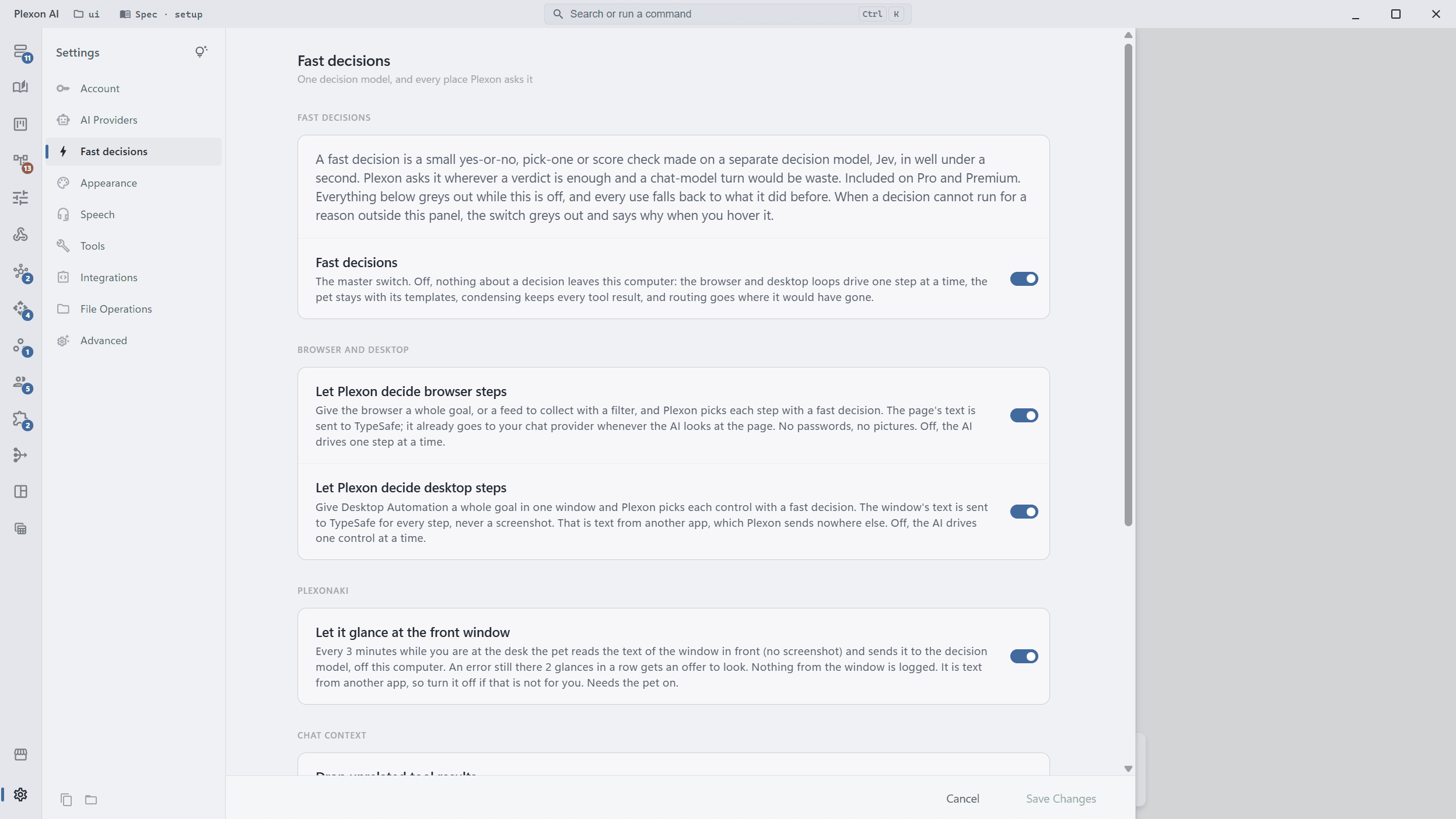
Every switch is in one place, Settings, Fast decisions. The master switch at the top turns the whole thing off; when a decision cannot run for a reason outside the panel, that switch greys out and says why when you hover it. Below it, the browser loop, the desktop loop, the pet's glance, dropping tool results before a condense, retrieving memory, the check before a document fold, the check before a risky command, the market tape and Auto Routing each have their own switch, greyed while the master is off. The loops, the glance, the document check and the market tape are on from the start; the risky-command check, Auto Routing and reading the tape with the board closed are off until you turn them on. Dashboard widgets and alerts have no switch of their own, and the master stops them too.
- Off means every use falls back to what Plexon did before, at once
- The three loops that send another app's text each have their own switch
- A greyed-out master switch says why: signed out, not on your plan, allowance used, not reachable
- Turning it off spends nothing and reports what was used
Pictures
Jev can now look at a picture. Hand it a screenshot or a photo along with the questions, and it answers the same way: a yes or no, a pick-one, a rating. A fourth kind, find in picture, points at one thing in it and returns a box around it. The first screen that uses this is here: a workflow step can look at the screenshot an earlier step left behind. The desktop loop uses it too: when a step cannot find its target in the window's text, Plexon takes one picture of that window, asks where the target is, and clicks it. Jev also does the cheap first look so the main model reads fewer pictures: a scanned PDF loses its blank pages and covers before Plexon reads it, the pet tells a chart from an error screenshot when you drop one on it, and the video analyzer drops frames that have nothing to do with your question.
- A box question always travels with a yes-or-no "is it there" question, because the model draws a box even when the thing is not in the picture. The yes or no tells you whether to trust it
- Pictures are fitted to the model's window, 280 to 1568 pixels a side, and re-encoded only when they must be. Up to 16 MiB a picture and 32 MiB a request
- Your computer sends the picture, our server never does. TypeSafe uses it for that one question and does not keep it. Logs hold the question names and the picture's size, never the picture or its path
- Triage costs one decision per eight pictures: up to 25 for a scanned PDF of 200 pages, one for a dropped picture. With "Decide over pictures" off, Plexon reads the first 40 pages, shows the usual image chips and reads every frame, as before
- A picture costs about 1,000 input tokens at full size and counts as one decision from the same allowance
- Settings, Fast decisions, Pictures has "Decide over pictures", and the desktop picture also needs "Let Plexon look at the window when its text is not enough" under Desktop. Both are on from the start and grey out while the master is off. With it off, a step with text questions and a picture runs on the text alone, and a step that needs a box skips the decision and says why
Under the Hood
Under a Second
A decision comes back in a few hundred milliseconds. The connection is warmed when Plexon starts, when you sign in and when the switch turns on, so the first decision is not a cold one, and a page step is one call that picks the action and its target together.
Several Questions, One Call
Which control, is it a login wall, is the goal done, did the page change. All in one round trip, each with its own probability.
A Key You Never See
Leased to your computer encrypted, held for ten minutes, wiped. Never in a file, never in a setting, never logged.
Falls Back, Never Fails
When Jev is unavailable or unsure, every use takes the path it took before. A chat turn or a workflow run never fails because of it.
For developers
Plexon calls Jev through jev, our open-source Go client for the TypeSafe System One API, released on 21 September 2026. Typed answers, retries, client-side rate limits, and a skill file that teaches a coding assistant to use it correctly. The model and its API are documented at typesafe.ai. The two loops it drives are described on the Embedded Browser page and the Plexonaki page.
Connects to
Nothing here works alone. See the whole map for how the pieces fit together.
What feeds it
Plexon Provider feeds this.
The decision allowance comes with the plan: 1,500 every 5 hours on Pro, 4,000 on Premium, with the key leased to your computer for ten minutes at a time.
Where it goes
This feeds Embedded Browser.
Given one whole goal for a page, Jev picks each next control from the page outline, and says when the goal is done or a login wall is in the way.
This feeds Plexonaki.
The pet asks Jev whether this is a good moment to speak and, with its glance switch on, what is on your screen when you ask.
This feeds Dynamic UI Widgets.
A card or table that came back malformed is repaired by one pick-one question, and a placeholder is drawn while the real one loads.
This runs inside Dynamic Workflows.
A Decide step asks Jev up to eight questions in one call and branches on any answer, a verify clause checks the fields of an agent step against the evidence it quoted, past runs replay against an edited routine with no call at all, and the Judge step tries the cheap decision before spending a full model turn.
This feeds Dashboards.
A widget asks up to 8 questions about another widget and draws the answers as a chart, a monitored alert can check first whether it is worth sending, and the Trader Cockpit reads its live tape.
This feeds Diff Review Queue.
Each finished change is rated for risk, and the queue lists the riskiest first.