Personalization
FullyCustomizable
Ten pages named for what you want to do, with the everyday settings up front and the technical ones folded away. Or skip the pages: type what you want to change and Plexon finds the setting.
What happens in this clip
- The Tools tab in Settings lists every tool with its own switch.
- Each switch has three states, so a tool can be on, off, or blocked outright.
- An environment picker separates production, staging and development.
- The shell setting decides whether a command runs straight away or asks first.
- A blocked-commands list rejects the patterns you name, with sensible defaults already in it.
Related features
Say what you want to change
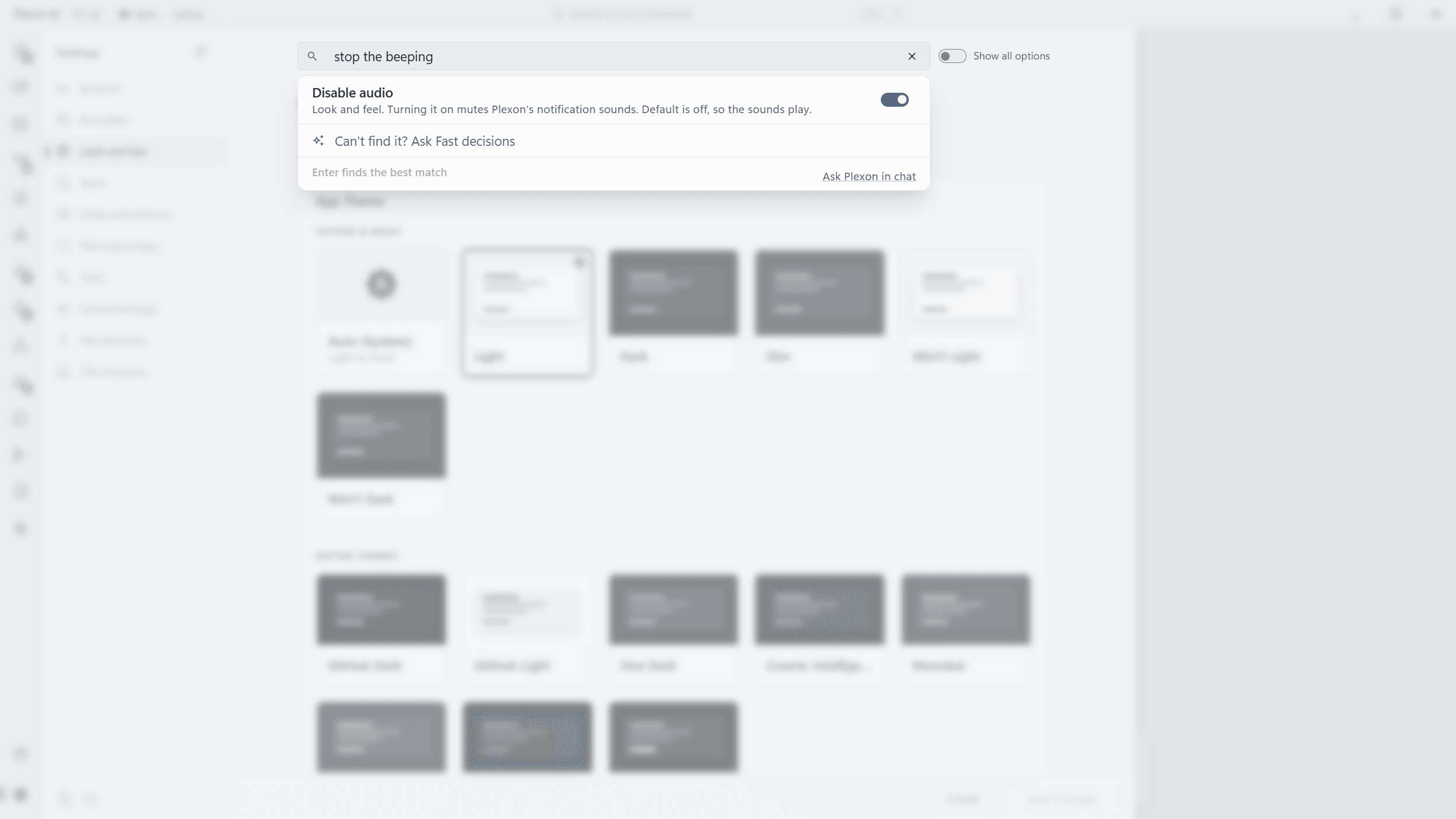
The box at the top of Settings asks "What do you want to change?". Type it the way you would say it, "dark mode", "text is too small", "stop the beeping", and every matching setting shows up as you type, with the page it lives on. Click one and Settings opens that page and marks it. A switch or a list can be changed right there in the result. The command palette (Ctrl+K) runs the same search, so the two agree.
- Searches every setting, in plain words, as you type
- Each result names its page and opens it with the setting marked
- Switches and lists change in place, without leaving the search
- Press Enter, or "Can't find it?" at the end of the list, and with Fast decisions on Plexon offers the one setting you most likely meant, with Apply
- A question typed in Greek or another non-Latin script is asked on its own after a short pause
- Nothing changes until you press Apply, and Escape closes the results without closing Settings
- Only your question and the names and descriptions of the listed settings go to the decision service (the whole catalog's when the list is empty or the question is not in Latin script), never the values you set
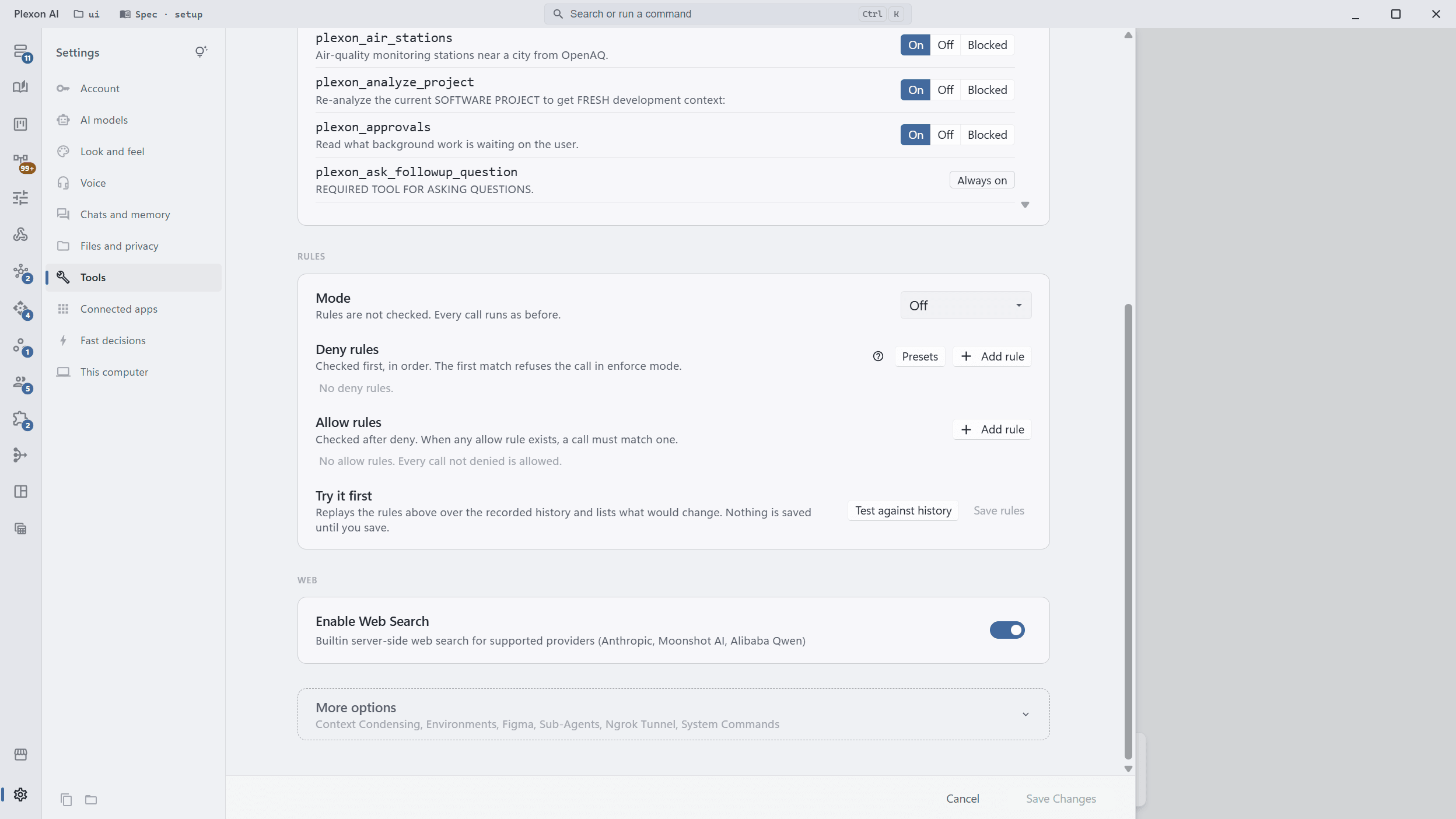
Ten pages, named for what you want to do
Account, AI models, Look and feel, Voice, Chats and memory, Files and privacy, Tools, Connected apps, Fast decisions, and This computer. Each page opens on the settings most people change. The technical ones wait under a More options row at the bottom that lists what it holds, and one click opens it.
- Everyday settings first on every page
- Technical settings folded under More options, never removed
- A search result or a link to a folded setting opens the fold for you
- The "Show all options" switch keeps every page fully open
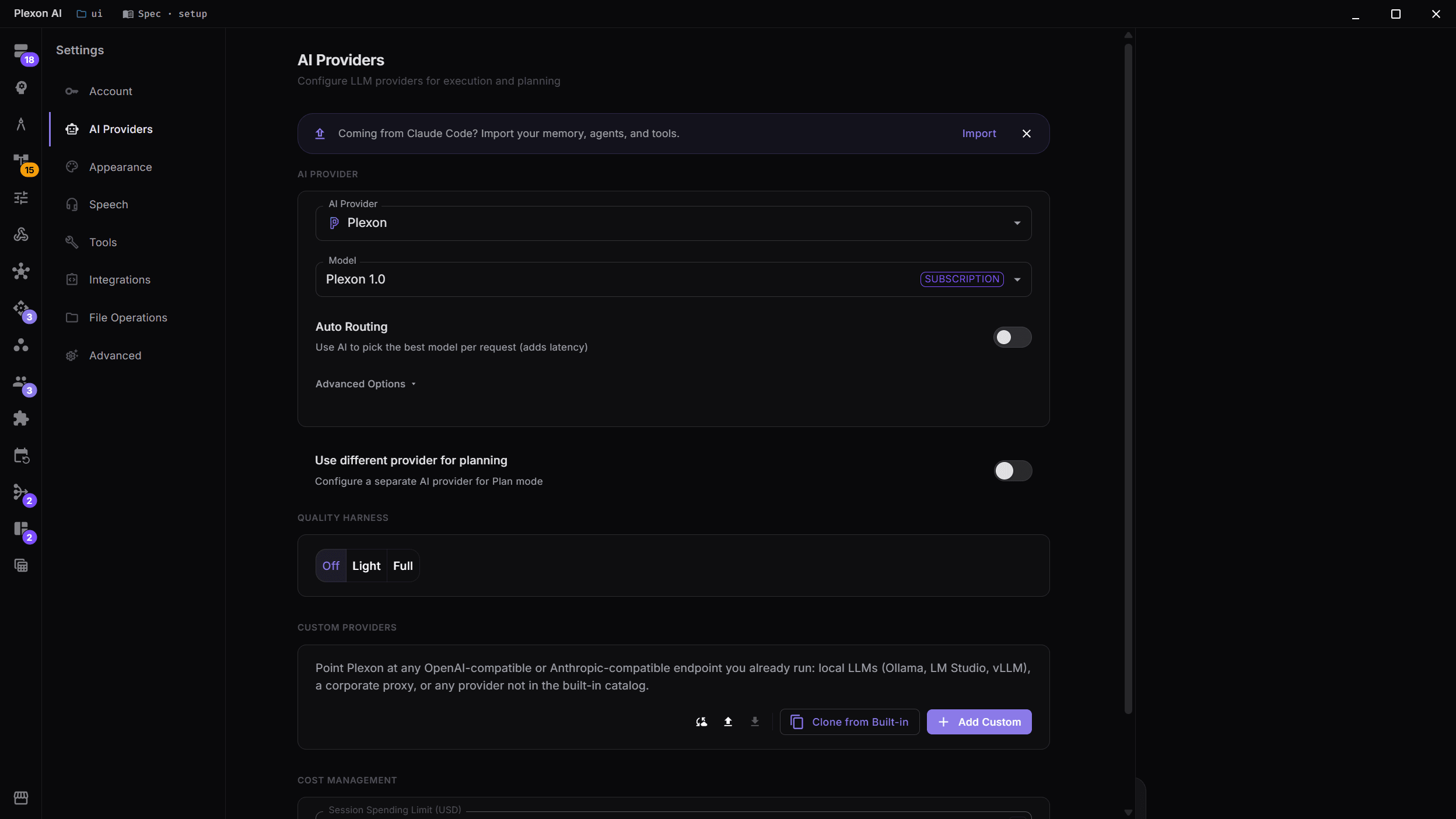
Multi-Provider AI
Connect to 12 AI providers including Anthropic, OpenAI, Google Gemini, Fireworks AI and Kosareva Cloud. Use a different one for thinking than for doing, and keep each account signed in separately.
- 12 AI providers supported
- Separate execution and planning providers
- Model-specific badges (Subscription, Vision)
- Session spending limits for cost control
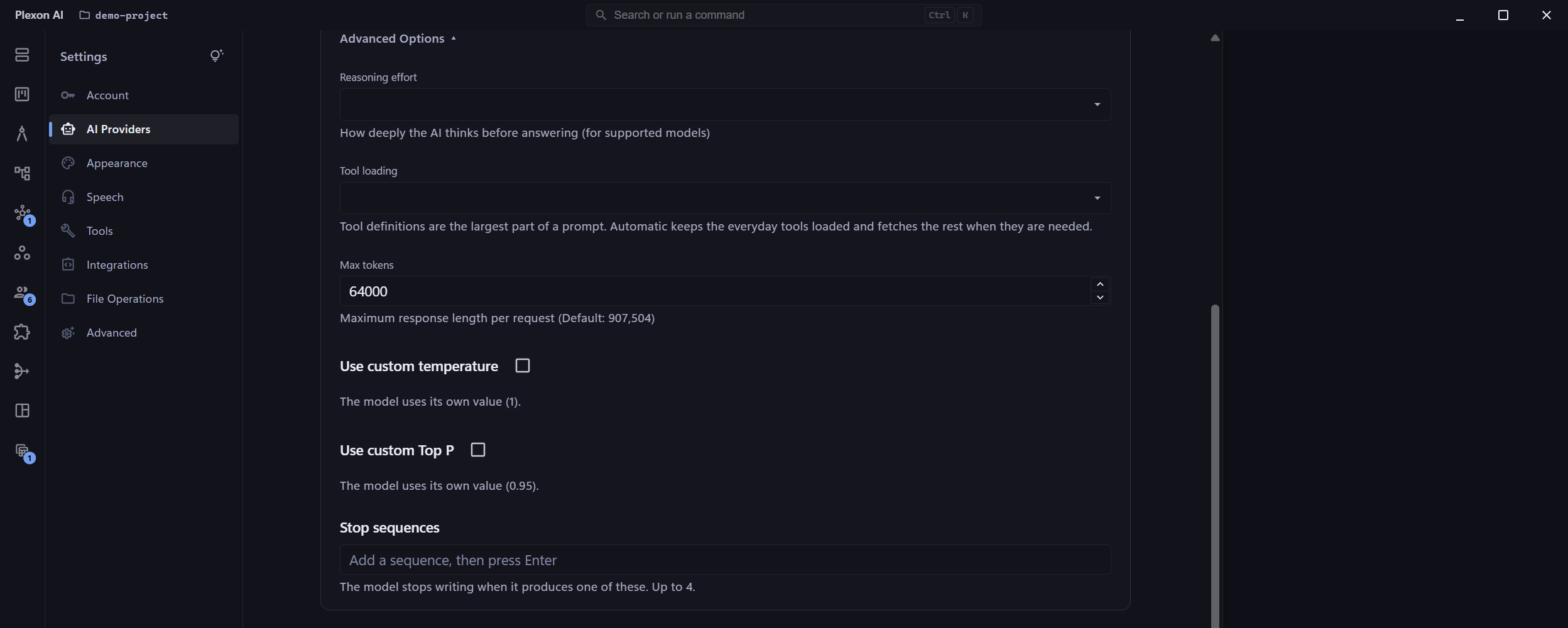
Model settings, only where the model accepts them
Temperature, Top P and stop sequences sit under Advanced Options on each provider. Each control appears only on models whose API takes it, with that vendor's own range and starting value, so you are never offered a setting the model would reject or quietly ignore.
- Shows the vendor's own default for comparison
- Ranges differ by vendor and Plexon follows them
- Hidden on models that reject these settings, such as recent Claude
- Set separately for coding and planning providers
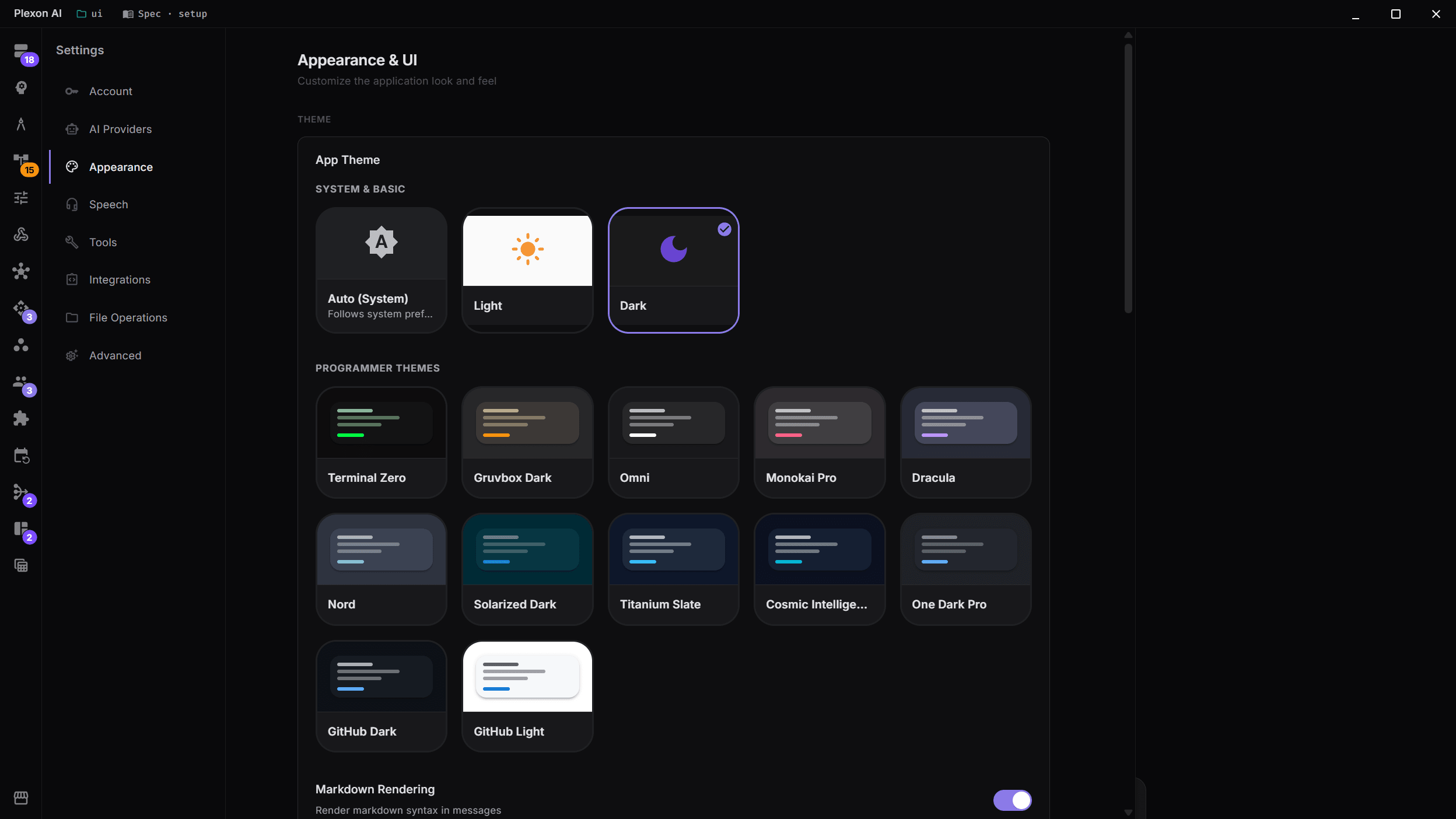
13 Themes, Including Editor Favorites
Auto, Light, Dark, Dim and two Windows-native looks, plus eight ports of editor palettes: GitHub Dark, GitHub Light, One Dark, Cosmic Intelligence, Monokai, Dracula, Terminal Zero and Omni.
- System auto-detection (light/dark)
- Eight editor themes with live preview
- Customizable font size and zoom level
- Mini mode for compact workflows
- Taskbar badge with the count of questions and approvals waiting
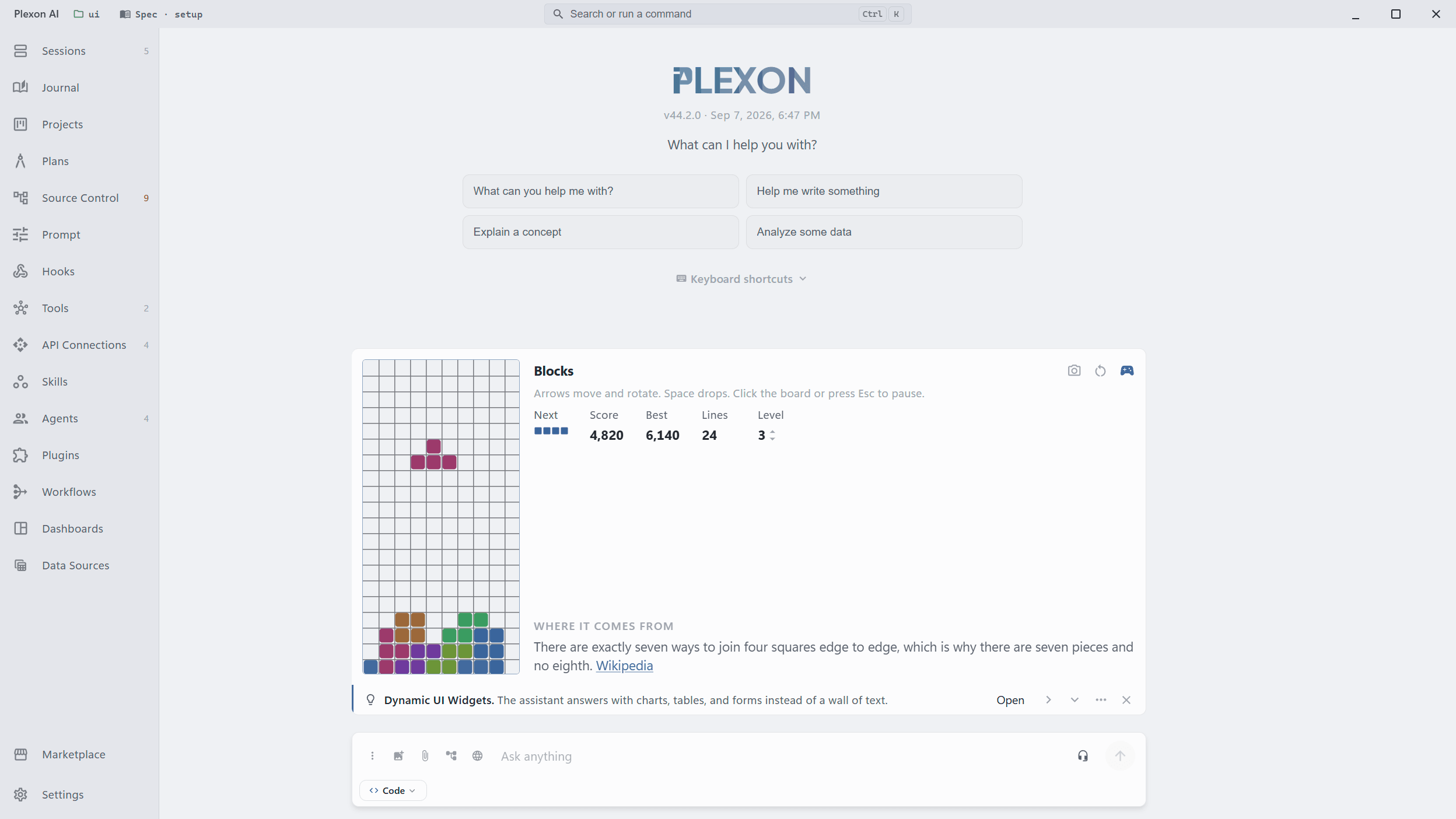
Something to do while a long reply is written
When an answer has been coming for a while, a card appears under the chat: one thing you might not know about Plexon, and Blocks, a small stacking game. The game pauses when the reply lands and picks up where you left it on the next long wait, in any project, even after a restart. Turn the whole card off in one switch.
- Arrows move and rotate, space drops, clicking the board pauses
- One game and one score across every chat and every project
- Change the level, copy the board as a picture, start over
- A short fact about the game, or a tip on playing it better
- Optional sounds, off by default
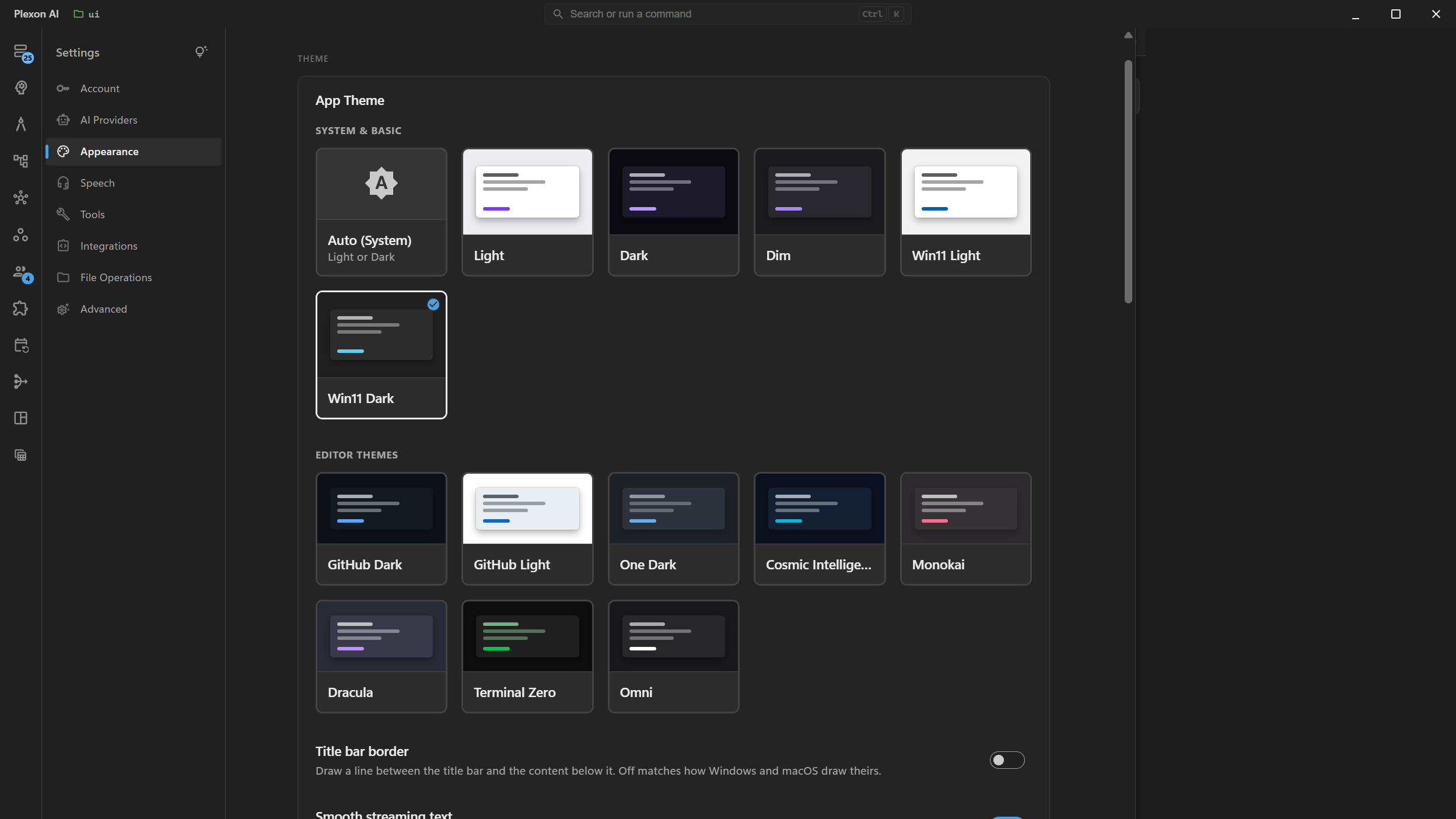
Win11 Light and Win11 Dark: built for Windows
Two themes that follow Windows 11's own shapes, spacing and type, not just its colors. Controls, menus and dialogs are redrawn to match the system, so Plexon sits next to your other apps instead of standing out from them.
- Picks up your Windows accent color
- Your wallpaper shows through the title bar and sidebar
- Segoe UI Variable, at the sizes Windows uses
- Falls back to solid colors on Windows 10, macOS and Linux
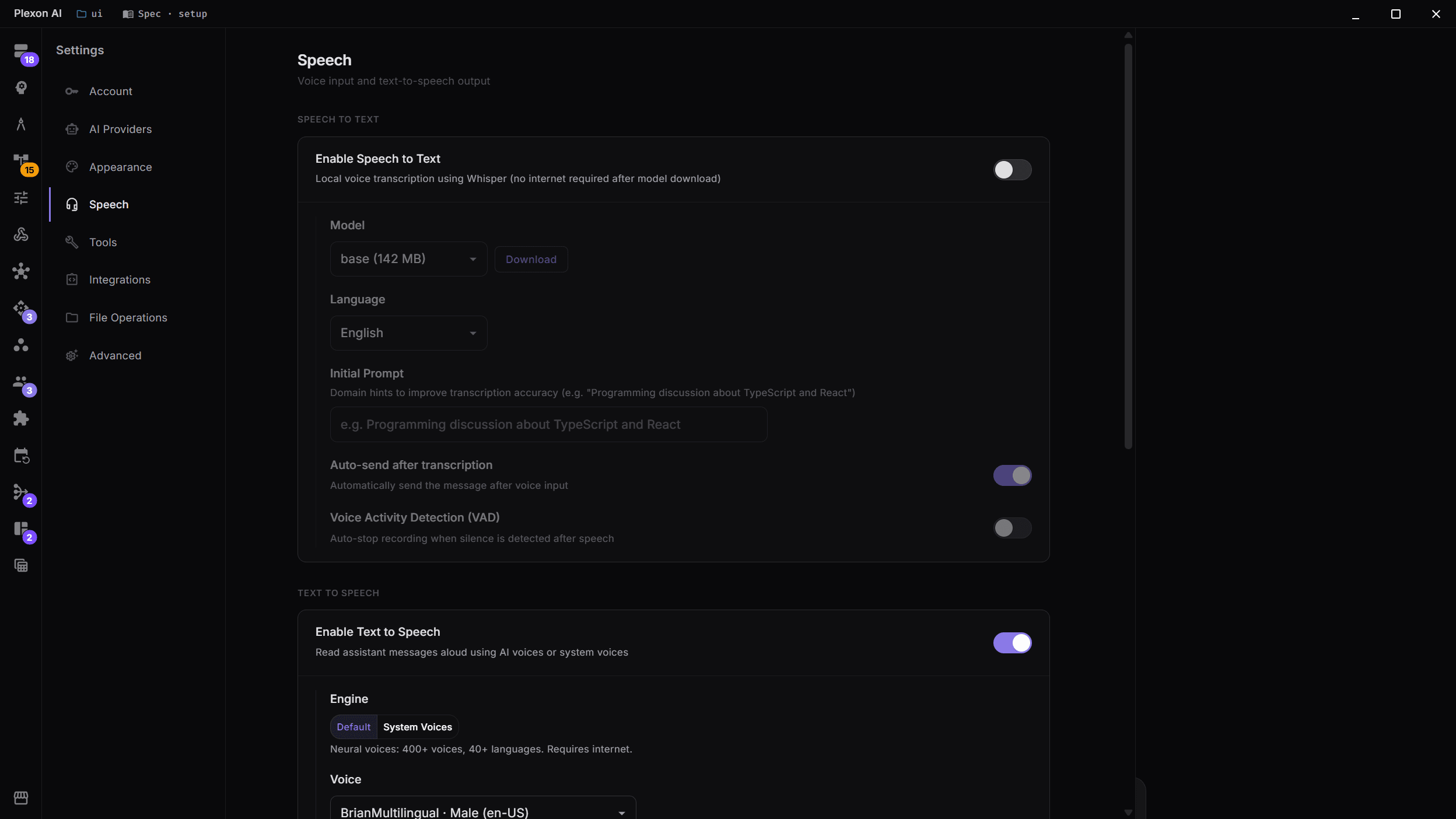
Voice Input & Text-to-Speech
Talk to your AI and it types what you said: Plexon Voice transcribes in the cloud with nothing to download, or Whisper does it on your own machine and works offline. Have responses read aloud with Plexon Voice, or with My Voice in your own cloned voice on your own computer.
- Speech to text two ways: Plexon Voice in the cloud on every plan, or Whisper on your machine (offline, Greek included)
- Plexon Voice speaks on every plan; My Voice clones your voice locally in 23 languages
- Voice Activity Detection for hands-free operation
- Configurable speech speed
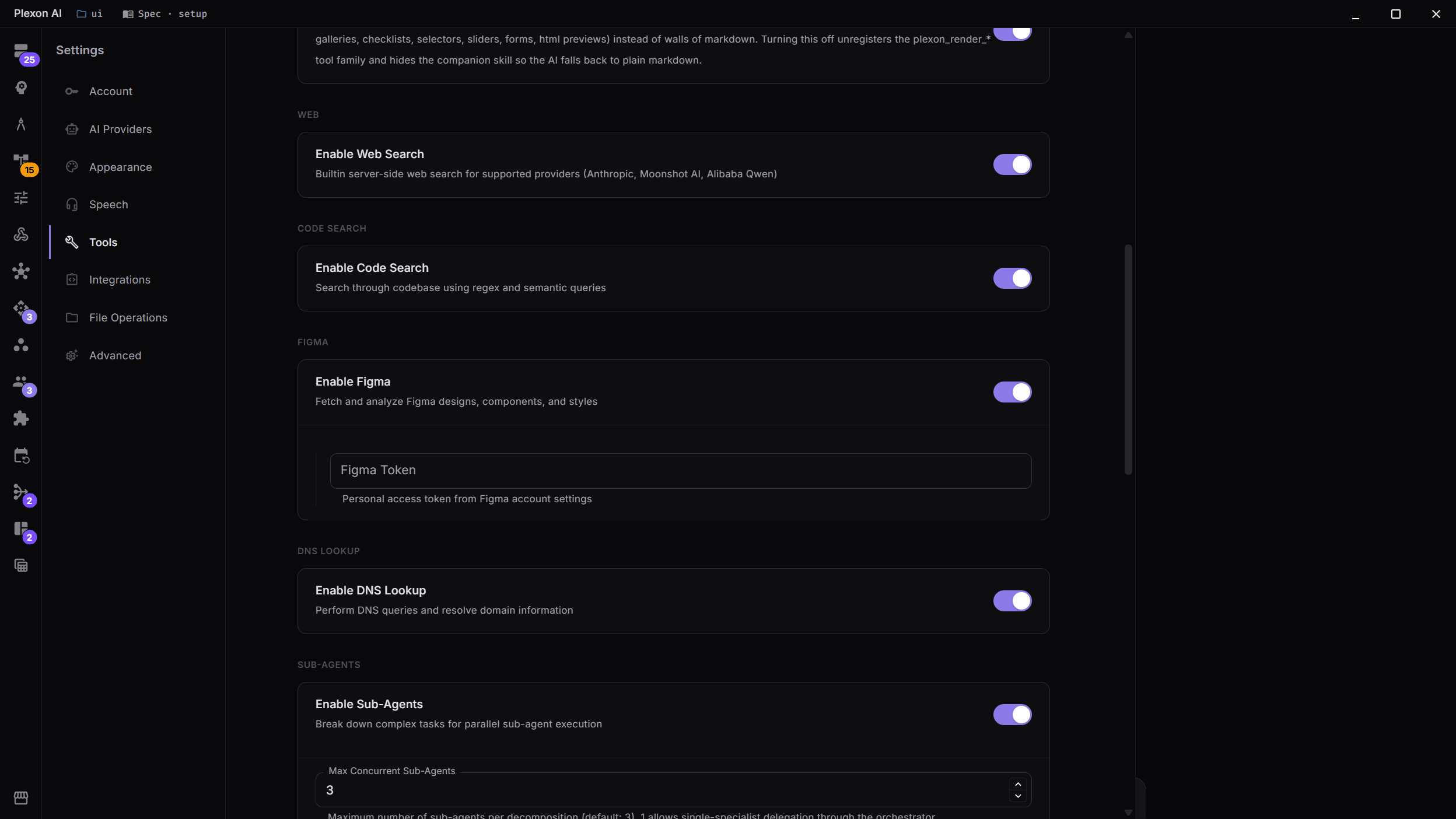
Built-in Tools
Configure web search, code search, sub-agent limits, and system command security (the last three under More options), including whether a terminal command stops for your approval before it runs. Add desktop control by installing the Desktop Automation connector from the marketplace.
- Web search and code search integration
- Context condensing for long sessions
- Sub-agent limits for orchestration
- System command security with blocked/confirmation patterns
- Ask before a command runs: never, only the ones you listed, or every one
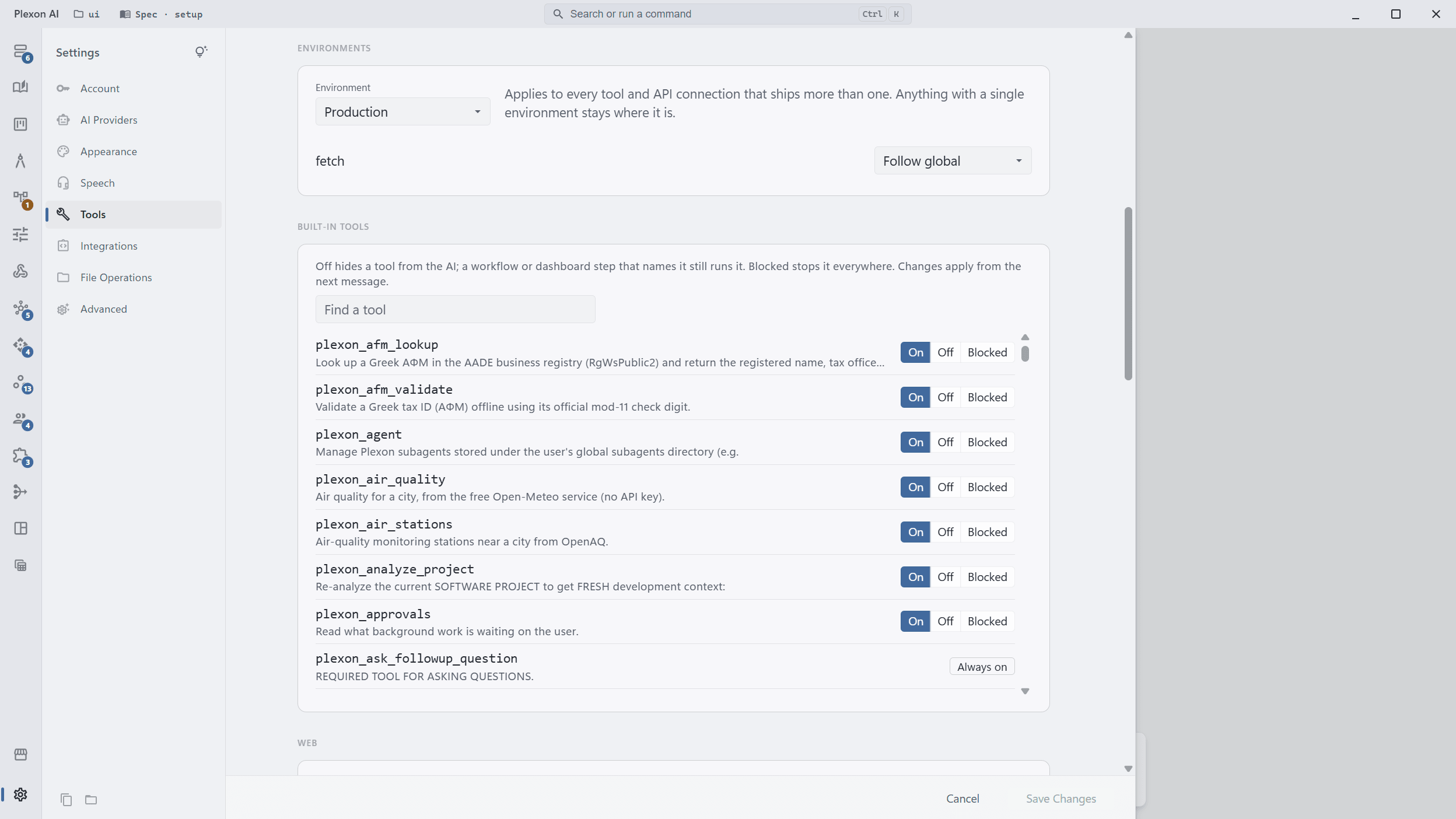
Environments
Some tools and API connections carry more than one backend: the live database and a test copy, a live site and a staging one. Whoever built the tool sets both up, so nobody types a connection string to move between them. One switch moves everything that has a second copy, and you can pin a single tool while the rest stay put.
- Production, staging, development
- A tool with only one backend stays where it is
- Pin one tool and let the rest follow the switch
- Anything not on live data is tagged in the tools list
- The assistant is told when it is reading a test copy
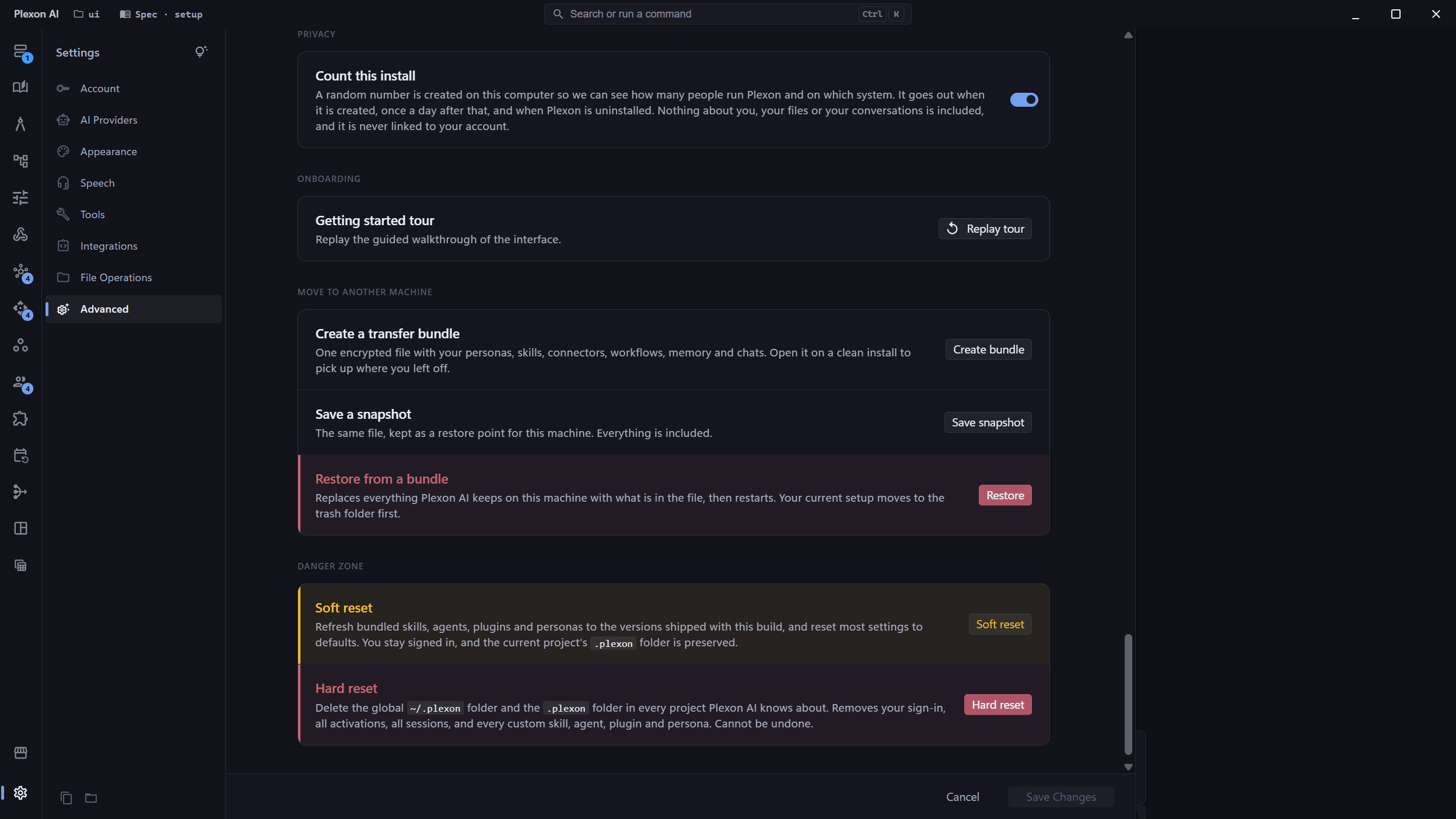
One Switch for What Leaves Your Machine
Plexon counts installs so we know how many people run it and on which system. A random number is created on your computer and sent when it is created, once a day, and when Plexon is uninstalled. It carries no account, no file names, and nothing from your conversations. Turn it off on the Files and privacy page.
- Anonymous: a random number, never linked to your account
- Not derived from your machine, so deleting the file makes you a new install
- One switch under Settings, Files and privacy, Privacy
- Turning it off sends one last message, then nothing
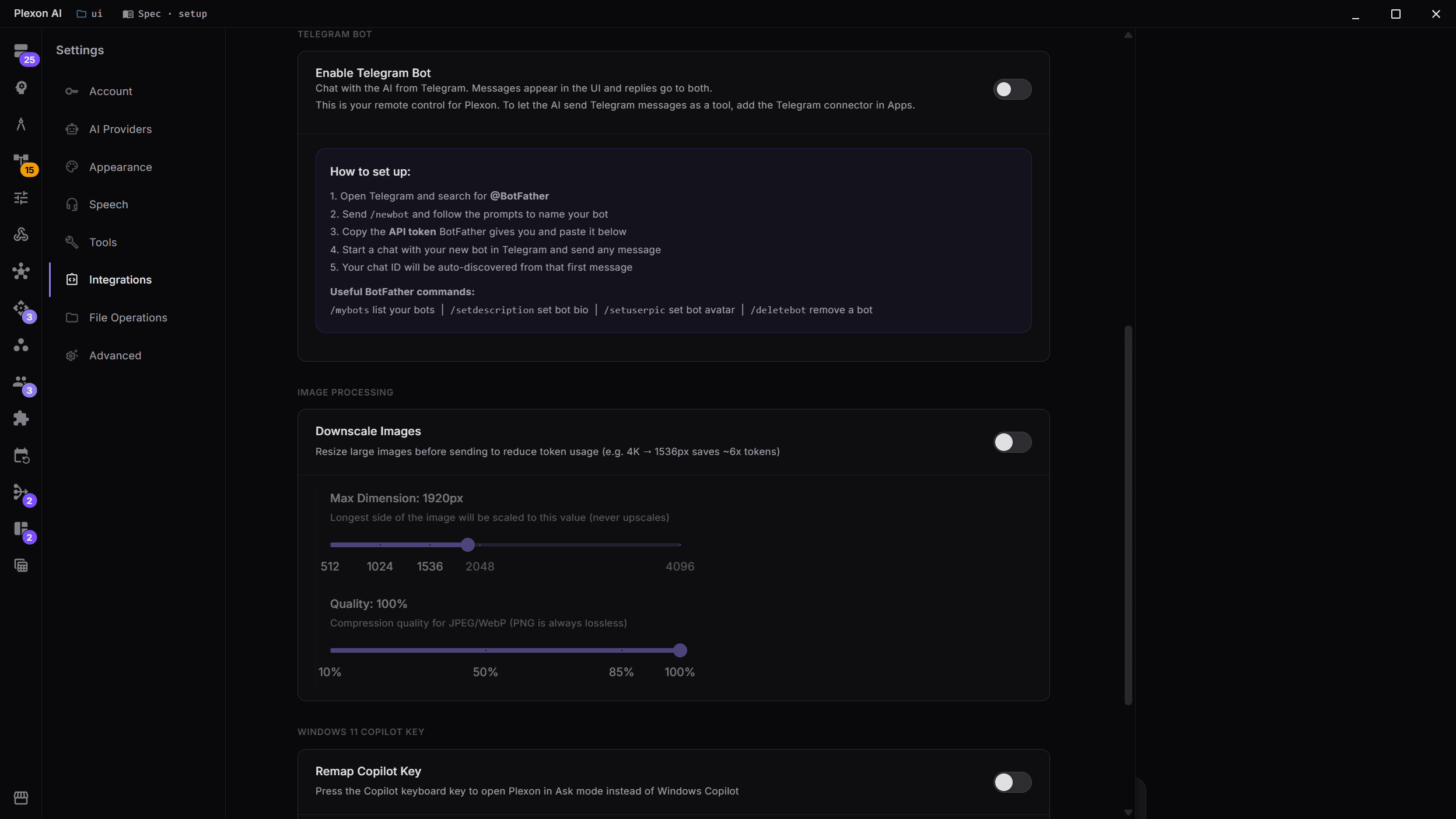
Telegram Bot & Connected apps
Control your AI remotely through Telegram, bring over an existing Claude Code install from the same page, and set how images are shrunk before they are sent.
- Telegram bot for remote AI access
- Claude Code migration: agents, MCP servers, hooks, plans, memory, and sessions
- Image downscaling to reduce token costs
- Slack bot, file sharing and the Authenticator on the same page
More Customization
Cross-Platform Desktop
Native desktop app for Windows, macOS, and Linux. Real-time streaming, rich markdown rendering with syntax highlighting, and per-session cost tracking.
Desktop Automation
Install the Desktop Automation connector to let the AI control native apps: mouse, keyboard, screenshots, the accessibility tree, and app launch. Runs locally, with every action behind tool approval.
System Command Security
Configure blocked commands (rm -rf, shutdown, reboot) and confirmation-required patterns (git push --force, npm install). Regex-based pattern matching with sensible defaults.
Settings by Conversation
Ask what a setting does and the assistant answers from the live catalog, then changes it if you want. Changes that widen file access or cost money stop and ask first, and API keys are never readable or settable from chat.
Context Condensing
Automatically condense conversation history when approaching context limits. Configurable threshold, token buffer, and messages-to-keep settings.
Connects to
Nothing here works alone. See the whole map for how the pieces fit together.
This one is taught in step 1 of 8: install it and sign in.
What feeds it
AI Chat & Modes authors this.
Describe a setting in your own words and it changes, behind a confirmation.
Where it goes
This feeds Visual & Voice.
The engine and the voice every spoken reply uses are set here.
This feeds Command Palette.
Describe a setting in your own words and the palette lands you on the exact control.
This feeds Action Record & Tool Rules.
Tool rules are written in Settings under Tools, beside each tool's On, Off and Blocked switch.
Seen in these jobs