Solo developer
Move your existing setup over in one pass
“I have months of configuration somewhere else and I am not rebuilding it by hand.”
Agents, MCP servers, hooks, plans, memory and every conversation come across with labels that identify the imported items.
Import everything at once
Agents, MCP servers, hooks, plans, memory and conversations. Plans land in the project each was written for and keep their approved or draft status.
Try this
Import my Claude Code setup: agents, MCP servers, hooks, plans, memory and conversations. Show me what you found and where each part will land before you import anything.
Your agents are there, and labelled
Labels and filters distinguish imported items from what you built here.
The Agents panel with its built-in help: what an agent is, and how you hand one a specific job. What happens in this clip
- The Agents panel opens from the sidebar with its built-in help card.
- The help explains what an agent is: a specialist with its own name, expertise and set of instructions.
- The list shows every agent you have, with a search across it.
- Naming one with @ in a message hands it that specific job.
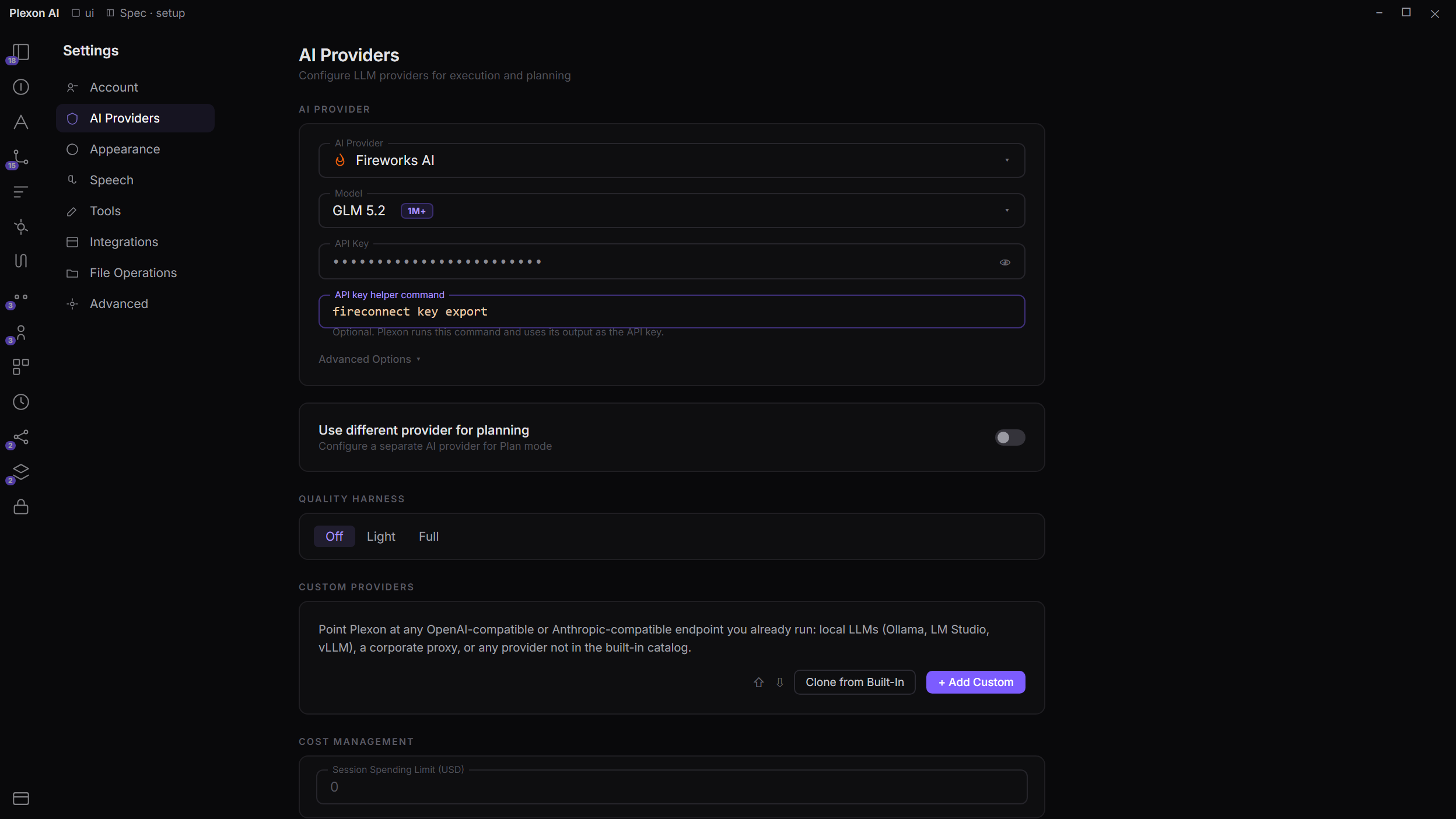
Or keep your own keys
One subscription covers text, images, video, voice and music. Or point Plexon at your own provider and pay them directly.
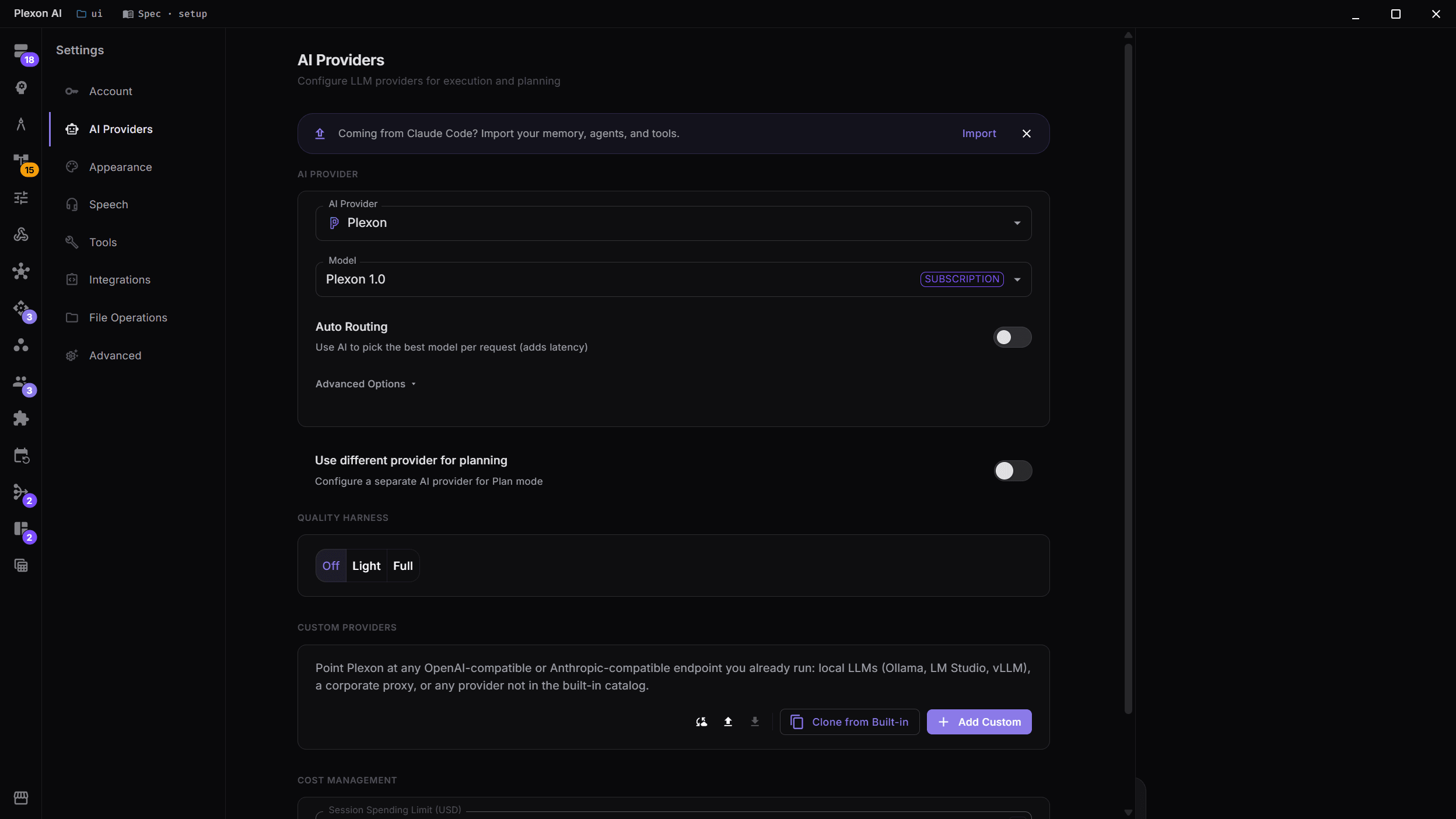
Including a model on your own machine
Any OpenAI- or Anthropic-compatible endpoint: Ollama, LM Studio, vLLM, Azure OpenAI. Per-model protocol and capability flags, with a Test Connection button.
Try this
Point Plexon at the model running on my own machine at <http://localhost:11434>, test the connection, and tell me which capabilities it reports.
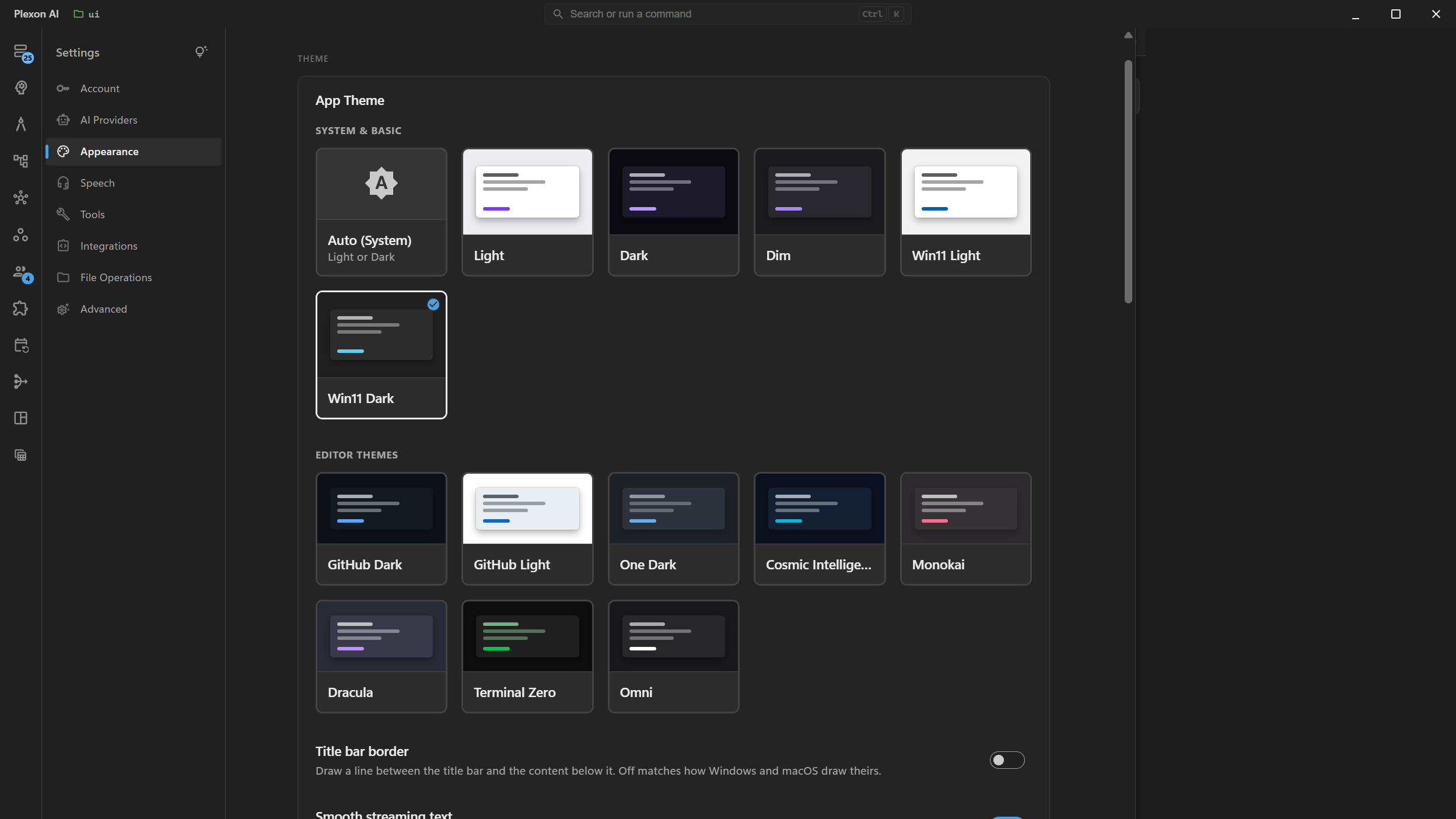
Make it look like yours
Thirteen themes, including the two that follow your Windows accent colour.
What you end up with
Your agents, hooks and history, in Plexon, with the plans landed in the projects they were written for.
Download PlexonAlso for solo developer
Ship a feature without babysitting every edit
Plan first, fan the work out across isolated worktrees, review every diff in one place, and let the pull request wait for your approval rather than your attention.
Find out before the build does
A workflow searches your code on a schedule, speaks up only when it finds something that blocks, and leaves what it found on a board. No AI runs in it, so checking costs nothing.
Work on the same conversation as someone else
Share a running session and both drive, or export a finished one as a file they can continue in their own copy.