Solo developer
Ship a feature without babysitting every edit
“I want the AI to change real code, but not to surprise me with what it changed.”
Plan first, fan the work out across isolated worktrees, review every diff in one place, and let the pull request wait for your approval rather than your attention.
Ask in Plan mode first
Plan mode explores your repository read-only and writes one implementation plan. Nothing is edited until you approve it, and the plan stays browsable afterwards.
Try this
Plan mode. I want to <what you want built> in this repository. Explore first, then write me one plan with the files you would touch and the order you would do them in. Change nothing yet.
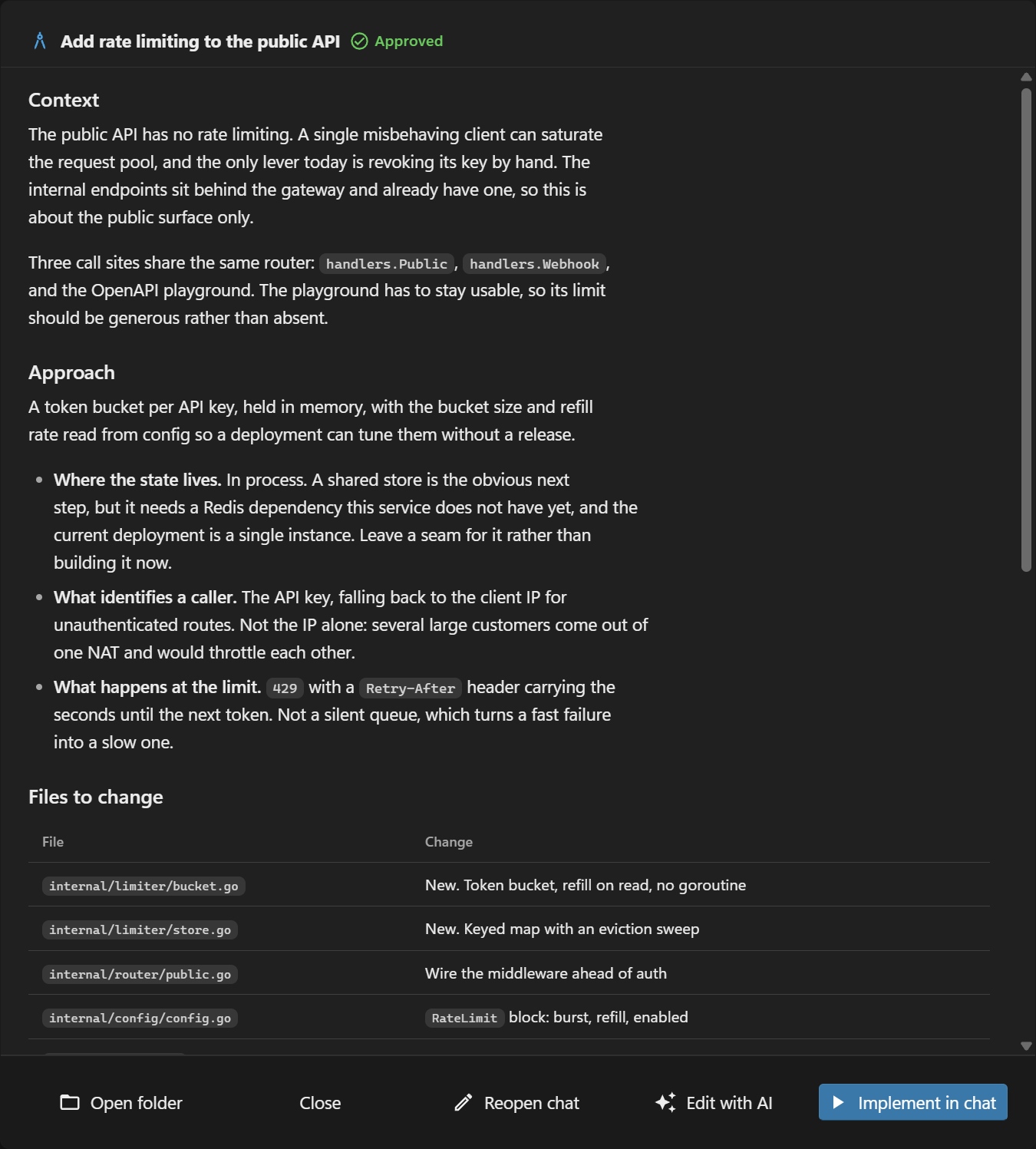
Approve it and the same conversation starts working
Approving switches the session to Make mode with the plan checklist already loaded, so nothing has to be re-explained.
Type @ and it offers your agents, the files in the project, past sessions, even single facts out of your notes. Then Enhance turns a rough prompt into a clear one. What happens in this clip
- Type in the chat box.
- Type @ and it offers your agents, the files in the project, past sessions, even single facts out of your notes.
- Pick an agent to point the message at it.
- Mention a file the same way and pick it from the list.
- Enhance turns a rough prompt into a clear one before you send it.
Fan the independent parts out
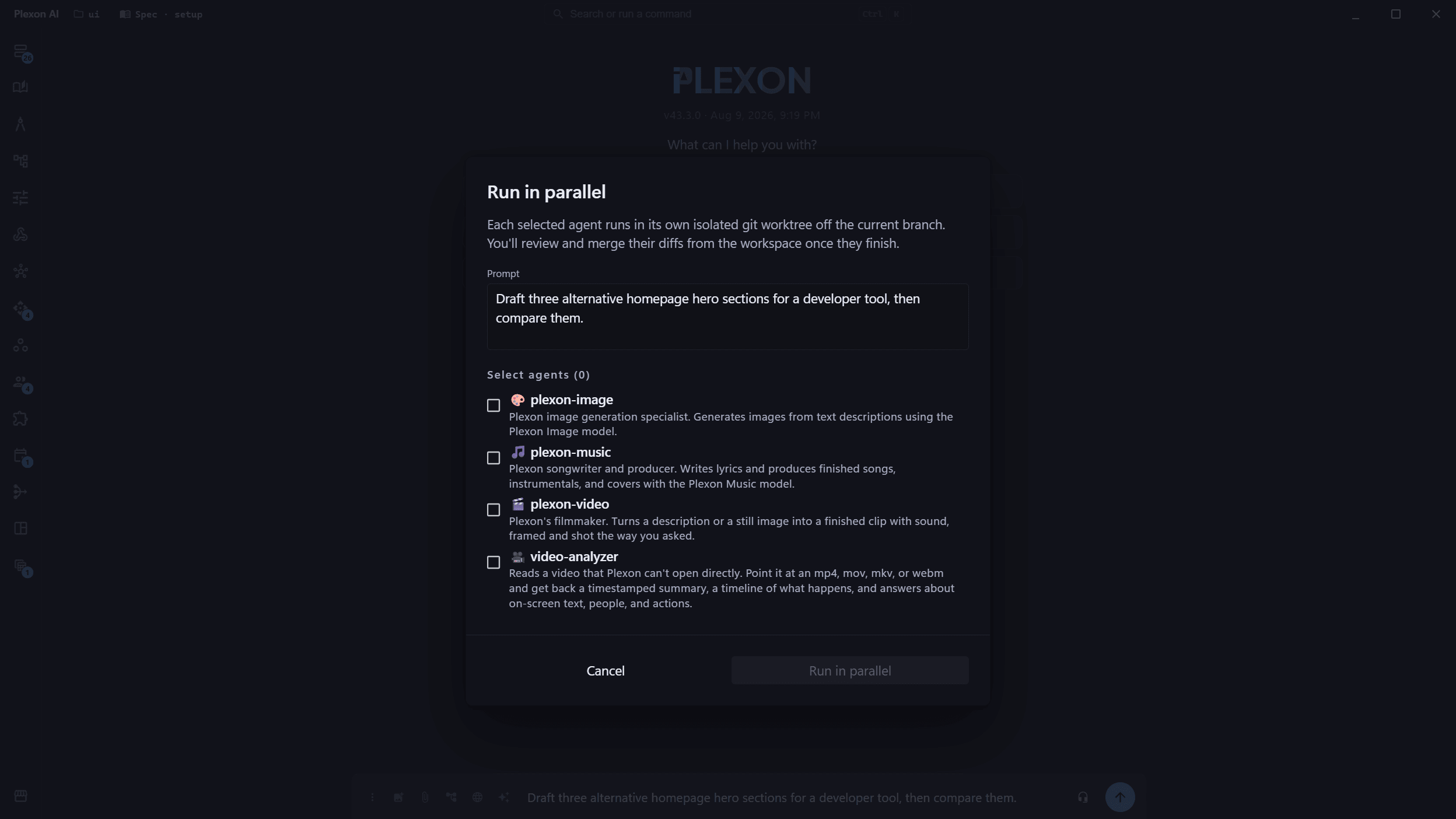
One prompt across several agents, each in its own git worktree. They cannot collide because they are not in the same working copy.
Try this
Fan the independent parts of this plan across 3 agents, one worktree each. Tell me which parts you judged independent and which you kept together.
Review the diffs in one panel
Every tile that finished waits in one place across sessions. Merge with fast-forward, squash or cherry-pick, or discard it.
Point at what looks wrong
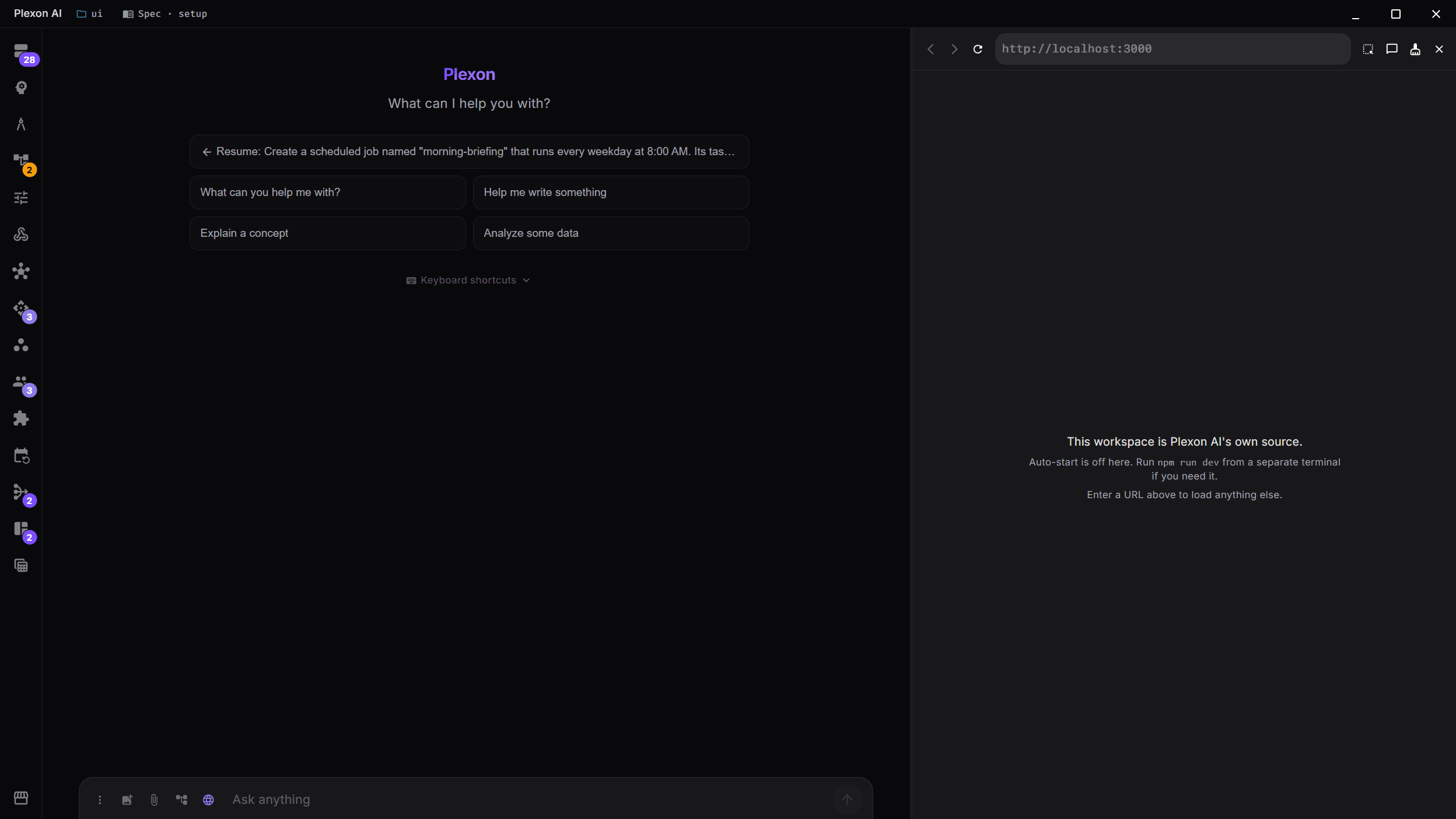
Dock the browser beside the chat, click the element on your dev server, and the selector, computed styles and a cropped screenshot land in the prompt.
Try this
Look at the element I just picked in the browser pane. It breaks below 400px wide. Find the rule that causes it, fix it, and tell me what else that rule affects.
Run the tests yourself
Start a message with ! and it runs in the session directory. The output becomes a terminal card and rides into context on your next message.
Try this
!npm test
Let the pull request review itself, and wait
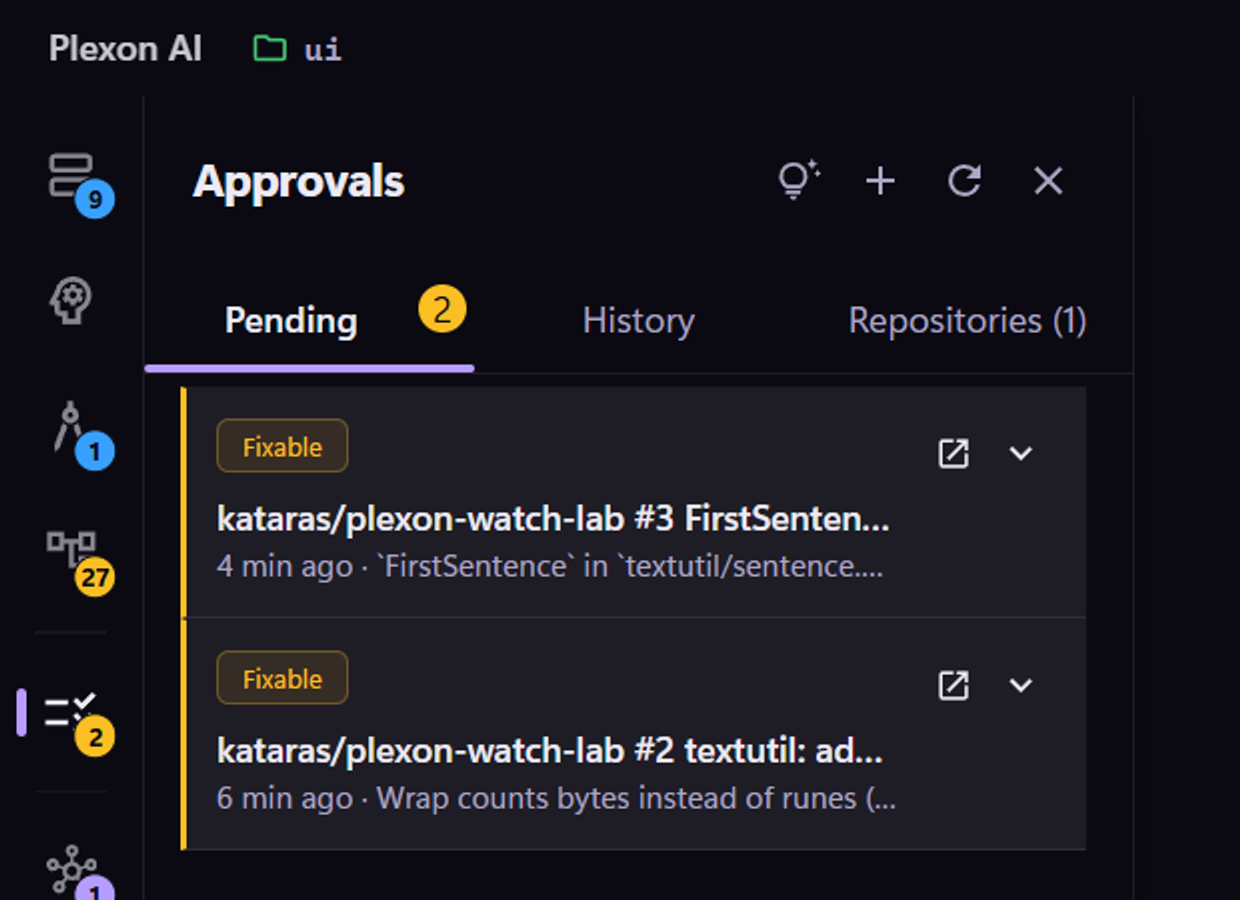
Every new issue gets a drafted reply and every pull request a verdict. Both sit in the Approvals panel until you press Post.
Try this
Watch this repository from today onward. Draft a reply to every new issue and a review with a verdict on every new pull request, and hold both in Approvals until I post them.
What you end up with
A merged branch, a reviewed diff you actually read, and a plan file recording what was decided and why.
Download PlexonAlso for solo developer
Find out before the build does
A workflow searches your code on a schedule, speaks up only when it finds something that blocks, and leaves what it found on a board. No AI runs in it, so checking costs nothing.
Work on the same conversation as someone else
Share a running session and both drive, or export a finished one as a file they can continue in their own copy.
Move your existing setup over in one pass
Agents, MCP servers, hooks, plans, memory and every conversation come across with labels that identify the imported items.