Designer Tools
DesignExtract
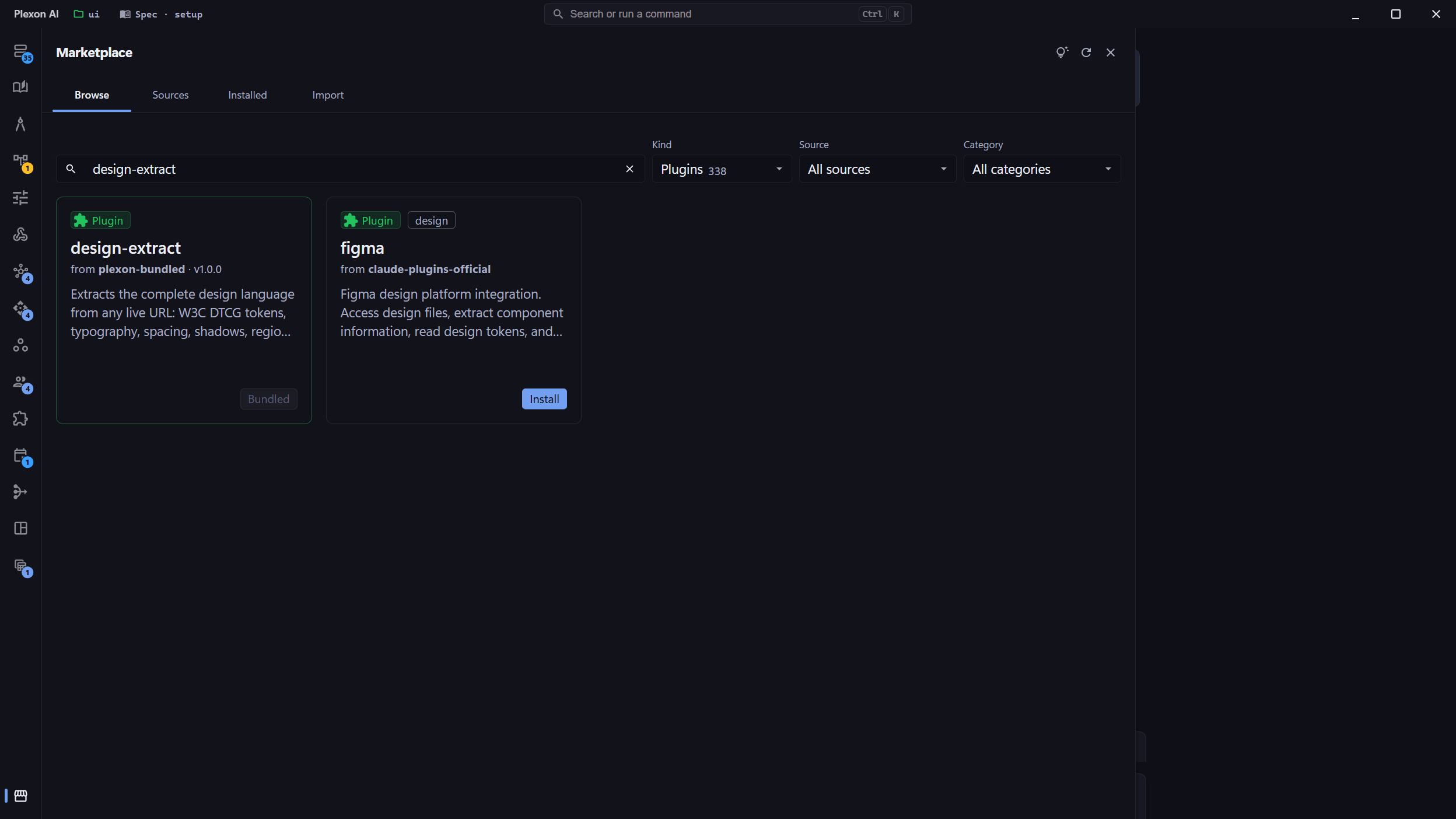
A bundled Plexon plugin that turns any live URL into a full design system in one pass. Eight handoff artifacts (DTCG tokens, Tailwind, shadcn, CSS variables, Figma, React theme, HTML preview, LLM-readable markdown), WCAG accessibility scoring, and a local MCP server for follow-up questions. Auto-activated under the Designer persona.
Related features
Extract an Entire Design System From One URL
Point Plexon at any public website and ask for its design language. The design-extract plugin crawls the live page with headless Chromium, reads the fully-rendered styles, classifies regions and components, and produces eight handoff artifacts in a single pass: AI-readable markdown, a visual HTML preview, W3C DTCG tokens, a Tailwind config, a shadcn/ui theme, CSS custom properties, Figma Variables JSON, and a React theme object. What used to be a full afternoon of inspecting, sampling, and copy-pasting is now one command.
- Bundled Plexon plugin: one click to enable, zero configuration, no API keys
- Wraps the upstream designlang CLI + MCP server from Manavarya09/design-extract (MIT)
- Ships a companion skill that teaches Plexon when to crawl versus when to query the already-extracted data
- Auto-activated when you switch to the Designer persona. No manual toggle required
Eight Handoff Artifacts, One Crawl
Every stack you might want to land in is covered by default. Tailwind projects get a drop-in config. shadcn/ui projects get a pastable theme CSS. Vanilla CSS projects get a variables file. React and CSS-in-JS projects get a theme object. Figma designers get a Variables import. Designers get a visual HTML preview with swatches, type scale, and shadow ramps. And every AI follow-up gets a compact, LLM-readable markdown summary so the next conversation about the design does not need to re-crawl the site.
- *-design-language.md: compact summary engineered for LLM context windows
- *-preview.html: visual swatches, typography ramp, shadow ladder, WCAG report
- *-design-tokens.json: W3C Design Tokens (DTCG) format, imports into any transformer
- *-tailwind.config.js and *-shadcn-theme.css: paste-in themes for the two most common stacks
- *-variables.css, *-theme.js, and *-figma-variables.json: vanilla CSS, React/CSS-in-JS, and Figma
Ask Follow-Up Questions Without Re-Crawling
The real win is the bundled MCP server. After one crawl, Plexon answers design questions from the extracted data: no second Playwright run, no second trip to the free-tier quota. Ask "what is the closest palette color to #3a5fcd" and the server calls find_nearest_color. Ask "what is in their hero region" and it calls get_region. Ask "which text fails WCAG AA" and it returns the failing pairs with remediation suggestions. The expensive crawl happens once; the cheap queries run forever.
- search_tokens: query any token by name, value, or type (color / size / radius / shadow)
- find_nearest_color: snap an arbitrary hex to the site’s actual palette
- get_region: fetch a classified page region (nav / hero / pricing / footer) with its components
- get_component: fetch a component cluster (button / card / input) with all variants
- list_failing_contrast_pairs: enumerate WCAG failures and suggest WCAG-compliant replacements
WCAG Accessibility Scoring Out of the Box
Every extraction produces an accessibility report alongside the design tokens. The plugin runs WCAG AA/AAA contrast checks across every text-on-background pair found in the rendered DOM, ranks failing pairs by severity, and suggests replacement colors that preserve the site’s palette identity while passing contrast. If you are cloning a reference site, you get a list of inherited accessibility debts before you start building, and a path to fix each one without reinventing the palette.
- WCAG AA and AAA contrast scoring on every extracted design
- Per-failing-pair remediation suggestions drawn from the site’s actual palette
- CSS health audit: unused-style count, specificity spread, !important usage
- Region-level coverage: failures surfaced by region so you know where to act first
Native to the Designer Persona
Selecting the Designer persona enables design-extract automatically. The persona’s prompt examples, starter agents, and design-system skills are all tuned to work with the plugin out of the box. "Turn this wireframe into a React component" now knows how to fetch the source-of-truth tokens first. "Design a landing page matching stripe.com" now starts with a crawl, not a guess. If you prefer granular control, the plugin also toggles independently from the Plugins panel, but for most designers, the persona is the one-click activation that makes the whole workflow cohesive.
- Listed in the Designer persona’s plugins: activate the persona, get the plugin and the MCP server
- Alongside design-system-architect, ui-designer, ux-architect, ux-researcher, and inclusive-visuals-specialist agents
- Co-located with design-system-library (54 real design systems) and figma-website-builder skills
- Also toggles independently for power users who mix-and-match plugins across personas
Requirements and Limits
The plugin invokes `npx -y designlang` under the hood. The only prerequisites are Node 20+ and internet access. Playwright downloads Chromium (~150 MB) on the first run; subsequent runs are warm from the Playwright cache. The designlang free tier allows 3 extractions per 24 hours per IP. The companion skill warns you before you hit the limit and routes follow-up questions through the MCP server instead of new crawls, so a day’s quota covers a day’s worth of design questions, not just three.
- Node 20+ on PATH: that is the full install requirement
- Chromium downloads once via Playwright on first use, cached afterwards
- Free tier: 3 extractions per 24h per IP. MCP queries against already-extracted data do not count
- Private IPs (localhost, 127.0.0.1, RFC1918) are rejected by the crawler. Use a public preview URL
- Authenticated pages are crawled unauthenticated. Use a public demo route or preview deploy for logged-in surfaces
What the plugin gives you
Complete Design Language in One Pass
Colors, typography, spacing, shadows, radii, animations, and breakpoints, extracted from the fully-rendered DOM, not from static CSS files. One `npx designlang <url>` returns the whole system.
8 Handoff Artifacts per Extraction
AI markdown, HTML preview, W3C DTCG tokens, Tailwind config, shadcn theme CSS, vanilla CSS variables, Figma Variables JSON, React theme object. Every common consumer of a design system is covered by default.
5 MCP Tools + 5 MCP Resources
After extraction, Plexon queries the design without re-crawling: search_tokens, find_nearest_color, get_region, get_component, list_failing_contrast_pairs, plus resources for primitive tokens, semantic tokens, regions, components, and the CSS health audit.
WCAG Scoring with Remediation
Every extraction runs AA and AAA contrast checks across every text-on-background pair. Failing pairs ship with suggested replacement colors drawn from the site’s own palette: accessibility fixes that do not look grafted on.
Tailwind + shadcn/ui Drop-Ins
A ready-to-paste `tailwind.config.js` and a `shadcn-theme.css` bundle let Tailwind and shadcn projects adopt an extracted system in under a minute. No manual token translation.
Figma Variables Handoff
Designers get a Figma Variables JSON they import as first-class design variables. Handoffs between design and engineering stay in sync because both sides are reading the same extracted source of truth.
DTCG-Native Tokens
Tokens are emitted in the W3C Design Tokens (DTCG) format, so they feed Style Dictionary, Theo, and any DTCG-aware transformer without reshaping.
Region + Component Classification
The crawler classifies nav, hero, pricing, footer, CTAs, and forms automatically, and clusters components (buttons, cards, inputs) with their variants. You can ask "what is in the hero region" and get a structured answer.
Diff Two Sites
`npx designlang diff <a> <b>` compares two extractions and reports token deltas. Great for auditing whether a rebrand landed consistently, or for understanding where two brands actually differ.
Companion Skill Teaches the Workflow
The bundled extract-design skill teaches Plexon when to crawl with the CLI and when to query with the MCP server, how to route each of the 8 output files to the user’s stack, and how to surface the 3-per-day free-tier limit clearly.
Designer Persona Activation
Picking the Designer persona auto-enables the plugin alongside design-system-architect, ui-designer, ux-architect, ux-researcher, and inclusive-visuals-specialist agents. The whole design-reverse-engineering workflow is one click.
Fast Follow-Ups
The expensive Playwright crawl happens once. After that, design questions are answered from local JSON via the MCP server: microseconds, not minutes, and no free-tier quota consumed per question.
MIT-Licensed Upstream
Powered by Manavarya09/design-extract (MIT). Plexon bundles the upstream unchanged and ships the companion skill, plugin manifest, and MCP config. `designlang` is also available standalone from Settings → Tools → Browse for users who do not want the full plugin.
Connects to
Nothing here works alone. See the whole map for how the pieces fit together.
Where it goes
This is packaged by Personas.
Bundled into the Designer persona.
Seen in these jobs