Two-Factor Codes
Your Two-Factor Codes,On the Computer You Sign In From
Reaching for the phone every time a site asks for a code is a small tax on every login. Move the accounts into Plexon once, with a guided import that knows how each authenticator app exports, and read the codes where you type them. The keys stay encrypted on your machine, and the assistant can hand you a code without ever holding the key.
Related features
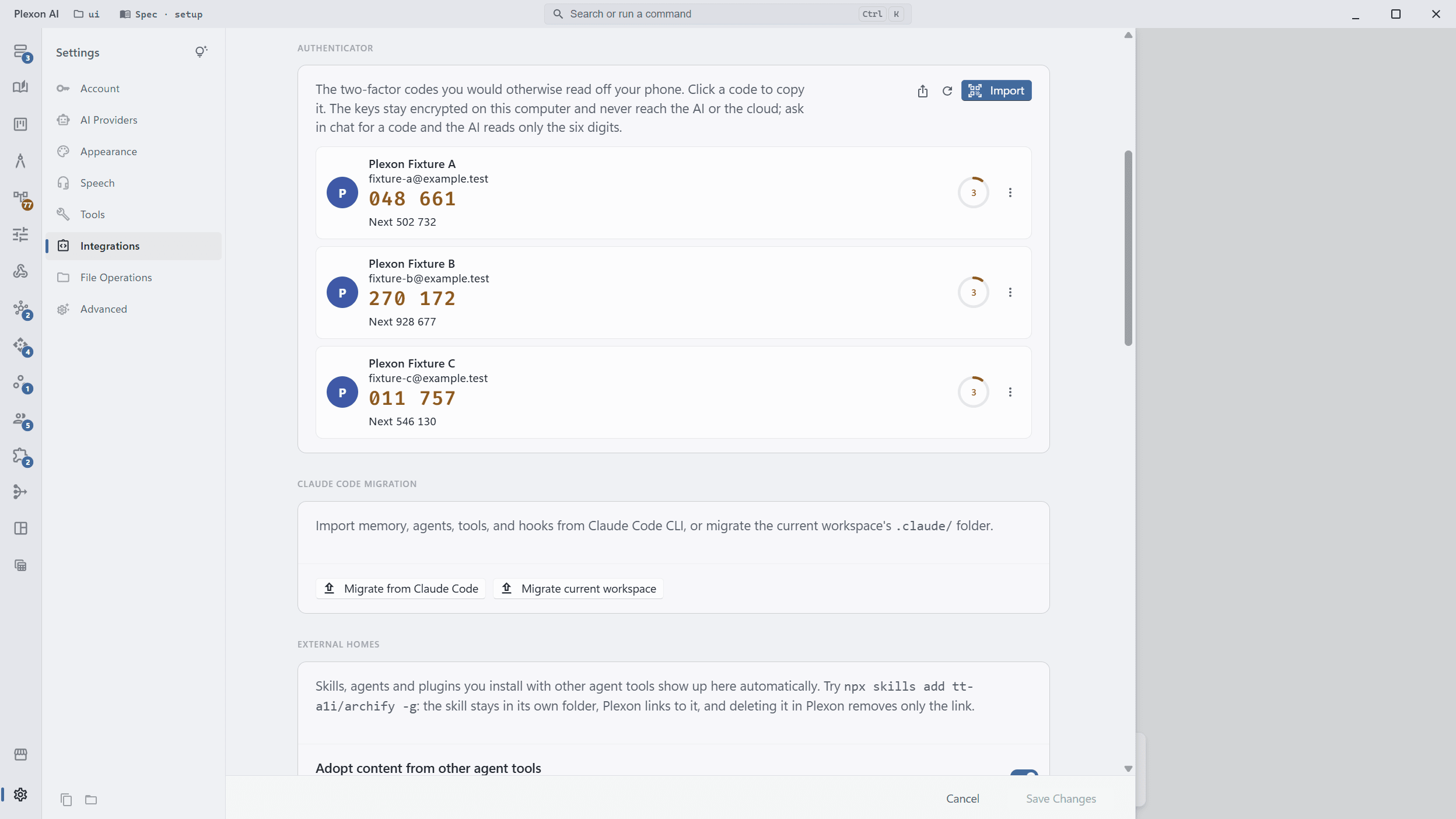
The Codes You Read Off Your Phone, Here
Every account with its current six-digit code, a ring counting the seconds it has left, and the next code when the current one is about to run out. Click a code and it is on the clipboard. It lives under Settings, Integrations, next to your git credentials, because it is the same kind of thing: a secret that stays on this machine.
- One place for every account, however many apps they came from
- Counter-based accounts get a Next button instead of a ring
- Rename an account without touching its key
- Export as QR codes when you move to another app
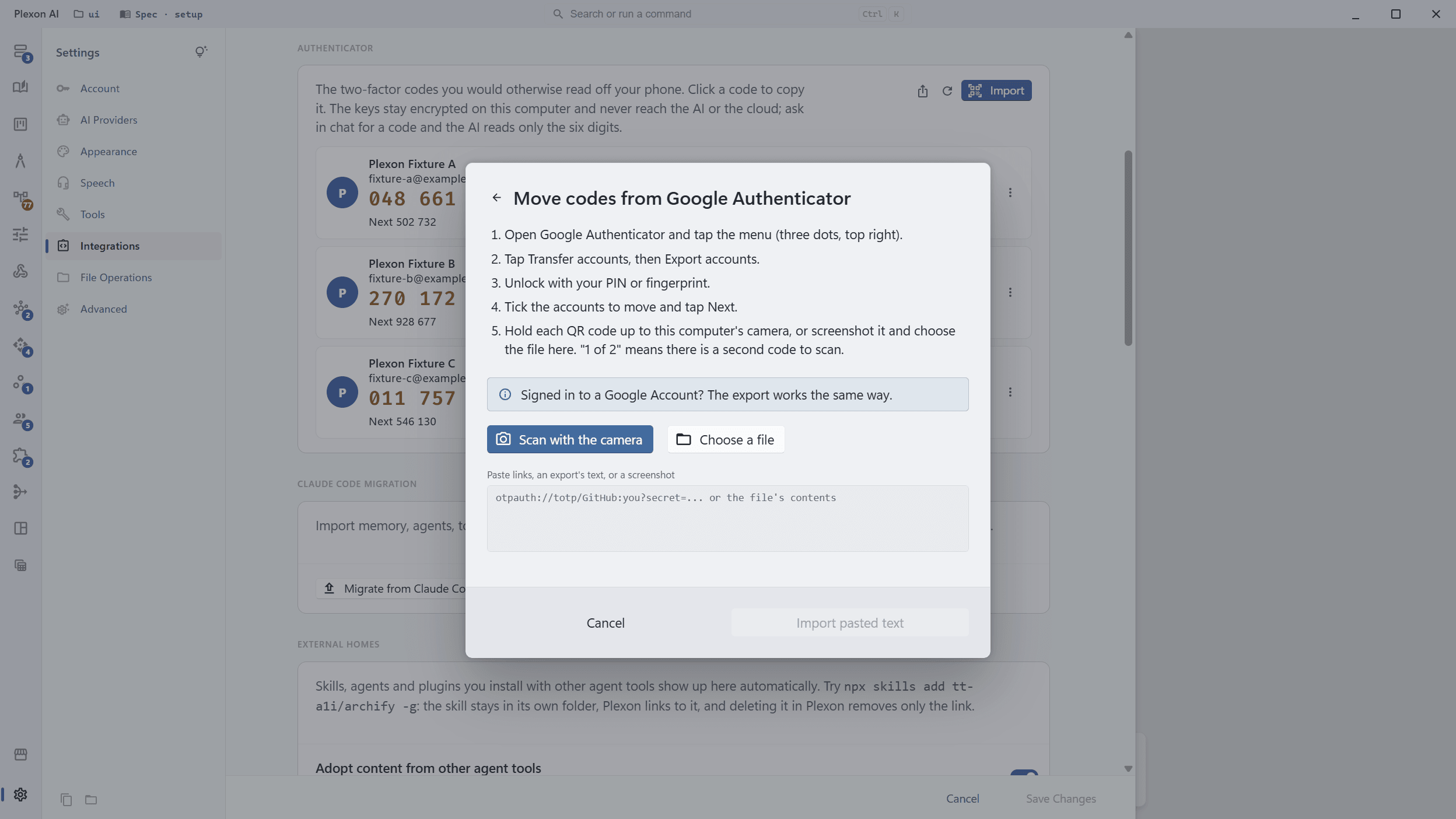
Import Knows Where Your Codes Are
Pick the app you keep them in and the wizard shows that app's own export steps, in its own menu wording, then takes what it produces. Google Authenticator shows QR codes; hold the phone up to your webcam and Plexon reads them, ten accounts a code. Aegis, 2FAS, Ente, Bitwarden, 1Password, Apple Passwords, Proton Pass, LastPass Authenticator, andOTP, Stratum and KeePassXC write files; choose the file and it is read as-is.
- Webcam scan, a file, a pasted screenshot, or pasted links
- Encrypted exports are refused with the app's plain option named
- An account already here is reported, not added twice
- Microsoft Authenticator and Authy have no export: the wizard shows the re-enrol steps instead
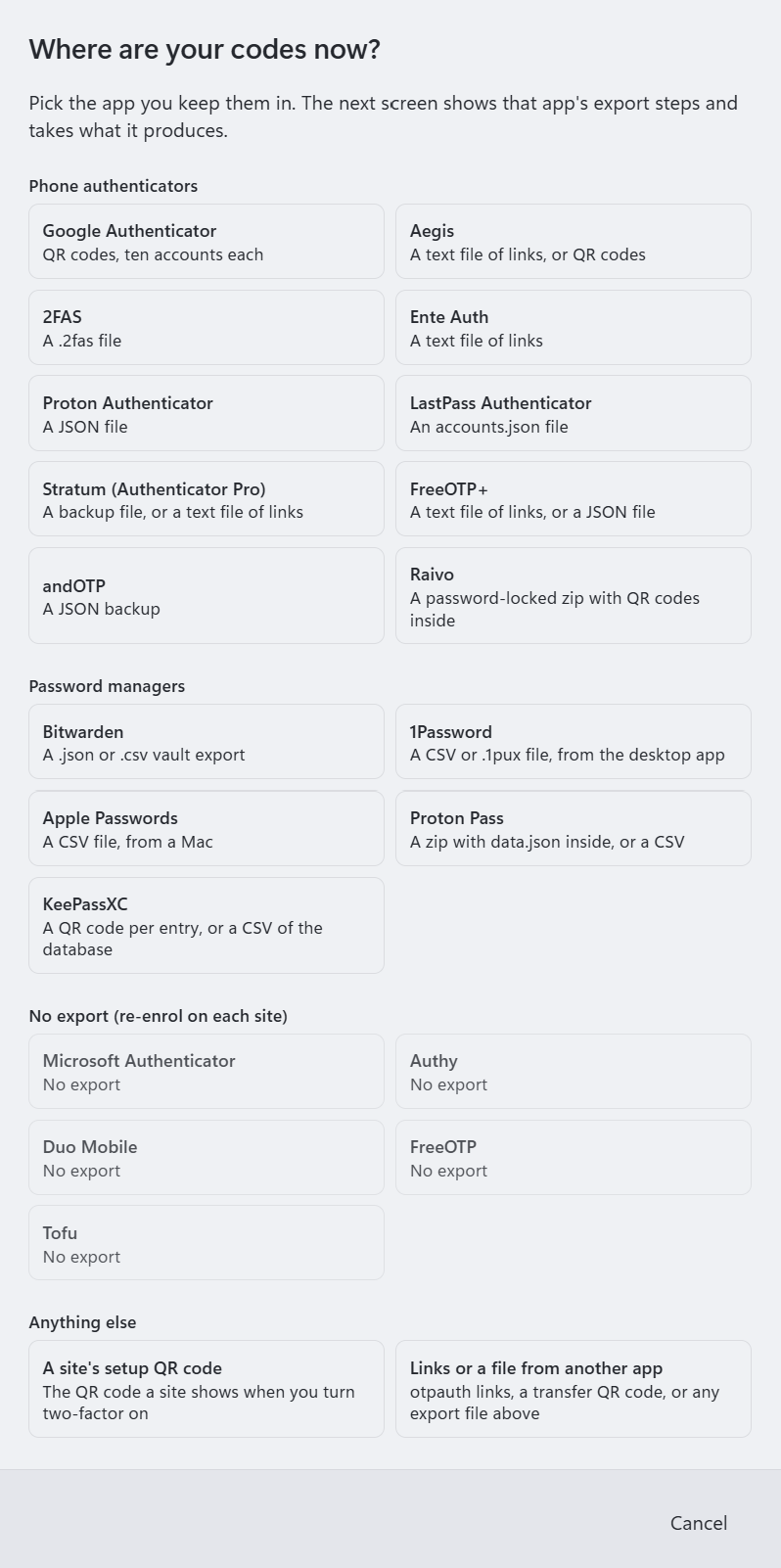
Twenty Ways In
Ten phone authenticators, five password managers, the five apps that refuse to export, and two catch-alls: a site's own setup QR code, and any otpauth link or export file from an app not on the list. Each card says what that app hands over, so you know before you start whether you are scanning a code, choosing a file, or re-enrolling.
- Google Authenticator, Aegis, 2FAS, Ente Auth, Proton Authenticator, LastPass Authenticator, Stratum, FreeOTP+, andOTP, Raivo
- Bitwarden, 1Password, Apple Passwords, Proton Pass, KeePassXC
- Microsoft Authenticator, Authy, Duo Mobile, FreeOTP and Tofu: no export, so the wizard walks you through re-enrolling
- A site's setup QR code, or links and files from anything else
Ask for a Code Instead of Looking
"What is my GitHub code" gets the code and how long it has left. Press Ctrl+K, type part of the account name, and Enter copies the code. A dashboard table can show the codes for the services you sign in to most. The assistant sees six digits that die in thirty seconds; it never sees a key.
- The command palette (Ctrl+K) lists every account with a "Copy code" row
- A dashboard widget bound to the codes tool
- Import from chat by pointing at a file, never by attaching the image
- Turn the codes tool off under Settings, Tools if you would rather the assistant never read them
How It Works
Keys Stay Home
Encrypted under your Plexon folder with a per-machine key and never sent to the AI. They ride in your encrypted cloud backup and transfer bundle, so a dead laptop does not take your logins with it.
Webcam Scan
Hold the phone's QR code up to the camera. Frames are decoded on this machine, and the camera is released the moment one reads.
Reads the Apps' Own Files
Aegis and 2FAS vaults, Bitwarden and 1Password exports, Apple Passwords and KeePassXC CSVs, Proton Pass and LastPass files, as they come.
Ctrl+K, Copy Code
Every account is a row in the command palette. Enter opens Settings on it with the code already copied.
Ask in Chat
"What is my AWS code" answers with the code and its remaining seconds, or the next code when the current one is about to expire.
On a Board
The codes tool returns a table, so a dashboard widget shows live codes for the services you pick, refreshed every thirty seconds.
No Lock-In
Export renders QR codes any authenticator app can scan: batches of ten for Google Authenticator, one per account for the rest.
Counters Never Run Ahead
A counter-based account advances only when you press Next. Reading a code, in Settings, in chat or on a board, never moves it.