Founder
Get the numbers from your signed-in dashboards in one morning message
“The figures I check every morning sit behind three different sign-ins, and none of those sites sends a report.”
A scheduled workflow opens the pages you name in a hidden browser window, on your own signed-in accounts, reads the figures and sends you one message. It opens only the sites its step lists.
Sign in once beside the chat
Open each site in the browser panel and sign in. The window a workflow step uses shares those sign-ins.
Describe the routine
Plexon drafts the steps, and the draft arrives switched off for you to read before it runs.
Try this
Every weekday at 08:00, open <the orders page on shop.example.com> and <the campaign summary on ads.example.com>, read today's totals, and send me one message with the numbers. Only open those two sites.
Check the sites it may open
Click the agent step and look at Browser sites. That list is what makes the step run in the hidden window, and every other address, link or redirect is refused. Only https addresses are accepted.
Watch the first run
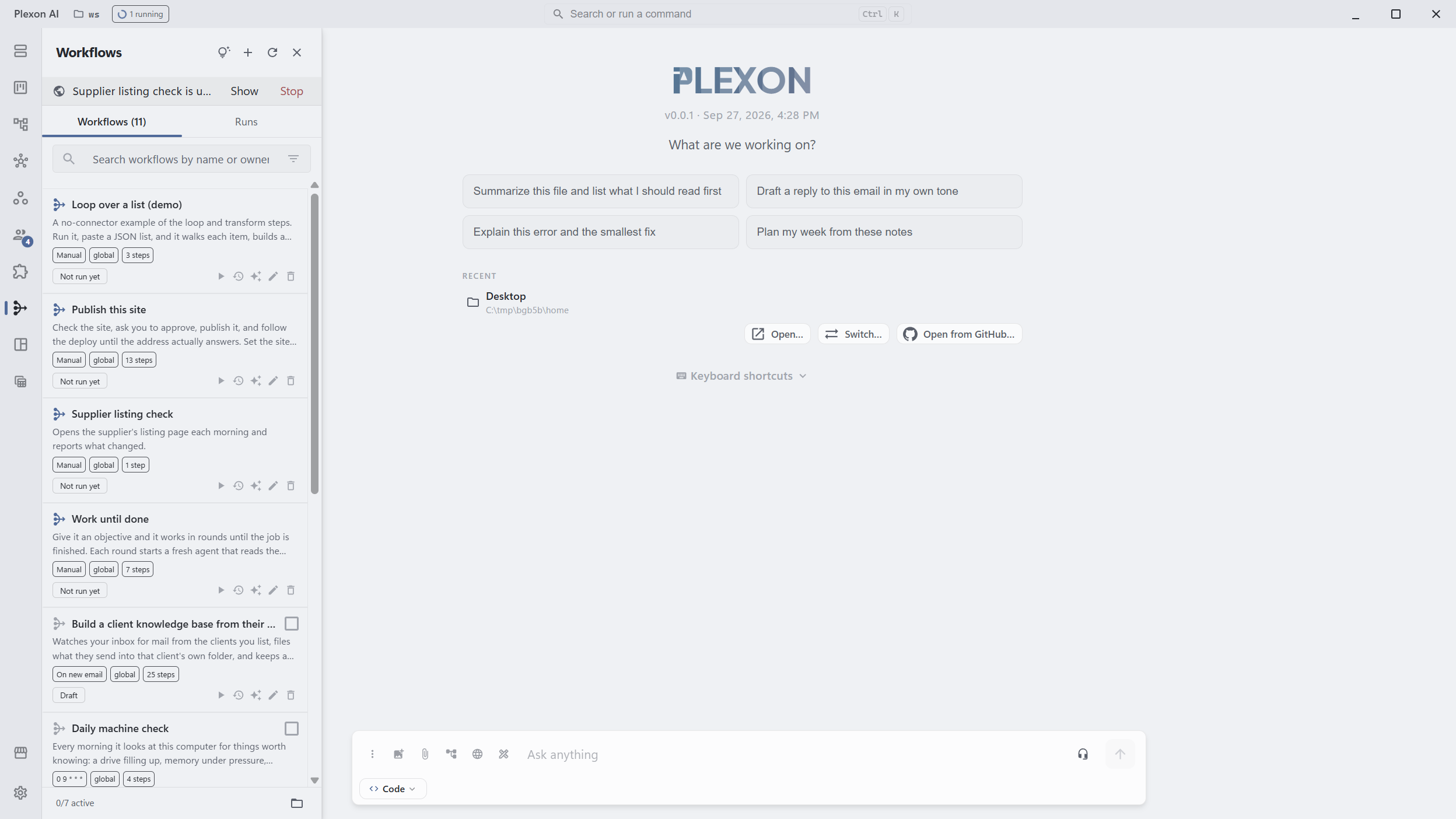
Choose Run now, then Show in the strip under the Workflows header to see the window. Close it and the run carries on hidden. If a site has signed you out, the run stops and says it needs you to sign in again.
Get the message where you are
The last step posts to the workflow inbox, and to your own Telegram, Slack or WhatsApp when one is connected.
What you end up with
One message each weekday morning with the figures from sites that never send one, read from your own accounts while Plexon sits in the tray.
Download PlexonAlso for founder
Have Monday’s numbers before you open the laptop
A scheduled workflow with no AI in it computes the numbers once. The board reads what it produced, and the summary arrives on your phone.
Grow an Instagram audience and answer the leads without living in the inbox
A workflow that ships with Plexon follows a few people a weekday from a rotating audience, likes a post or two, messages the ones who follow back and answers the replies that look like leads from facts you wrote. A board shows who is waiting for you.
Follow the right people on X and answer the leads without living in the inbox
A workflow that ships with Plexon follows a few people a weekday from searches you choose, likes their newest post, messages only the ones who follow back and answers the replies that look like leads from facts you wrote. A board shows who is waiting for you.