Founder
Grow an Instagram audience and answer the leads without living in the inbox
“The people I want to reach are on Instagram, and following, liking and answering them by hand eats the day.”
A workflow that ships with Plexon follows a few people a weekday from a rotating audience, likes a post or two, messages the ones who follow back and answers the replies that look like leads from facts you wrote. A board shows who is waiting for you.
Sign in to Instagram once
Open the browser beside the chat and sign in to Instagram. The hidden window the workflow uses shares that sign-in, so it never needs your password. On a Plexon Nous box, sign in while the app is connected to the box and the sign-in stays there.
Set the audiences and the texts
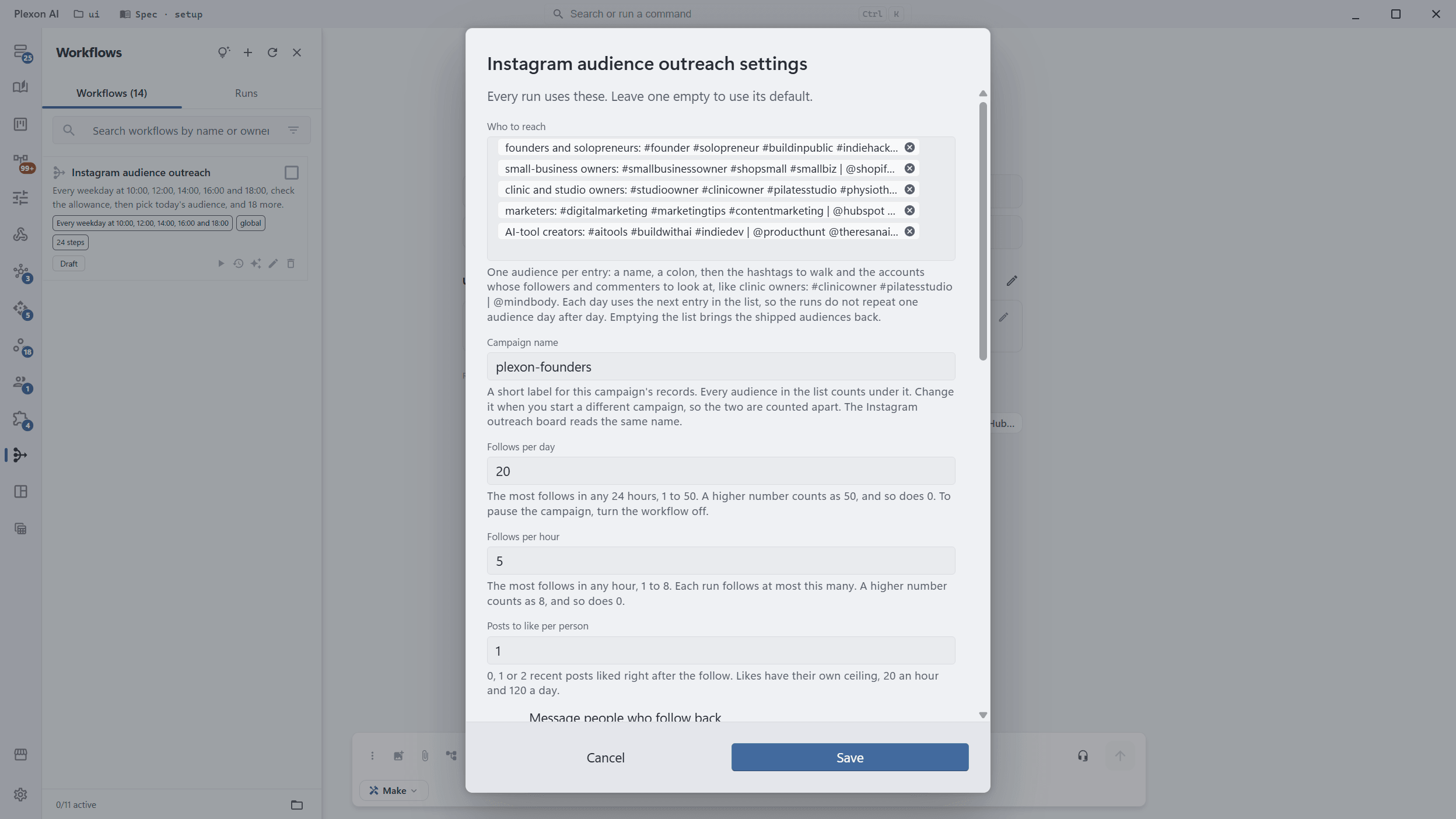
Right-click Instagram audience outreach in Workflows and choose Settings: who to reach (five audiences ship, from founders to AI-tool creators), a campaign name, follows a day and an hour, the welcome message, the facts it may answer from and when to hand a lead to you.
Turn it on
It arrives switched off. Once on, it runs at 10:00, 12:00, 14:00, 16:00 and 18:00 on weekdays in your own time zone, each run starting at a random minute within half an hour. Plexon has to be running, open or in the tray, or the workflow lives on a Nous box.
Read the board
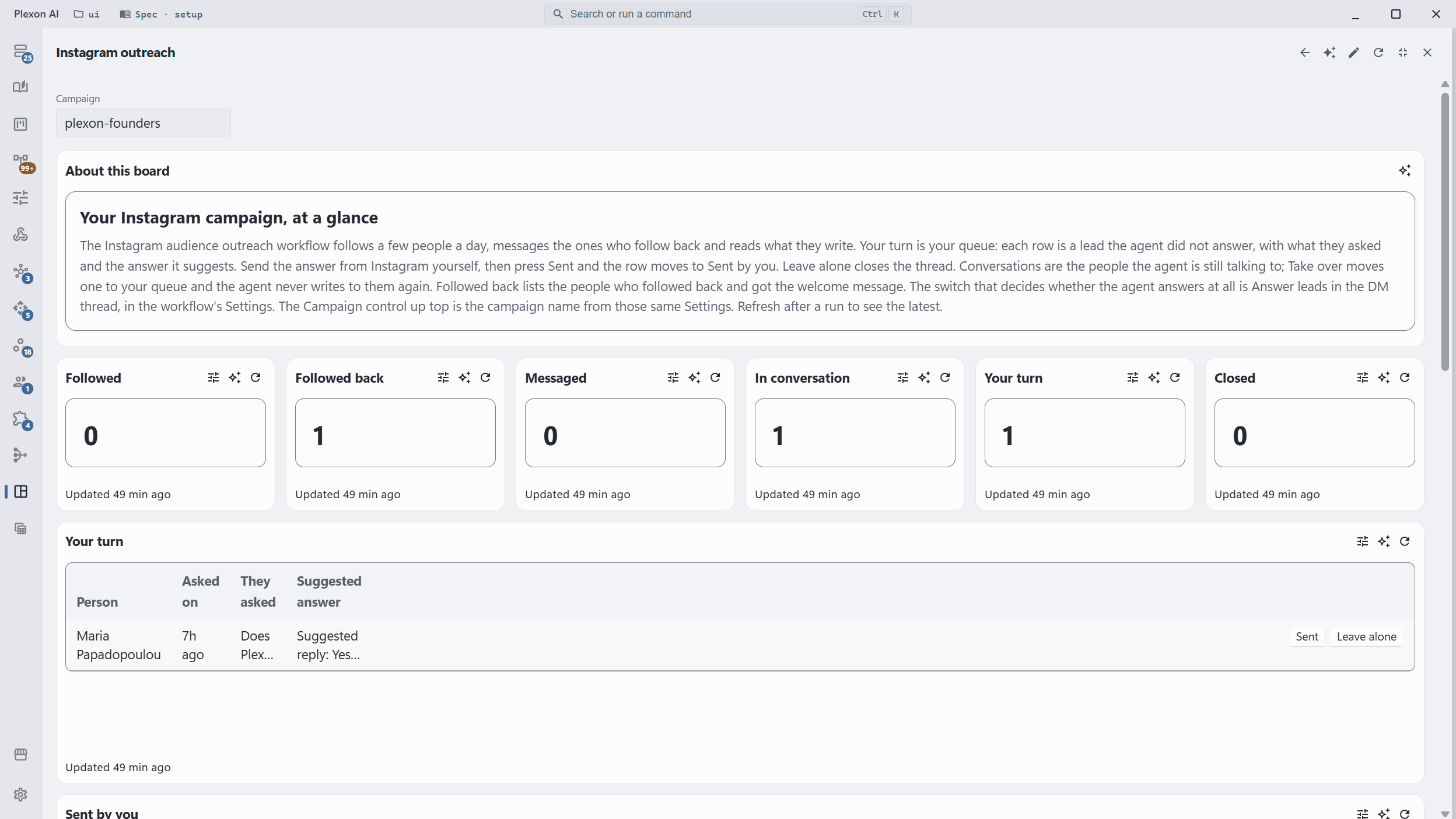
The Instagram outreach board reads the campaign: the leads waiting for you with what they asked and the answer the agent suggests, every open conversation with a Take over button, and the people who followed back but have not been messaged yet.
Answer, or let it answer
With Answer leads on, a lead gets one short reply in the thread, written only from the facts you gave it, up to 10 a day. A question about a price, a call, a demo or anything personal is never answered; it lands on the board with a suggested reply, and you press Sent once you have sent it from Instagram. Instagram does not allow automation, so the account at risk is yours.
What you end up with
A campaign that follows 20 people a day on its own, messages the ones who follow back, answers the simple questions from your facts and hands you the leads who ask about prices, calls or demos.
Download PlexonAlso for founder
Have Monday’s numbers before you open the laptop
A scheduled workflow with no AI in it computes the numbers once. The board reads what it produced, and the summary arrives on your phone.
Follow the right people on X and answer the leads without living in the inbox
A workflow that ships with Plexon follows a few people a weekday from searches you choose, likes their newest post, messages only the ones who follow back and answers the replies that look like leads from facts you wrote. A board shows who is waiting for you.
Get the numbers from your signed-in dashboards in one morning message
A scheduled workflow opens the pages you name in a hidden browser window, on your own signed-in accounts, reads the figures and sends you one message. It opens only the sites its step lists.