Sales team
Never let a lead go cold between the enquiry and the reply
“Leads arrive at all hours and the first reply is whenever someone next checks.”
A poll on the inbox, an AI step that pulls out what matters, a first touch inside a minute, and a second touch that only reaches the people who went quiet.
Watch the inbox
A poll trigger on your mail connector, running on an interval you set.
Search the marketplace for an app you already use, see what the connector will be able to do before you install anything, then link it to your own account. What happens in this clip
- Open the marketplace with Ctrl+K.
- Search for an app you already use.
- The card says what the connector will be able to do before you install anything.
- Install it and the setup starts.
- Link it to your own account, in this case by scanning a code once. Then just ask.
Pull the details out
An extract step turns free text into typed fields. It is the one place AI earns its keep in this flow; everything else is deterministic.
Try this
Add an extract step that turns each enquiry into four fields: name, company, what they asked for, and how urgent it sounds.
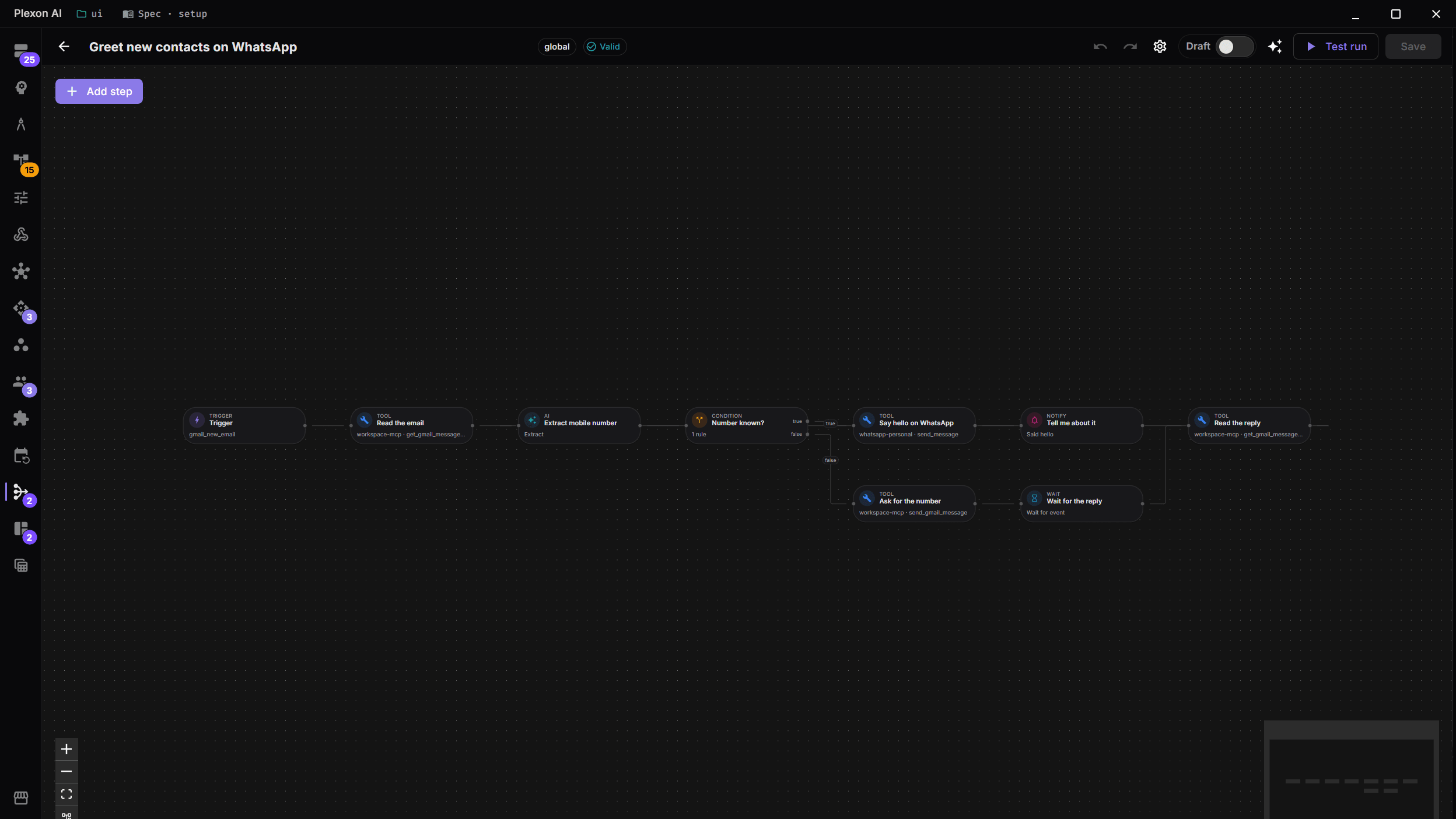
An empty canvas to a working workflow: put it on a clock, add steps from the rail by name, fill in the fields each tool asks for, branch on what it found, then save it and run it. Then the same thing from one sentence, drafted for you to read before it can run. What happens in this clip
- Start from an empty canvas.
- Put the workflow on a clock.
- Add steps from the rail by name, then fill in the fields each tool asks for.
- Branch on what the previous step found.
- Save it and run it. Then the same workflow again from one sentence, drafted for you to read before it can run.
Send the first touch, at most once
The engine records what it sent. A retried run does not message the same person twice, which is the failure that makes people turn automation off.
Try this
Send a first reply within a minute of a new enquiry landing. Make certain a retried run cannot message the same person twice.
Chase only the quiet ones
A scheduled sweep checks who has replied and drafts a second touch for the rest.
Try this
Every weekday at 09:00, check who has not replied in three days and draft a second message for those people only. Leave everyone who answered alone.
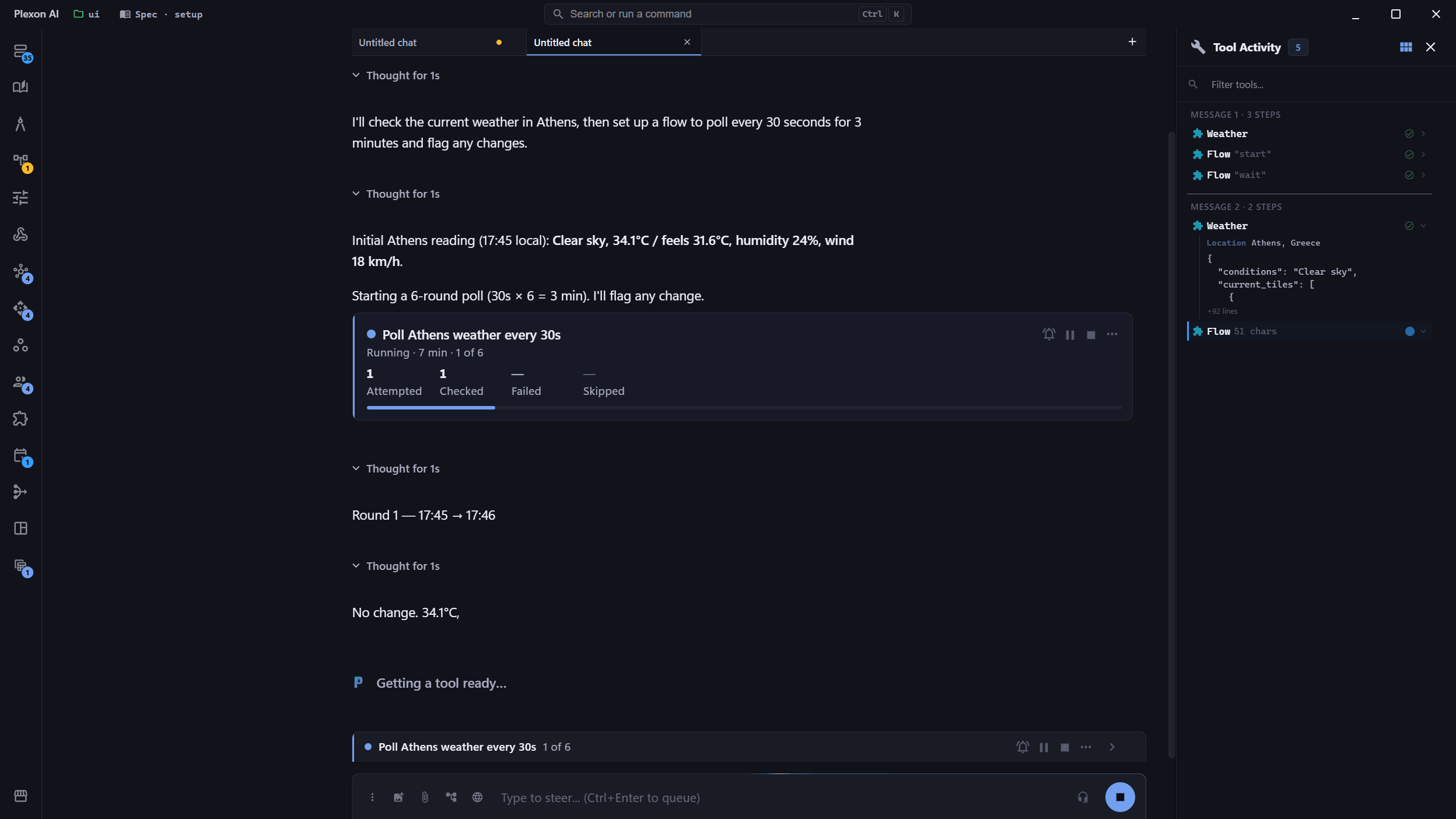
Watch it work, and stop it if it is wrong
Repeating an action across many people shows as a counted card in the chat, with the reason for each one that did not go through, and its own pause and stop.
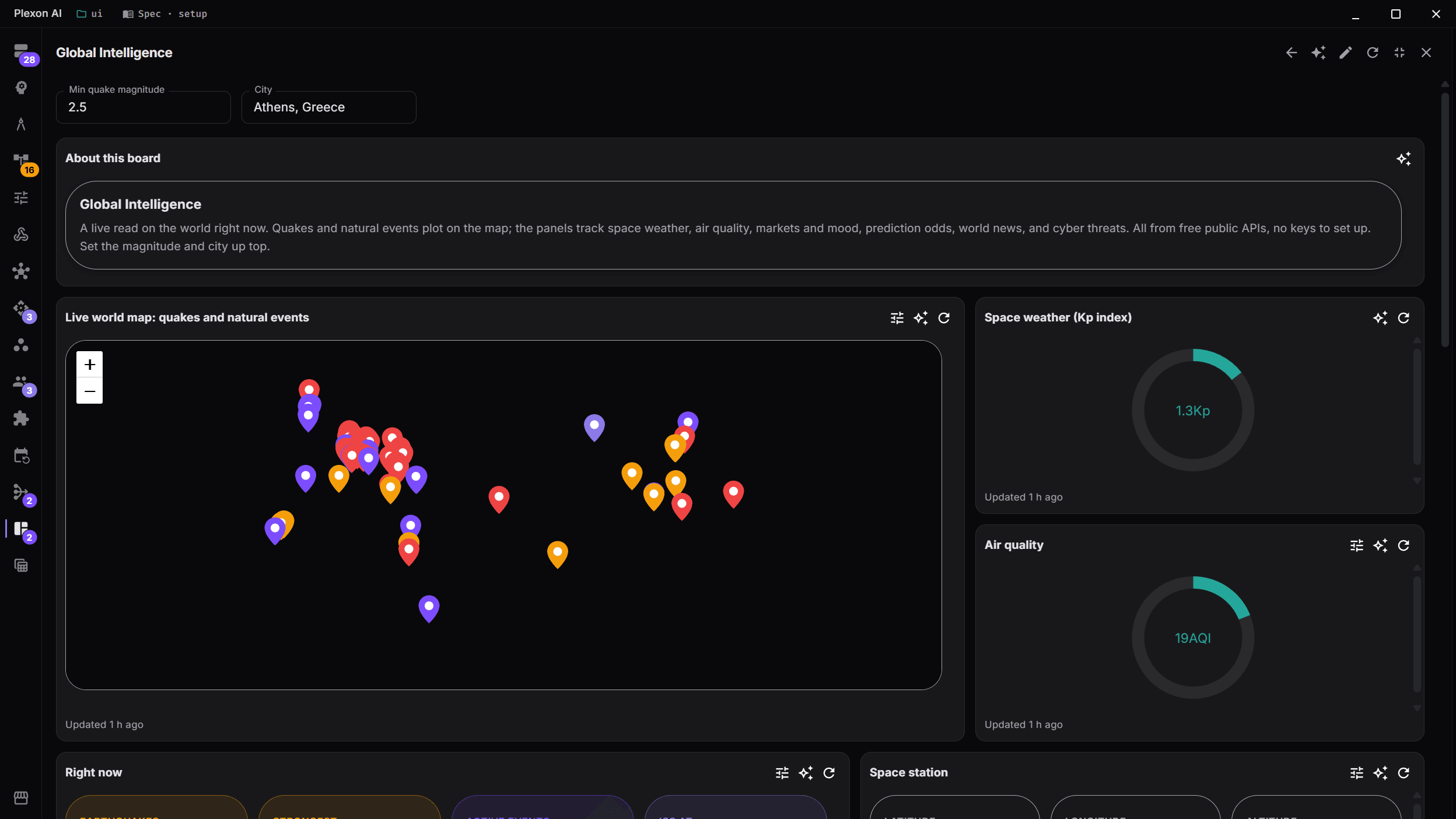
See the funnel
A board fed by the same scheduled runs, so the numbers and the actions come from one place.
What you end up with
A first response measured in seconds, and a follow-up that skips anyone who already replied.
Download PlexonAlso for sales team
Grow a LinkedIn network in one sector without clicking Connect all day
A workflow that ships with Plexon works through one LinkedIn search on weekdays, a few people per run, and welcomes the ones who accept. It stays under the limits LinkedIn users report as safe and stops at the first notice.
Find newly registered companies in my sector
A workflow that ships with Plexon reads the Greek business registry every weekday morning for companies registered in the sectors and prefectures you choose, scores each new one against what you sell and files the fits as leads with a Greek opener.