Analyst
Make the file nobody opens into the board everybody checks
“The numbers live in a spreadsheet and nobody looks at it.”
Load the file once and its columns become available everywhere: in chat, in a workflow loop, and as a widget binding.
Load the file once
Keep it as a fixed snapshot or as a live read of the file on disk. Preview every row in a filterable grid first.
The Data Sources panel with its built-in help: bring in a spreadsheet or a CSV, then loop over it in a workflow or chart it on a board. What happens in this clip
- The Data Sources panel opens with its built-in help card.
- The help explains what a data source is: a spreadsheet, a CSV, or a feed loaded once and reused.
- Snapshot and live modes are described side by side.
- From there a workflow can loop over its rows, or a dashboard widget can chart them.
Ask about it in plain language
@-mention the source, or exact rows, and ask. A built-in tool reads it from any prompt without an export step.
Try this
Using the data source I just loaded, which rows moved the most since last month, and what is the total by <column>? Show your working.
Type @ and it offers your agents, the files in the project, past sessions, even single facts out of your notes. Then Enhance turns a rough prompt into a clear one. What happens in this clip
- Type in the chat box.
- Type @ and it offers your agents, the files in the project, past sessions, even single facts out of your notes.
- Pick an agent to point the message at it.
- Mention a file the same way and pick it from the list.
- Enhance turns a rough prompt into a clear one before you send it.
Bind a widget to a column
Pick the source and the field. No JSON, no query language.
Try this
Build a board from that source: a stat tile for the total, a bar chart grouped by <column>, and a table of the top 20 rows underneath.
An empty board to a live one: add a widget, size it, and point it at a tool that needs no key, so it fills with live data. Then the same board described in one sentence and drafted for you to review. What happens in this clip
- Start from an empty board.
- Add a widget and size it on the grid.
- Point it at a tool that needs no key, and it fills with live data.
- Static values fill in as one typed field per property, with no JSON.
- Then the same board described in one sentence and drafted for you to review.
Walk the rows on a schedule
Give a workflow the source as an input and the loop step iterates it, one row at a time, with the result snapshotted.
Try this
Every night at 23:00, walk every row of that source, flag anything that changed by more than 10 percent, and only notify me if there is something to say.
An empty canvas to a working workflow: put it on a clock, add steps from the rail by name, fill in the fields each tool asks for, branch on what it found, then save it and run it. Then the same thing from one sentence, drafted for you to read before it can run. What happens in this clip
- Start from an empty canvas.
- Put the workflow on a clock.
- Add steps from the rail by name, then fill in the fields each tool asks for.
- Branch on what the previous step found.
- Save it and run it. Then the same workflow again from one sentence, drafted for you to read before it can run.
Compute the answers you would otherwise guess
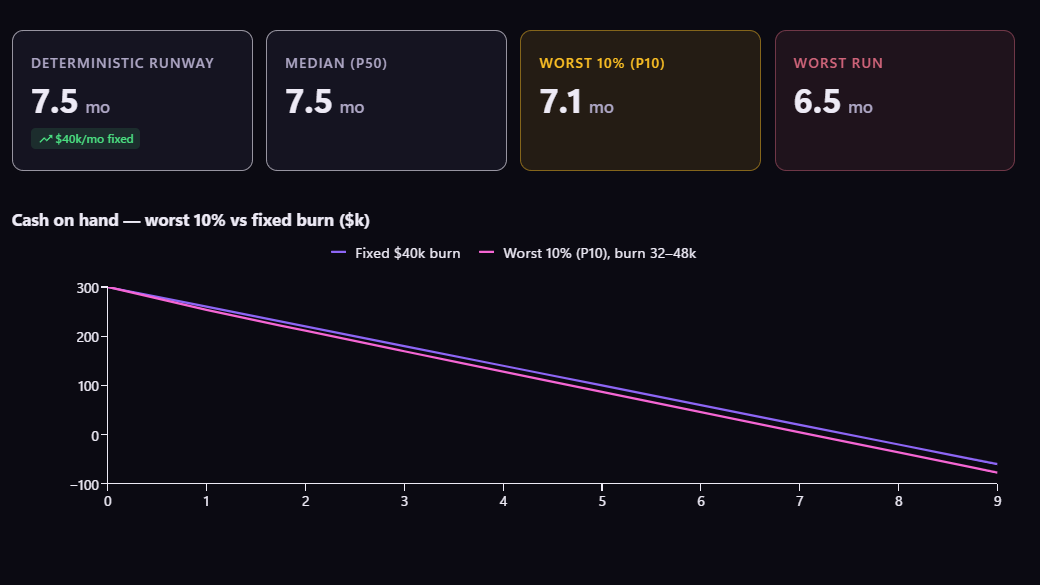
Routes, loads, rosters and budget splits are searches. Plexon computes them and reports the seed that reproduces the result.
Try this
From that source, work out the cheapest way to <the thing you are deciding>. Compute it rather than estimating it, and give me the seed that reproduces the answer.
Get answers you can read
Structured results render as tables, stat rows and checklists in the chat rather than as a wall of markdown.
What you end up with
One board with a parameter you can change, and a nightly check that tells you when something moved.
Download Plexon