IT & admin
Make day one an install and a sign-in
“A new hire spends their first week setting up tools instead of doing the job.”
Everything the role needs travels in one bundle: the persona, its boards, its scheduled workflows, its sample data and its connectors, delivered to the people entitled to it and locked against editing.
Build the role once
One persona per job. It carries the prompt, the skills, the agents and the connectors that job needs.
Try this
Build a persona for the <role> job: the prompt, the skills, the agents and the connectors that job needs. List what you included and what you deliberately left out.
Install the Stock Trader persona from the marketplace, switch to it, and open the live Trader Cockpit board it brings along. What happens in this clip
- Find the Stock Trader persona in the marketplace and install it.
- Switch to it from the persona picker.
- The welcome screen and the starter prompts change with it.
- It brings its own dashboard, the Trader Cockpit, already live.
- Switching back leaves the persona installed for next time.
Give it the board it works from
Boards travel inside the bundle and arrive seeded, not empty.
The Weather board opened in edit mode, widget by widget: the board parameter every card reads, where each one gets its data, and how often it refreshes. What happens in this clip
- The Weather board opens in edit mode.
- A board parameter at the top is read by every card on it.
- Each widget shows where it gets its data.
- Each one carries its own refresh interval, in plain language.
- Change the parameter and every widget re-runs.
Ship the standing jobs switched off
Scheduled and polled workflows arrive with the persona and land disabled, so a new machine does not start sending on its first morning.
Try this
Add the standing jobs to that persona, and make sure they arrive disabled so a new machine does not start sending on its first morning.
A bundled workflow opened in the editor, one step at a time: the trigger that polls the inbox, the tool step that reads the email, the AI step and the fields it returns, the branch, the message it sends, and the notification at the end. What happens in this clip
- A bundled workflow opens in the editor.
- The trigger at the top polls the inbox.
- A tool step reads the email, spending no AI tokens.
- An AI step pulls out named fields, and a branch decides what happens next.
- A message step sends the reply, and a notification step tells you it went.
Include sample data in the real format
A bundled dataset seeds into Data Sources on install. Swap in a real export and every workflow keeps working, because the columns match.
The Data Sources panel with its built-in help: bring in a spreadsheet or a CSV, then loop over it in a workflow or chart it on a board. What happens in this clip
- The Data Sources panel opens with its built-in help card.
- The help explains what a data source is: a spreadsheet, a CSV, or a feed loaded once and reused.
- Snapshot and live modes are described side by side.
- From there a workflow can loop over its rows, or a dashboard widget can chart them.
Deliver it to the right people only
A protected marketplace is fetched by the server, not the client. The access token never reaches a laptop, content is sealed per marketplace, and revoking someone takes effect within fifteen minutes.
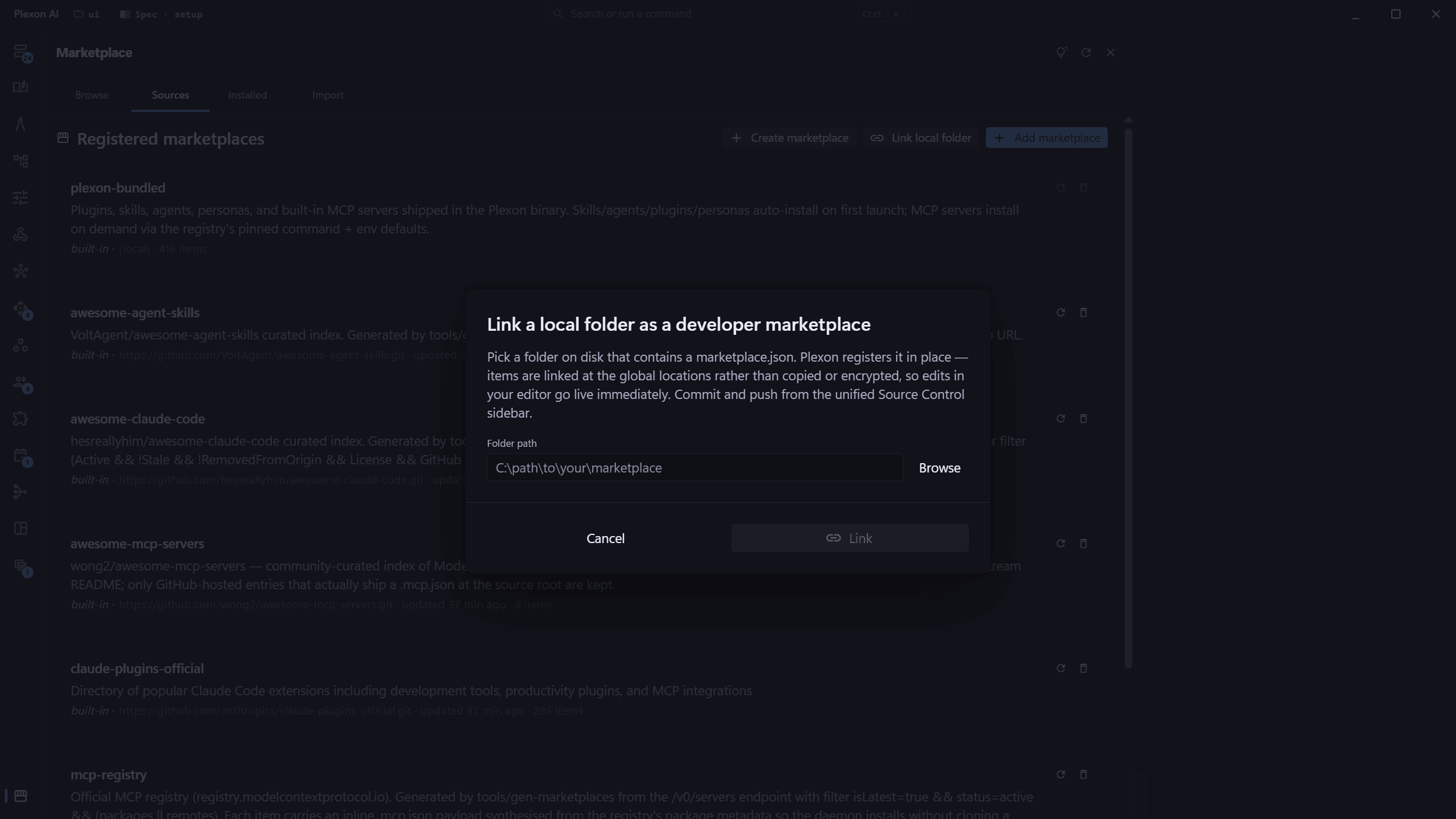
Move a whole setup between machines
When someone changes laptop, one encrypted file carries their personas, connectors, workflows, boards and chats across.
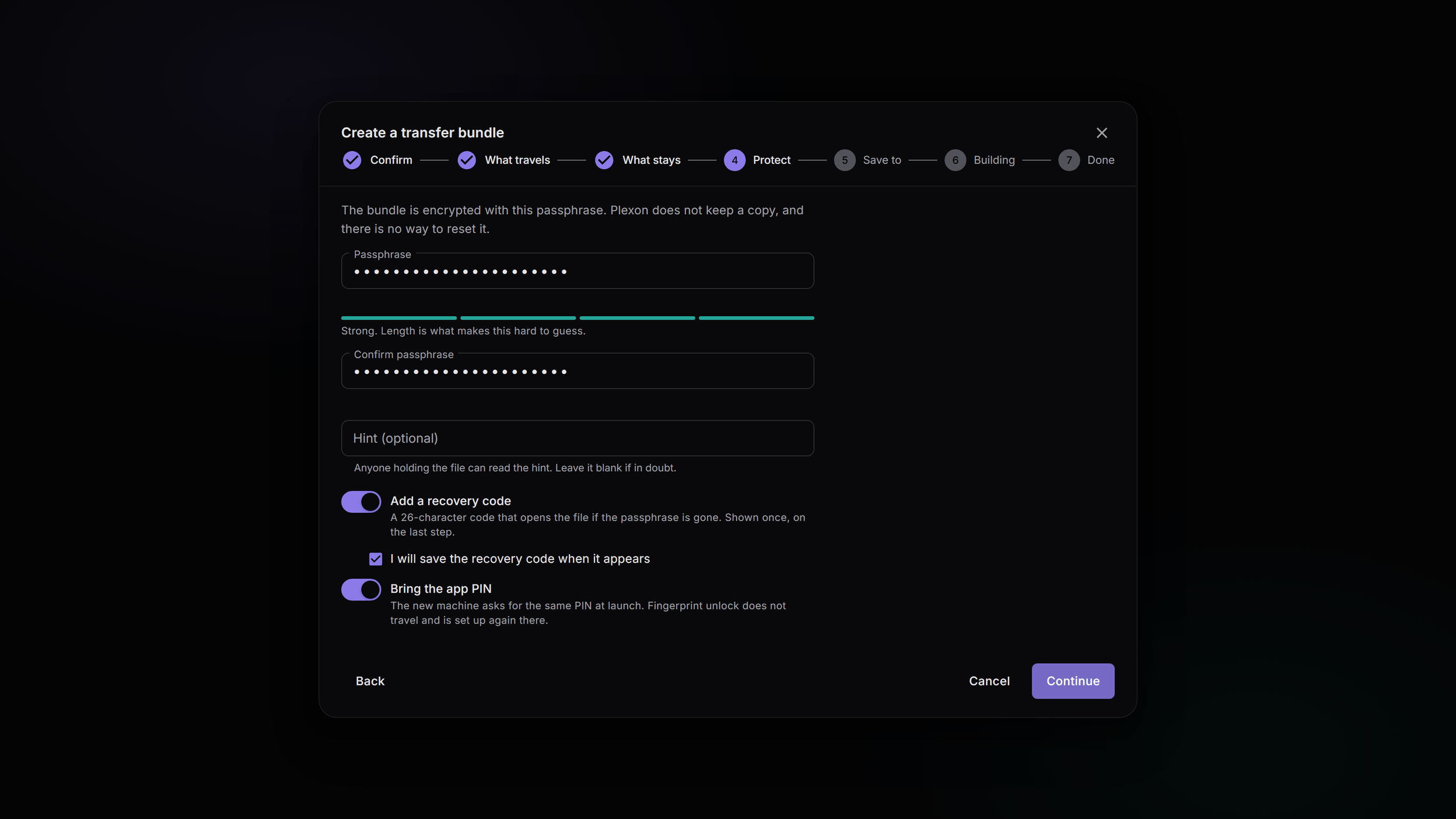
What you end up with
A new hire installs Plexon, signs in, and their role is already there. Updates arrive on launch without anyone being asked to re-download.
Download Plexon